
Known Participant
April 6, 2022
Answered

Going wrong with my Gaussian Blurring.

  • April 6, 2022
  • 2 replies
  • 1551 views

Hi All,


I am looking to apply a Gaussian blur to the inner radius of a circle using the blur/gaussian tool. I'd like the depth of the blur to be pretty thick, see arrows as a guide in the attached image. 


I've attached a short video of my attempt. Any ideas where I am going wrong here.  I'm sure this is simple and a gentle pointer in the right direction would be greatly appreciated.


Thankyou


Rob  🙏


Rob
This topic has been closed for replies.
Correct answer c.pfaffenbichler

2 replies

c.pfaffenbichler
Community Expert
Community Expert
April 6, 2022

I guess my advice so far may be too complicated here. 


So a different approach: 

No Quick Mask. 

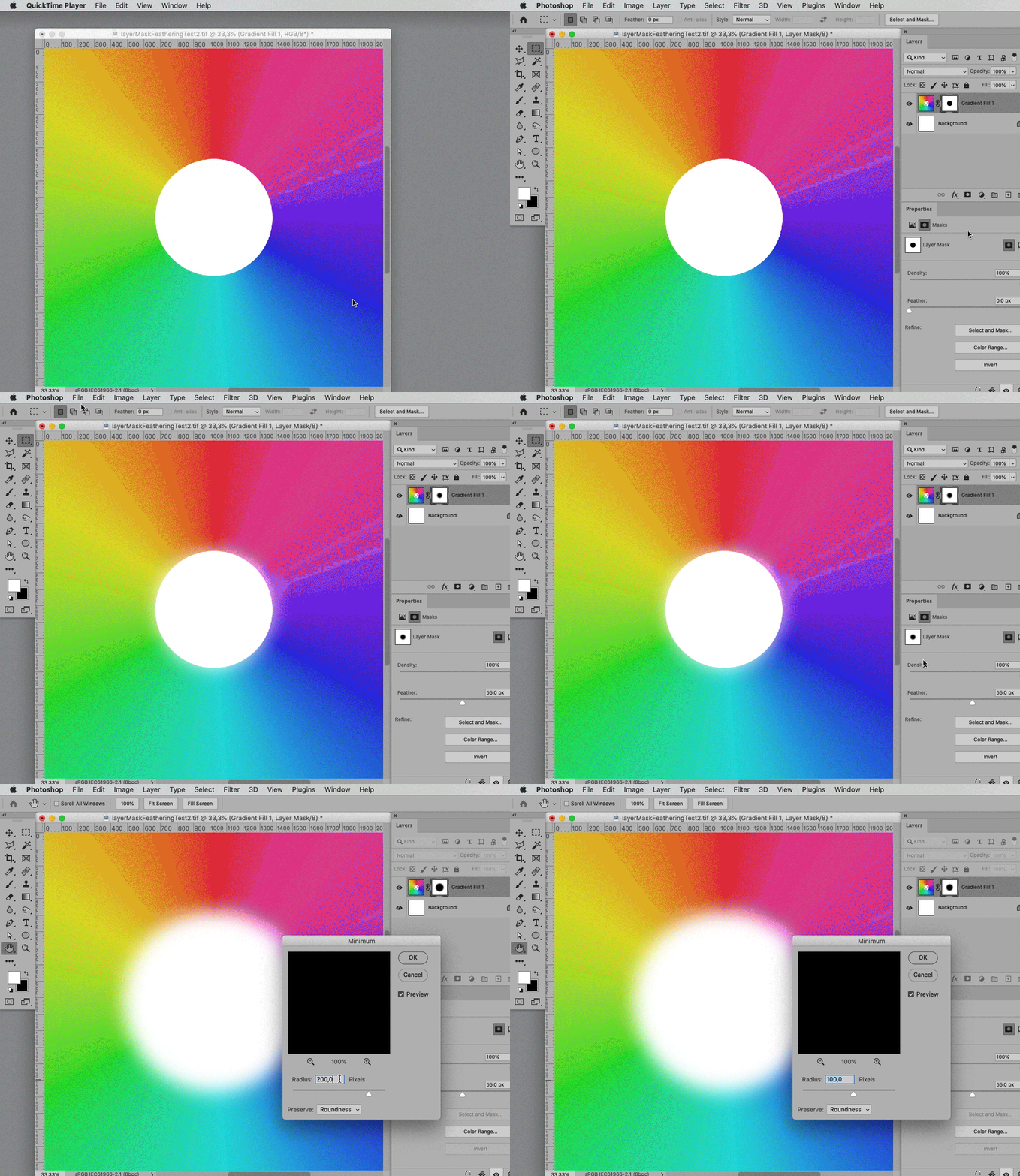
Just load the transparency as a Selection. 

Apply it as a Layer Mask to the Layer. 

Apply Feather in the Properties Panel. 

Apply Filter > Other > Minimum if the sharp edge of the original transparency is noticable. 

Known Participant
April 6, 2022

I think perhaps whene you give advice you may be thinking everyone is on your level.. Your screenshots definitley help and I am grateful for you trying to help. 


So for the sake of clarity. Just load the selection as transparency. Are you referring to my Rainbow png file ?

The option to apply a layer mask from the menu bar is no longer there.

Where would I find the properties panel. I looked this up on youtube but its really misleading.

c.pfaffenbichler
Community Expert
c.pfaffenbichlerCommunity ExpertCorrect answer
Community Expert
April 8, 2022

c.pfaffenbichler
Community Expert
Community Expert
April 6, 2022

What are you selecting? 

Why do you switch to Quick Mask Mode? 


To edit the Transparency indespendently from the pixels’ color values convert it to a Layer Mask (Layer > Layer Mask > From Transparency) and edit the Mask. 

Known Participant
April 6, 2022

I tried the new layer mask option as you mention but I don't seem to have a layer mask as a menu item?  

c.pfaffenbichler
Community Expert
Community Expert
April 6, 2022

Thanks for the screenshot CP.

Now at least I have the correct layer masked transparency.  I tried the same technique as in my first post and still the edge of the rainbow coloured circle has a sharp edge and no gaussian blur transistion.. Photoshop can be so frustrating to use sometimes 😉


The Layer Mask needs to be selected to be edited/filtered.