

gtsolid
Known Participant
August 6, 2020
Answered

Gradient on the borders

  • August 6, 2020
  • 3 replies
  • 4068 views

Hi!

i wish to get a reddish effect at the border of this palm:

The middle should remain the same. How can i get this?

if i use the gradient tool, i will change the entire image, even transparent pixels
This topic has been closed for replies.
Correct answer c.pfaffenbichler

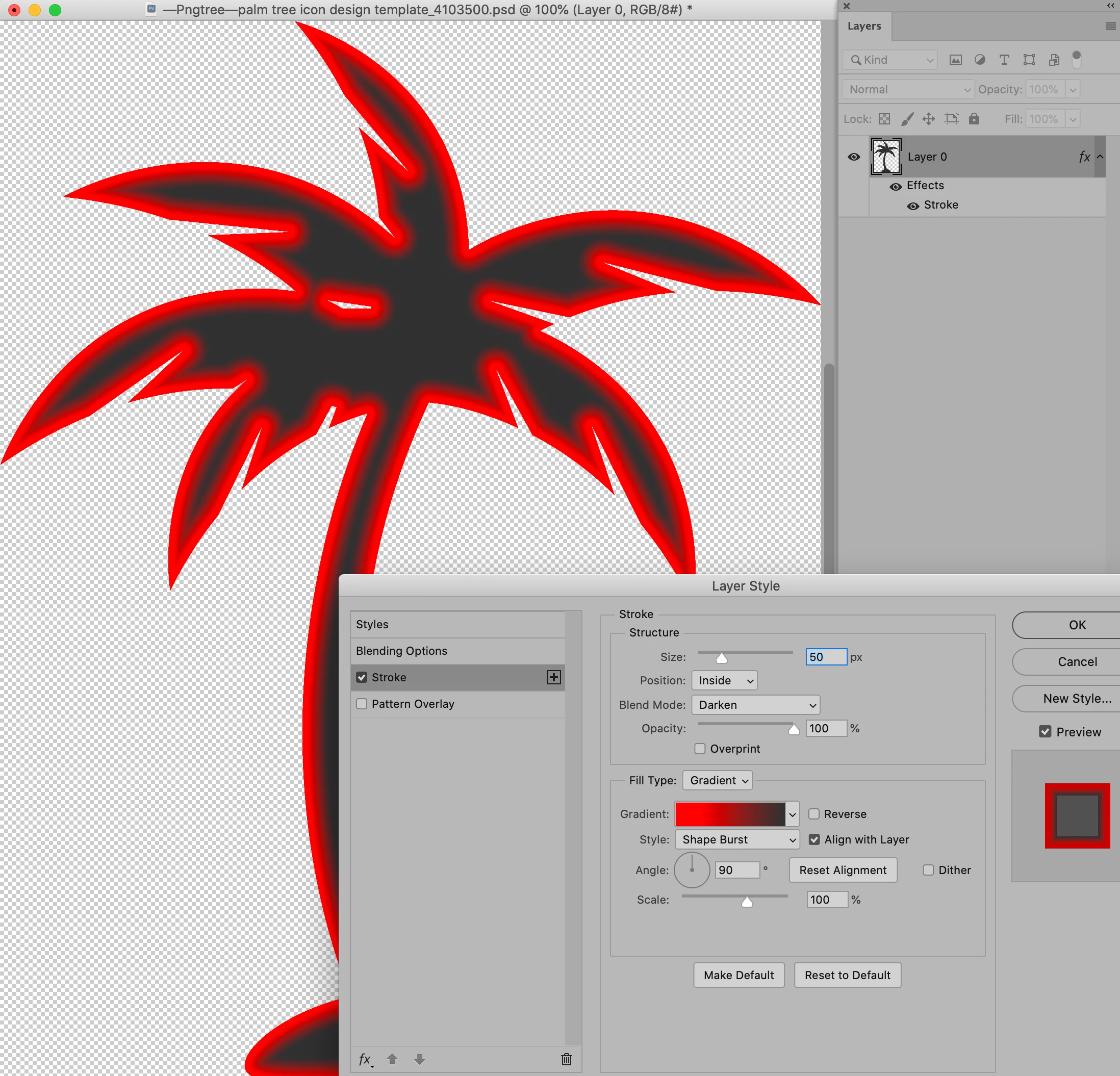
The Layer Style Stroke (Gradient, Shape Burst) might also be an option, 

3 replies

c.pfaffenbichler
Community Expert
c.pfaffenbichlerCommunity ExpertCorrect answer
Community Expert
August 6, 2020

The Layer Style Stroke (Gradient, Shape Burst) might also be an option, 

Semaphoric
Community Expert
Community Expert
August 6, 2020

I was thinking Inner Glow would be similar, but it has trouble with sharp corners.

c.pfaffenbichler
Community Expert
Community Expert
August 6, 2020

Good one! 

I quess it depends on what appearance the original poster is aiming for. 

melissapiccone
Community Expert
Community Expert
August 6, 2020

You can use the gradient tool and create a clipping mask. Use the foreground to transparent gradient so you can selectively apply a gradient to each section. Do this in a seperate layer and then clip the layer to the palm tree layer. 

Melissa Piccone | Adobe Trainer | Online Courses Author | Fine Artist
JJMack
Community Expert
Community Expert
August 6, 2020

JJMack