
Participant
July 30, 2021
Question

Gradients Not Exporting As Viewing In Preview

  • July 30, 2021
  • 3 replies
  • 5446 views

Hello everyone!


Im having massive trouble with gradient maps, i have a client that needs this poster for music event, and i broke some ground with an aesthetic im trying to acomplish.

Firstly the gradient i applied doest export as i viewed it, i applied an adjustment layer gradient map to a photo i imported from lightroom as i was editing the photo. 

Here is what i want it to look like, BEFORE i apply either an Export, Flatten, or Layer Merge.

The second image is basically when i do any of the three processess mentioned before.
I cant complete this project unless i get the results of the first image, whatever the cost, i know it sounds dramatic but its really important for me so any advice from someone expirenced with these problems, would be massively apprecaiited .
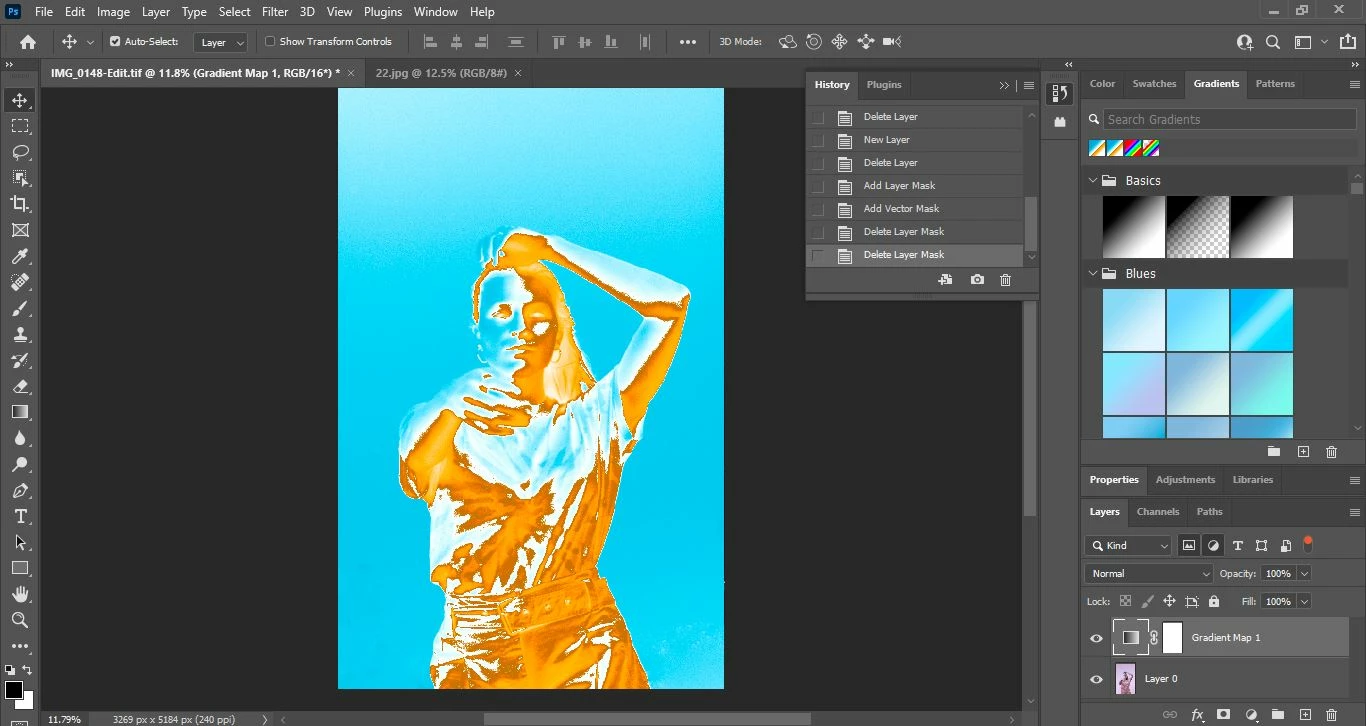
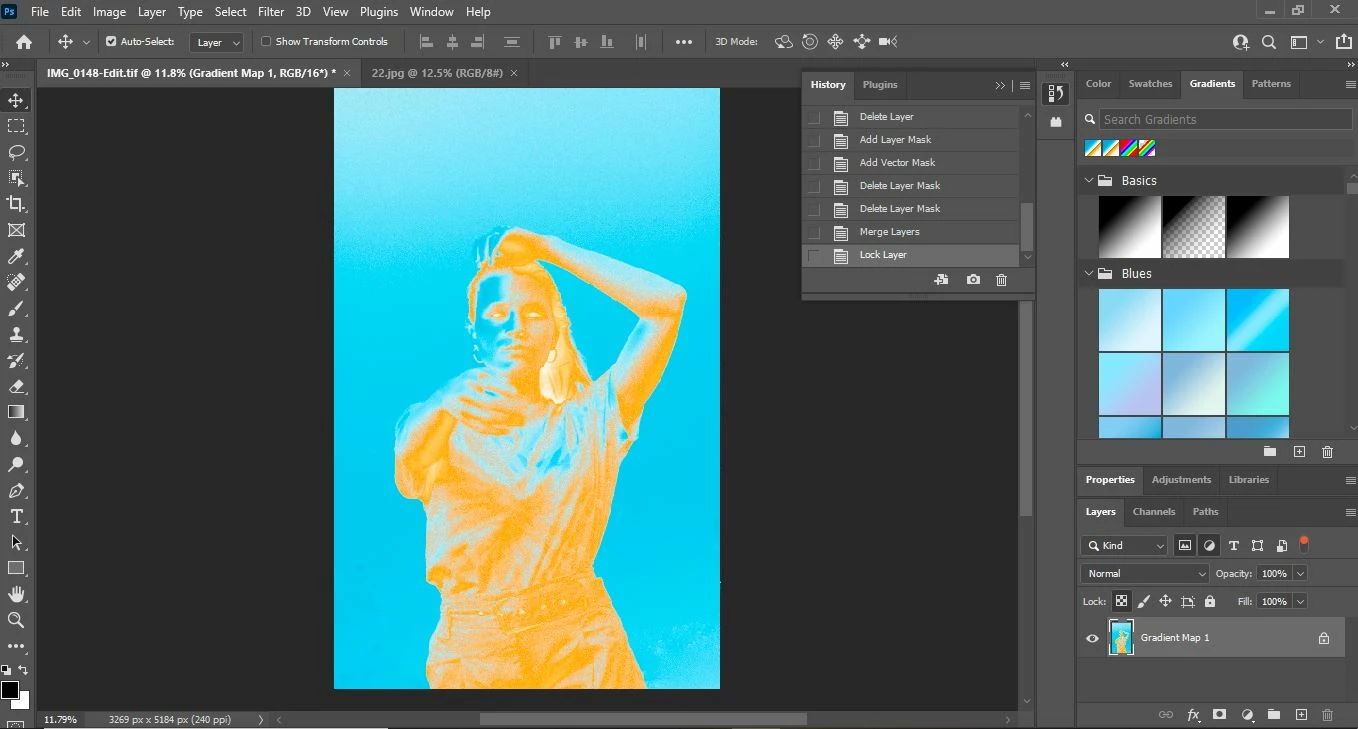


This topic has been closed for replies.

3 replies

D Fosse
Community Expert
Community Expert
July 30, 2021

This is most likely a very noisy/grainy image?


In that case you must view at 100% to get an accurate adjustment/blending preview.


In Photoshop, 100% has nothing to do with size. It means that one image pixel is represented by exactly one screen pixel. This 1:1 screen mapping is crucial.


For performance reasons, adjustment/blending previews are calculated based on the on-screen image. Zoomed out, that means the math isn't done on the actual image pixels, but on a lot of intermediate blurred pixels, the result of the on-screen downsampling.


When you commit the adjustment, it's performed on the full image data, pixel for pixel. So you may get a different result, but this time it's correct.


So first check in View > 100%, and then come back.

c.pfaffenbichler
Community Expert
Community Expert
July 30, 2021

This is most likely a very noisy/grainy image?

And as the OP »imported from lightroom« they should hopefully have the opportunity to process it again without that much noise. 

c.pfaffenbichler
Community Expert
Community Expert
July 30, 2021

Also include the Properties Panel in the screenshots so one can see the Gradient. 

c.pfaffenbichler
Community Expert
Community Expert
July 30, 2021

Please post screenshots taken at View > 100% of the layered and the flattened image. 


Viewing layered images with Adjustment Layers for example at anything other than 100% can lead to inaccurate previewing, in particular grainy images.