
Participant
April 18, 2020
Answered

Gradients won't run vertical

  • April 18, 2020
  • 1 reply
  • 1234 views

I just had to reinstall Photoshop CC 2020 and now when I try to do a vertical gradient (top to bottom), it makes it diagonal instead. If I move the curser bottom to top, it goes horizontal. I hold down the shift key and it still does this. I am also unable to change the transition area. It seems as though the gradient doesn't listen to me at all and just acts like I dragged and dropped it in. Any idea how to fix this?
This topic has been closed for replies.
Correct answer c.pfaffenbichler

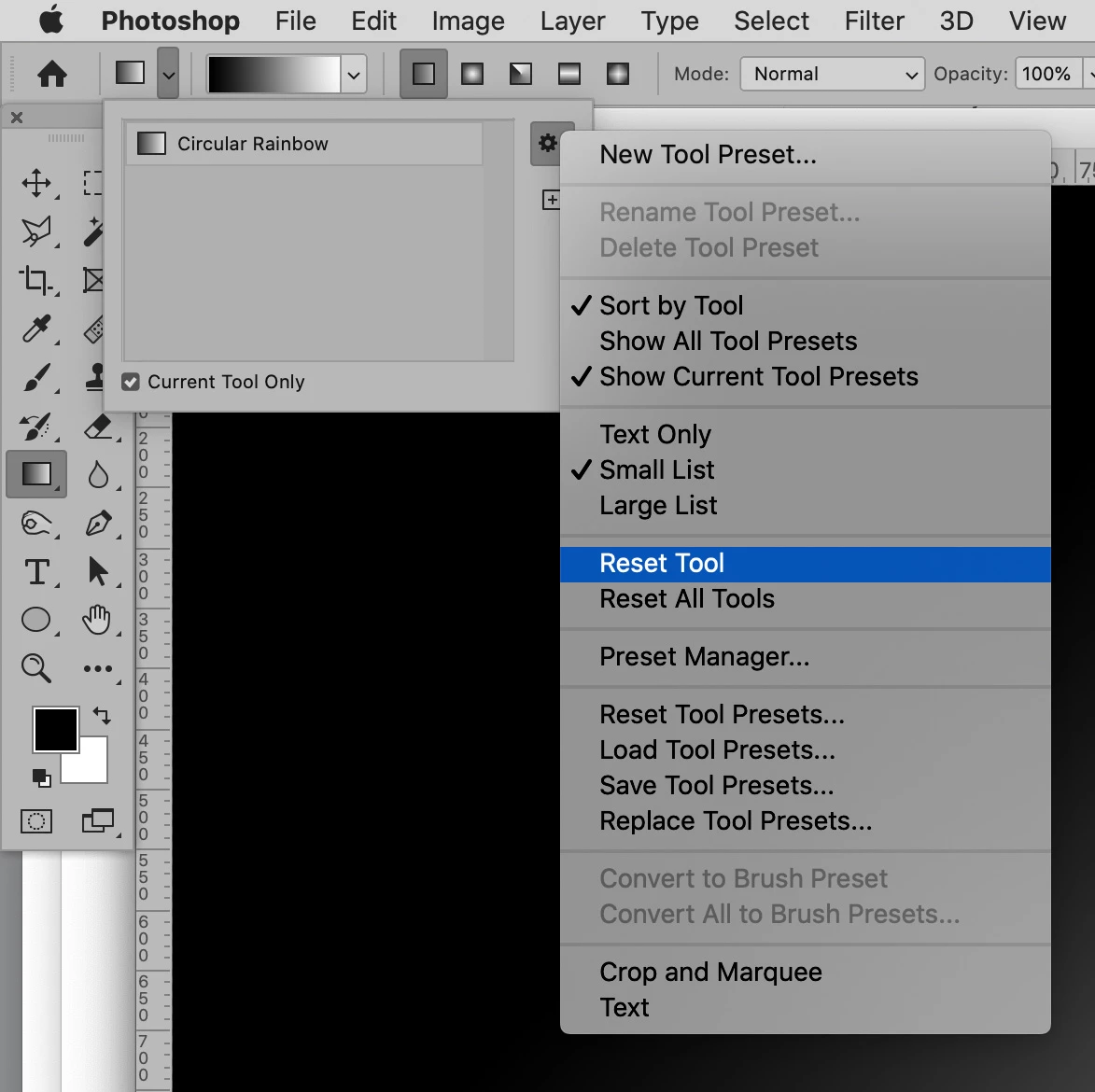
Have you reset the Tool yet? 


What about Gradient Layers? 

1 reply

c.pfaffenbichler
Community Expert
Community Expert
April 18, 2020

Could you please post screenshots with the pertinent Panels (Toolbar, Layers, Channels, Options Bar, …) visible? 


Have you tried using Gardient Layers instead? 

Participant
April 18, 2020
Participant
April 18, 2020

Have you reset the Tool yet? 


What about Gradient Layers? 


That worked! Thank you! How bizarre that it defaulted to a gradient that couldn't go vertical on a fresh reinstall. Thank you so very much!