
YSCOTT
Participant
October 12, 2020
Question

Grainy ARW images upon opening in Adobe Photoshop

  • October 12, 2020
  • 1 reply
  • 1279 views

Question is why do the ARW but not CR2 images open up grainy in Adobe Photoshop but NOT Affinity Photo?

Canon CR2 files from EOS 80D show some but little degradation with opening in Adobe Photoshop (compare Fig. 1A with 1B) and less in Affinity Photo (compare Fig. 1A with Fig. 2A).

If open Sony DSC-RX10M4 ARW files in Affinity Photo, very little change (compare Fig. 1C with Fig. 2B).

If open Sony ARW files in Photoshop, images become grainy (compare Fig. 1C with 1D).
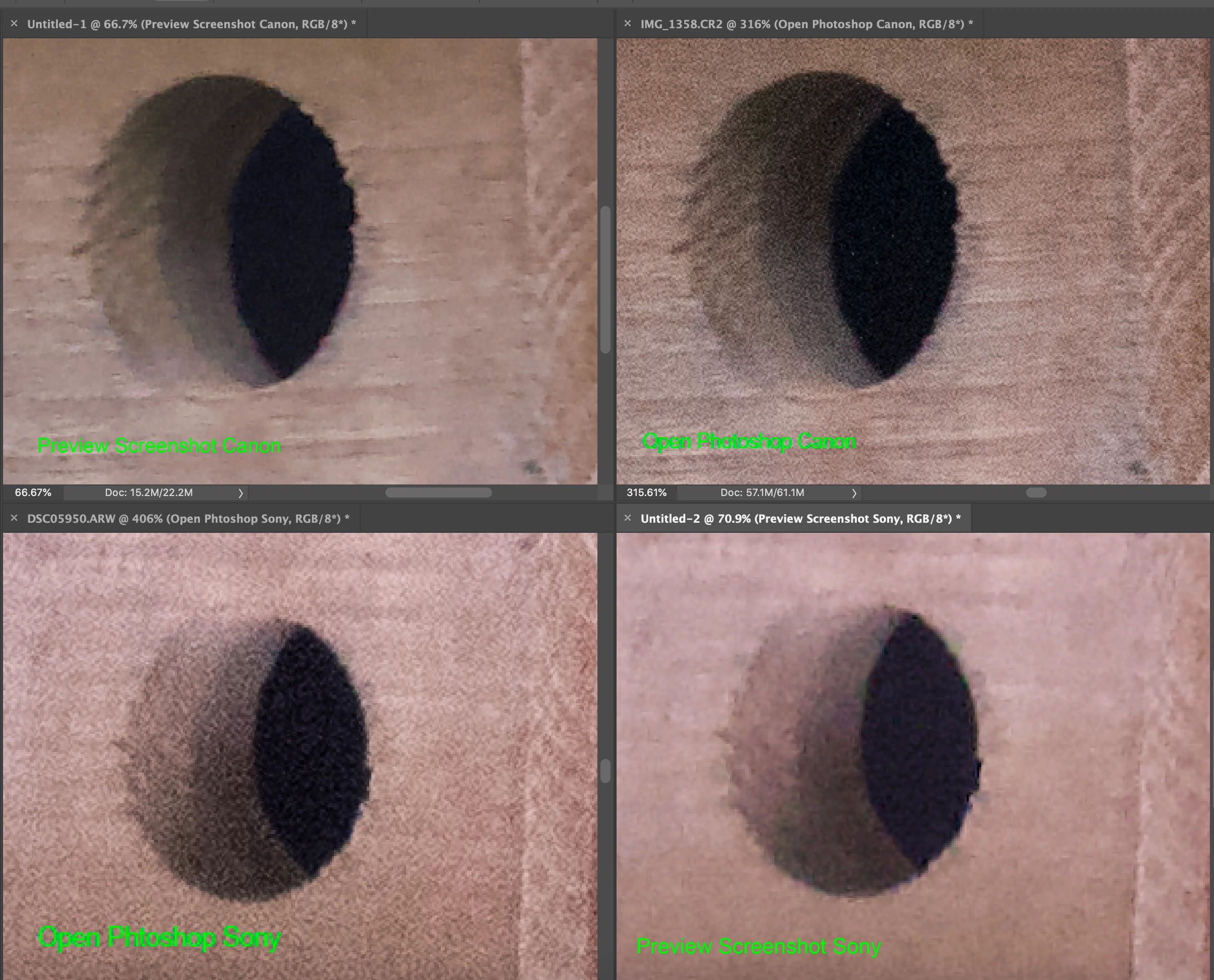
 

Fig. 1. All shot at 400 mm without any other adjustments. From top left clockwise: screenshot of Canon CR2 desktop view (A); Canon CR2 opened into Photoshop (B) ; screenshot of Sony ARW desktop view (C); and Sony ARW opened directly in Photoshop (D).
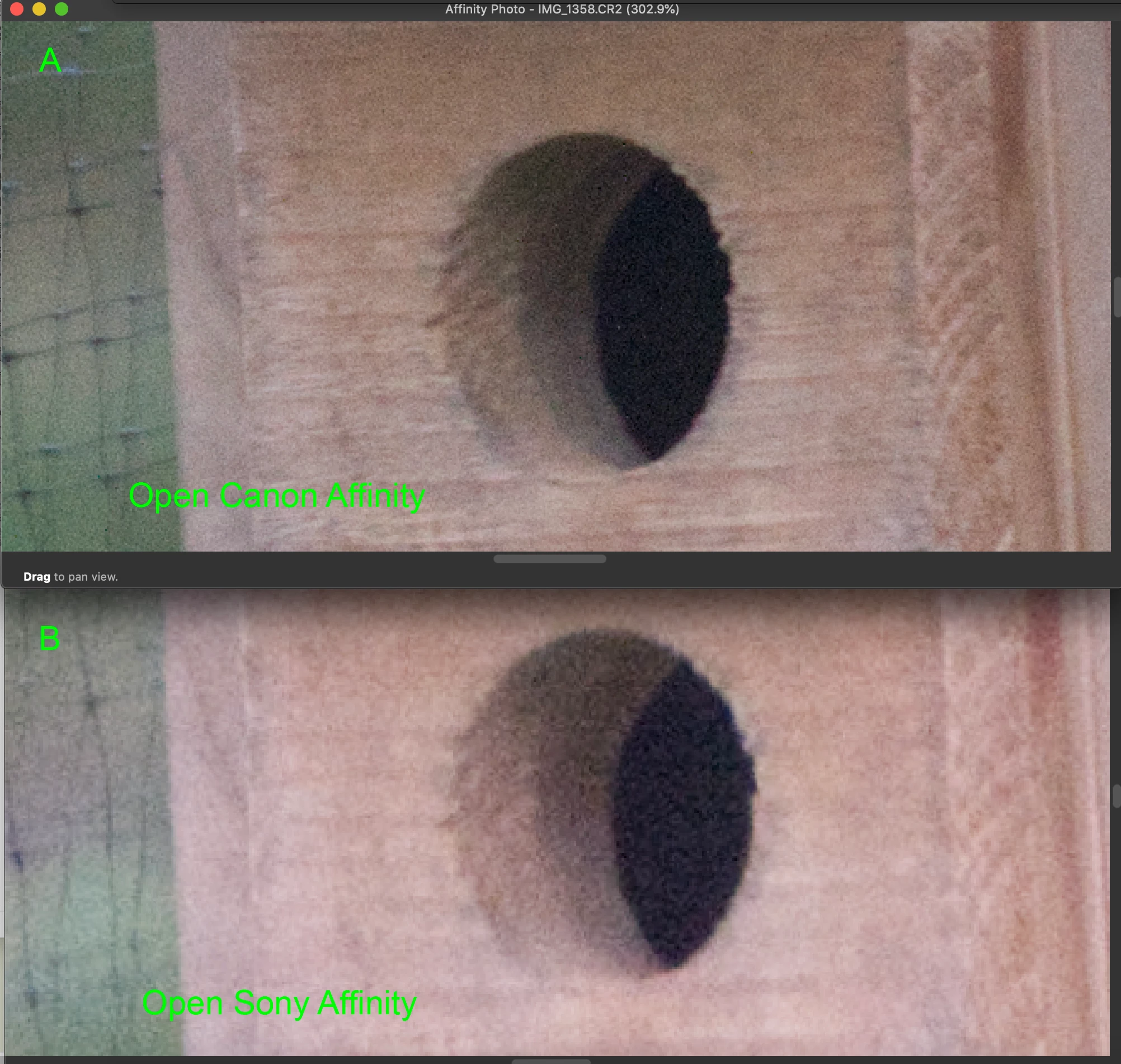


Fig. 2. Unprocessed direct openings of Canon CR2 (A) and Sony ARW (B) in Affinity Photo.


Question is why do the ARW but not CR2 images open up grainy in Adobe Photoshop but NOT Affinity Photo?

This topic has been closed for replies.

1 reply

D Fosse
Community Expert
Community Expert
October 12, 2020

It first needs to be understood that it is the very same camera sensor data. There is no "more" or "less" noise - only how much noise reduction is applied. Noise level is determined by ISO and sensor characteristics.


You're comparing the camera-processed jpeg to the raw data at whatever default noise reduction is set in the raw processor.


Camera processing has very aggressive noise reduction applied automatically. The embedded jpeg will have very little noise. This is where the camera manufacturers compete fiercely.


In the raw processor (ACR and Affinity's equivalent) noise reduction is dialed in by the user. There will be a default setting, but you're supposed to use these sliders. Algorithms are different and which one is "best" is open for discussion. But the amount of noise reduction is up to you.

YSCOTT
YSCOTTAuthor
Participant
October 12, 2020

If what you say is accurate, what is the parameter that has changed the noise reduction default for only ARW raw images? How do I return it to a setting so that when the ARW raw image is opened in Camera Raw, there is no introduced noise? And, why does this not happen for CR2 raw images? Thank you very much.

davescm
Community Expert
Community Expert
October 12, 2020

"How do I return it to a setting so that when the ARW raw image is opened in Camera Raw, there is no introduced noise?"


You've missed D.Fosse's point. Camera Raw does not introduce noise. If you see noise in camera raw that you do not see elsewhere it is purely down to a greater level of noise reduction being applied elsewhere. So the noise that is present in your image is being reduced in other software.

So, in camera raw, use the sliders and  dial in your required level of noise reduction, which you can then save in a camera preset should you wish.


https://helpx.adobe.com/photoshop/kb/acr-raw-defaults.html


Dave


Dave