Answered
Grainy Opaque Airbrush
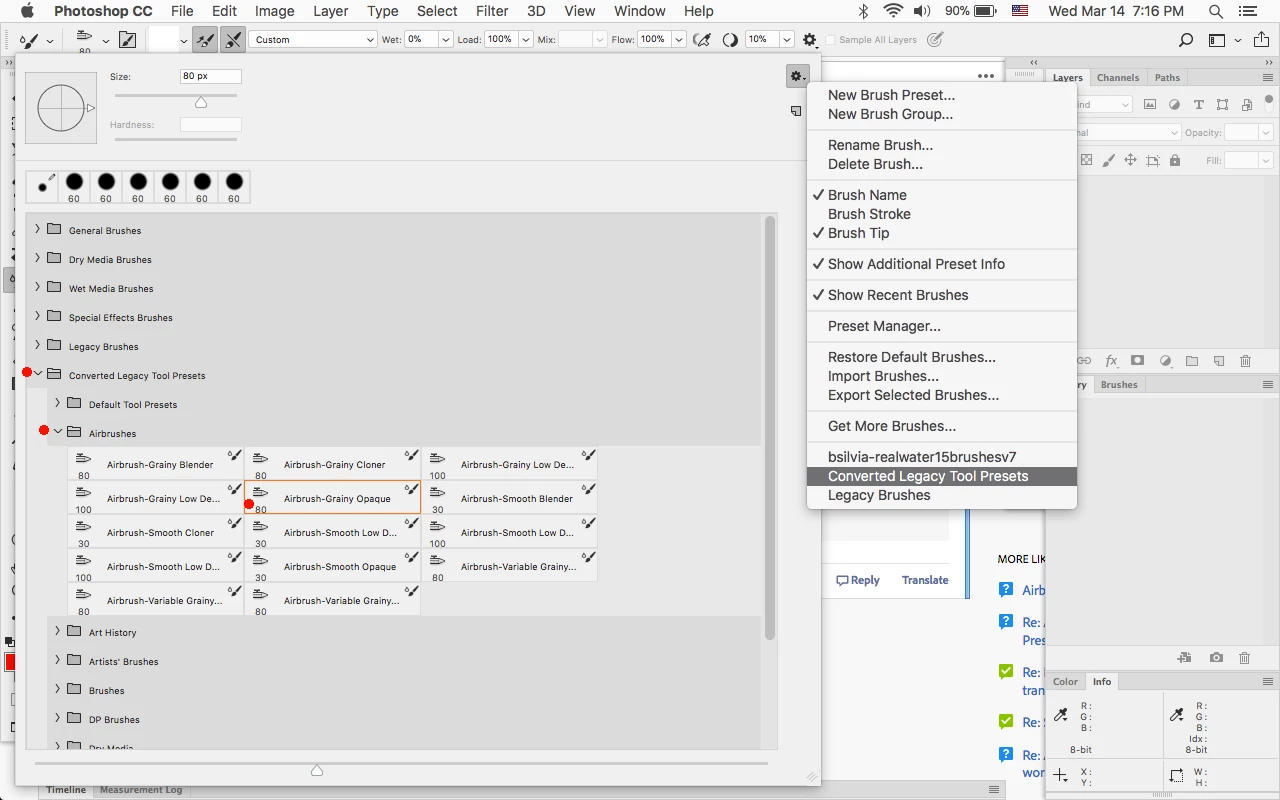
I can't find the grainy opaque airbrush in Photoshop CC 2018...I FINALLY found some airbrushes after hours of searching but they're all just labeled "airbrush" how do I know which one is the grainy opaque one?

I can't find the grainy opaque airbrush in Photoshop CC 2018...I FINALLY found some airbrushes after hours of searching but they're all just labeled "airbrush" how do I know which one is the grainy opaque one?
Load the Converted Legacy Tool Presets and look under Airbrushes for the Airbrush-Grainy Opaque.
Already have an account? Login
Enter your E-mail address. We'll send you an e-mail with instructions to reset your password.
 AdChoices