oscarnyc
Participant
April 6, 2025
Answered

Graphic Processor is incompatible

  • April 6, 2025
  • 3 replies
  • 650 views

Photoshop: v26.5

Hardware:  

Model Name: MacBook Pro

  Model Identifier: MacBookPro18,1

  Model Number: Z14W00108LL/A

  Chip: Apple M1 Pro

  Total Number of Cores: 10 (8 performance and 2 efficiency)

  Memory: 32 GB

  System Firmware Version: 11881.101.1

  OS Loader Version: 11881.101.1


GRAPHICS:

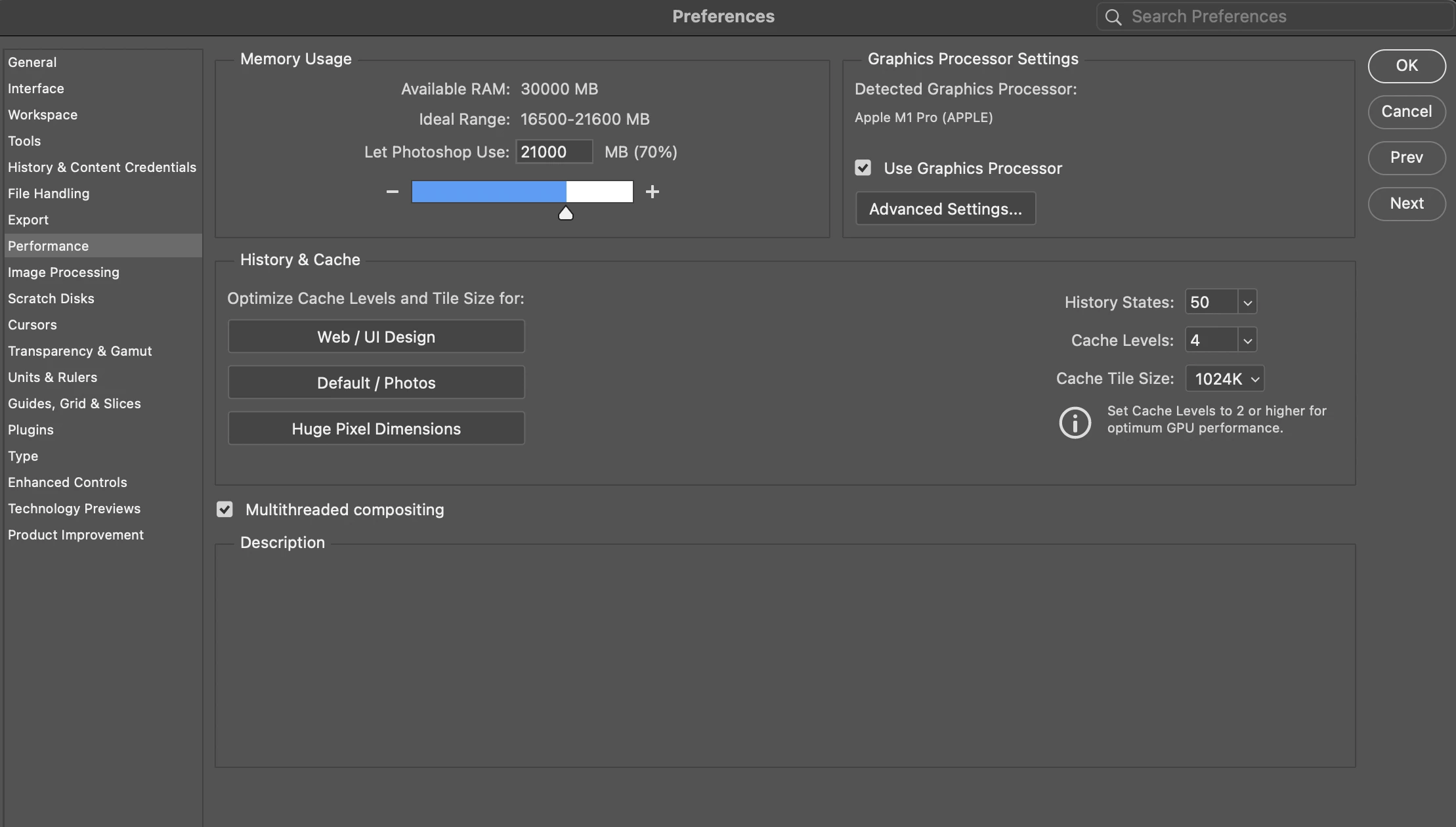
Chipset Model: Apple M1 Pro

  Type: GPU

  Bus: Built-In

  Total Number of Cores: 16

  Vendor: Apple (0x106b)

  Metal Support: Metal 3


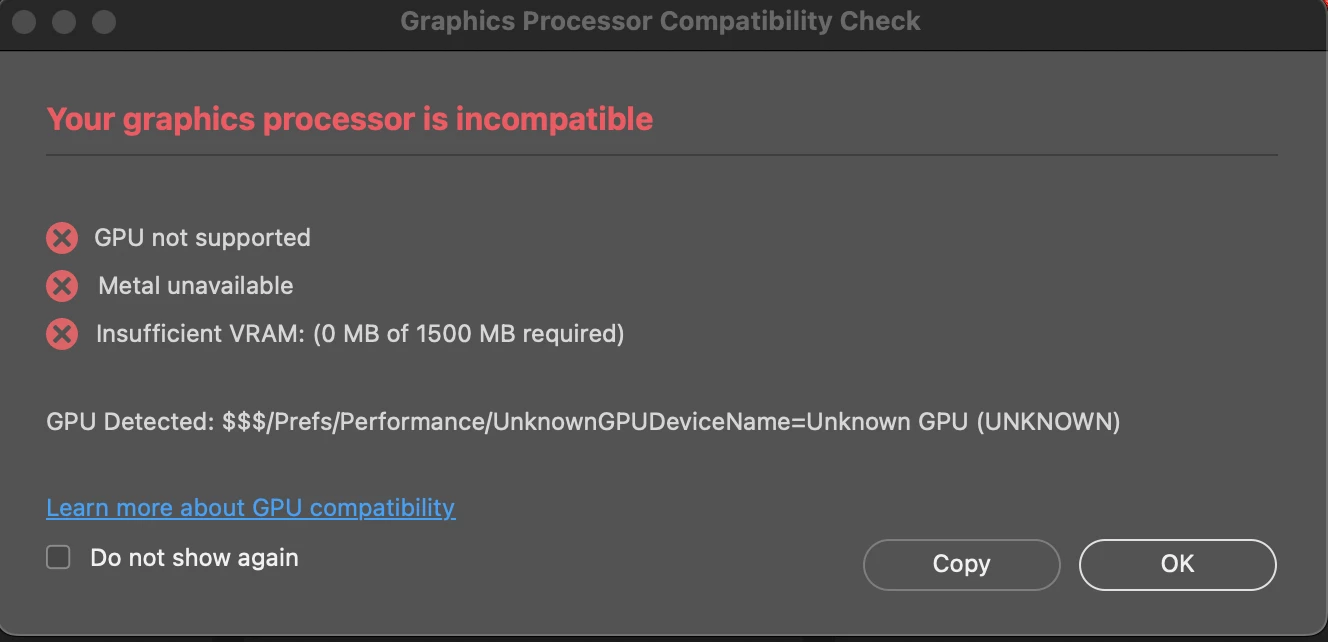
I GET THE FOLLOWING ERROR WHEN STARTING PHOTOSOP:


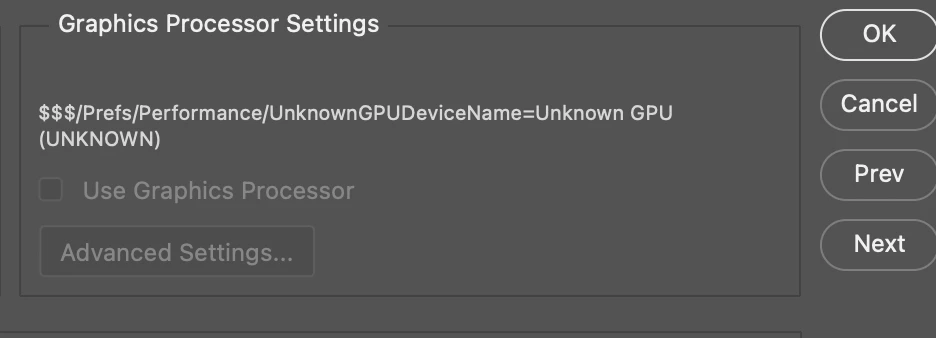
Fail: GPU not supported Fail: Metal unavailable Fail: Insufficient VRAM: (0 MB of 1500 MB required) GPU Detected: $$$/Prefs/Performance/UnknownGPUDeviceName=Unknown GPU (UNKNOWN)


Please help finding a solution 
 

Correct answer oscarnyc

After uninstalling photoshop and doing a fresh reinstall .. The problem seems to go away 

maybe there was an error during the update 


3 replies

oscarnyc
oscarnycAuthorCorrect answer
Participant
April 9, 2025

After uninstalling photoshop and doing a fresh reinstall .. The problem seems to go away 

maybe there was an error during the update 


Conrad_C
Community Expert
Community Expert
April 6, 2025

That’s a very unusual error because many, including me, have a very similar model. I also have an M1 Pro with the same 32GB of unified memory and firmware version. Photoshop should run great on it.


Is there anything about the Mac or the installation of Photoshop that is a little different than normal?

For example, is Photoshop installed inside a virtual machine? Sometimes that doesn’t provide full access to the GPU.

Was it installed in a way other than from the Creative Cloud desktop app, such as restored from a backup or migrated from another Mac?

Anything other non-typical installation/configuration situations like that?


Have there been any other Photoshop errors that mention things such as application permissions?


Have you tried resetting Photoshop preferences?


Also, try following the directions in this link to look at the log for the Photoshop GPU sniffer-out.txt file, which might provide more details about any GPU problems:

https://helpx.adobe.com/ca/photoshop/kb/error-photoshop-has-encountered-a-problem-with-the-display-drive.html


You can ignore the section “Run sniffer.exe to get graphics card information” because that’s written for a computer running Microsoft Windows.

oscarnyc
oscarnycAuthor
Participant
April 8, 2025

Nothing unusual  ,   everything is up to date.   No virtual machine.  Paid subscribtion and install and updates done thru the creative cloud app.  


I tried reseting the photoshop settings and same thing .   Since no1 really giving me any info, im going to uninstall the app and reinstall it see if that does the trick.    otherwise not sure whats wrong with it 

John Waller
Community Expert
Community Expert
April 6, 2025

Which macOS operating system are you running?


Is it up-to-date?

oscarnyc
oscarnycAuthor
Participant
April 8, 2025

15.4.  everything up to date