robertol89854202
Participant
December 30, 2021
Answered

Grid lines do not add up

  • December 30, 2021
  • 1 reply
  • 567 views

Hi,
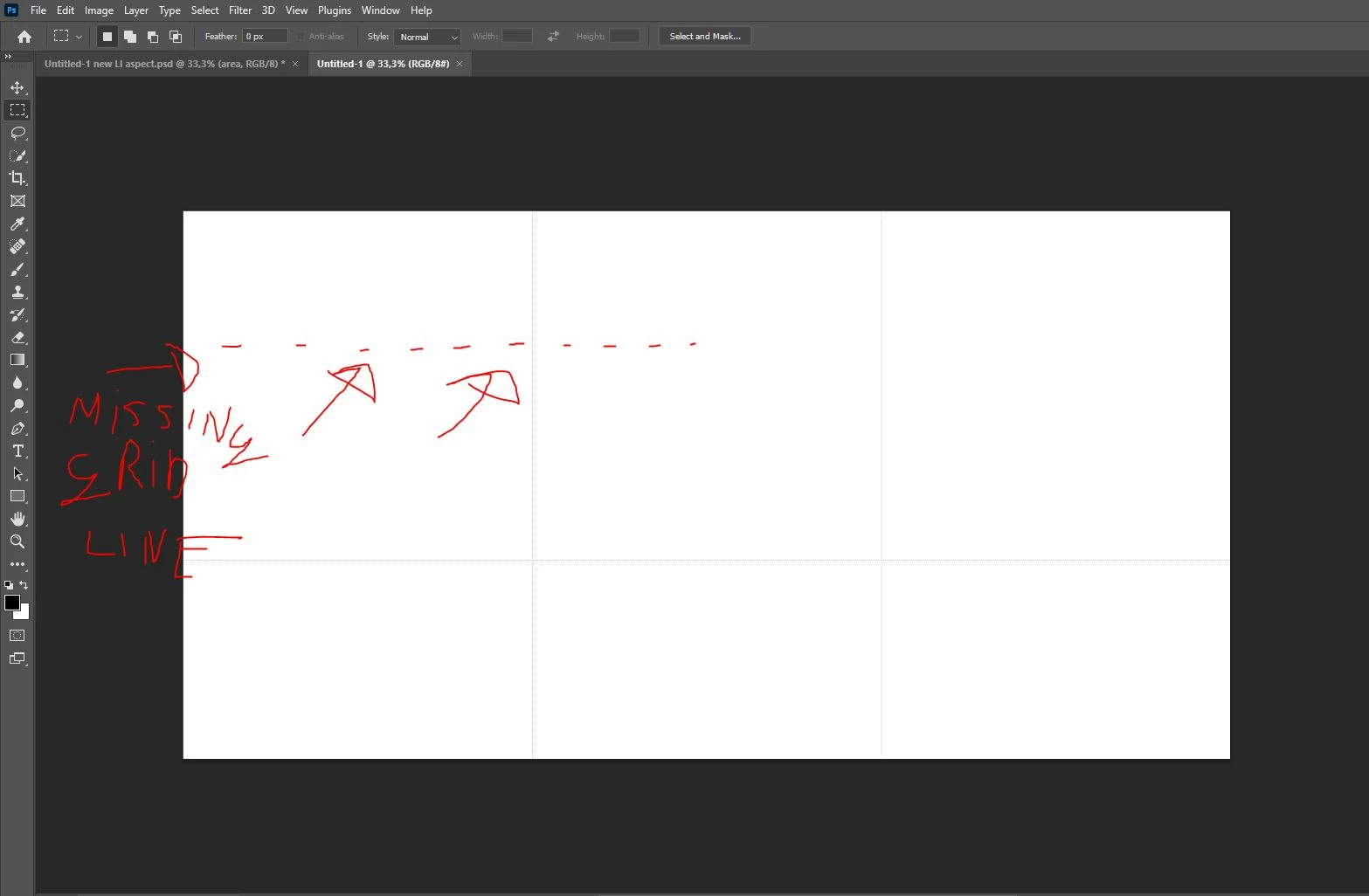
I recently bought some action packs and after using one of them, my grid lines do not add up.

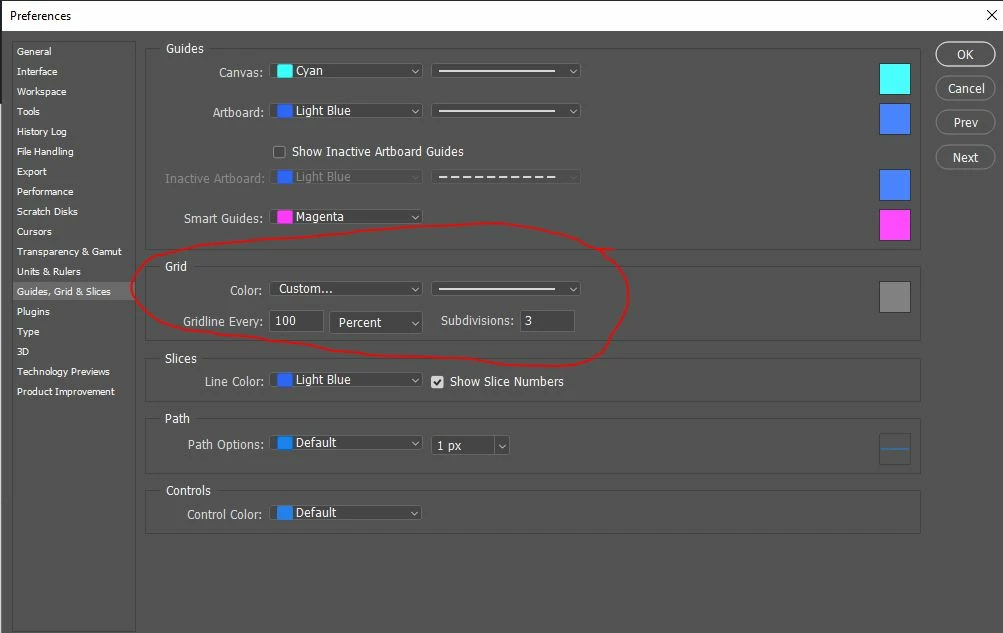
They used to be a perfect 'rule of thirds' guide, but now, even after the same settings, they are off.

Photoshop acts as if the canvas is a lot bugger in vertical direction than it actually is.


I posted some images of the issue and my setting. Does anybody know what might be going on here?
This topic has been closed for replies.
Correct answer Trevor.Dennis

Can you turn on rulers so we can see the devisions and show us a screen shot? 

Right click one of the rulers and set units to pixels.


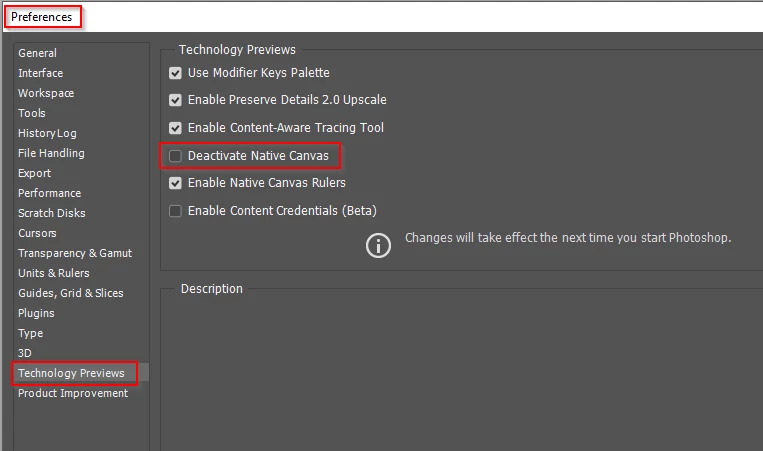
Grid is not a tool so can not easily be reset, so you'd have to reset Preferences which I am loath to do or suggest until all else fails.  With what look like display issues, we tend to look at the GPU.  So rather than reset Preferences right off the bat, try deactivating Native Canvas.  I am not sure if you will need to restart Photoshop for that to take effect?


1 reply

Trevor.Dennis
Community Expert
Trevor.DennisCommunity ExpertCorrect answer
Community Expert
December 30, 2021

Can you turn on rulers so we can see the devisions and show us a screen shot? 

Right click one of the rulers and set units to pixels.


Grid is not a tool so can not easily be reset, so you'd have to reset Preferences which I am loath to do or suggest until all else fails.  With what look like display issues, we tend to look at the GPU.  So rather than reset Preferences right off the bat, try deactivating Native Canvas.  I am not sure if you will need to restart Photoshop for that to take effect?


robertol89854202
Participant
December 30, 2021

Thank you!Turning off native canvas FIXED the problem.

Why after all those years on the same machine... this suddenly happens 😞

Thank you! In a previous attempt I disabled the Native canvas rulers, but never touched the Native Canvas toggle.

Many thanks and I wish you a great 2022 AND beyond 💙