Known Participant
December 16, 2024
Answered

Group layers into individual folder

  • December 16, 2024
  • 2 replies
  • 285 views

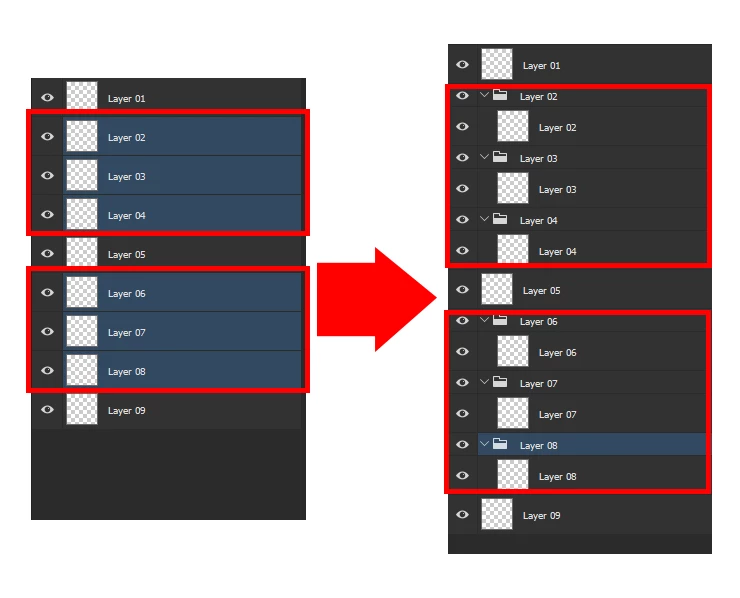
I want to select some layers and group them individually, not all in one, but each layer independently. Thanks for the help.

 

Correct answer Stephen Marsh

@Delta2487 


You can use the script in this topic to add selected layers into individual groups:


2 replies

Participant
March 18, 2025

I work with a lot of layers and like to use groups to organize. This function to move all of the layers in a group is not helpful. if you close the group and click the tab to move its entirety, i understand. But I need to hover on individual layers to tweak objects.  This is extremely frustrating. Why are you fixing what is not broken? I didn't ask for this feature- and it disrupts my work flow entirely. UGH!  I don't like this update. Please return it to it's original function. 

Stephen Marsh
Community Expert
Stephen MarshCommunity ExpertCorrect answer
Community Expert
December 16, 2024

@Delta2487 


You can use the script in this topic to add selected layers into individual groups: