Participant
July 19, 2023
Answered

Guides do not align to pixels

  • July 19, 2023
  • 1 reply
  • 359 views

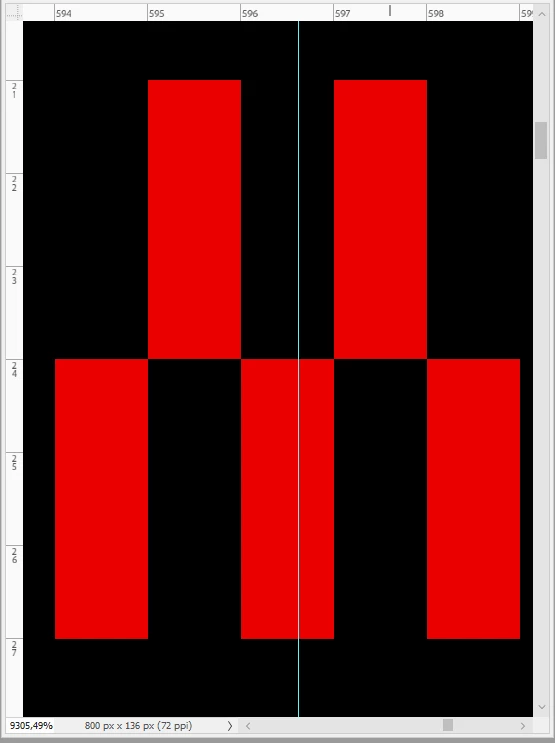
After setting some guides and selecting areas (with snap active) I found that these areas are often differing by 1 px compared to the expected size.

By zooming on a guide, I found the origin of the issue: guides are not aligned to pixels! It's definitely a bug.

I attach a screenshot (red bars are 1 pixel wide).

Is there a workaround for this annoying bug?

Thank you.
 

This topic has been closed for replies.
Correct answer Jeff Arola

Guides don't snap to the pixel grid (the actual numbers/tick marks on the Rulers) unless you hold down the Shift key while moving a guide.

https://helpx.adobe.com/photoshop/using/grid-guides.html


1 reply

Jeff Arola
Community Expert
Jeff ArolaCommunity ExpertCorrect answer
Community Expert
July 19, 2023

Guides don't snap to the pixel grid (the actual numbers/tick marks on the Rulers) unless you hold down the Shift key while moving a guide.

https://helpx.adobe.com/photoshop/using/grid-guides.html