
Participant
November 13, 2019
Answered

Hard time recoloring with refine edge

  • November 13, 2019
  • 2 replies
  • 760 views

So I've only ever used the refine edge tool to select flyaway hair and fur from a background, but now what I'm struggling with is recoloring a flower. I know it sounds dumb, I'm just doing it for fun. 
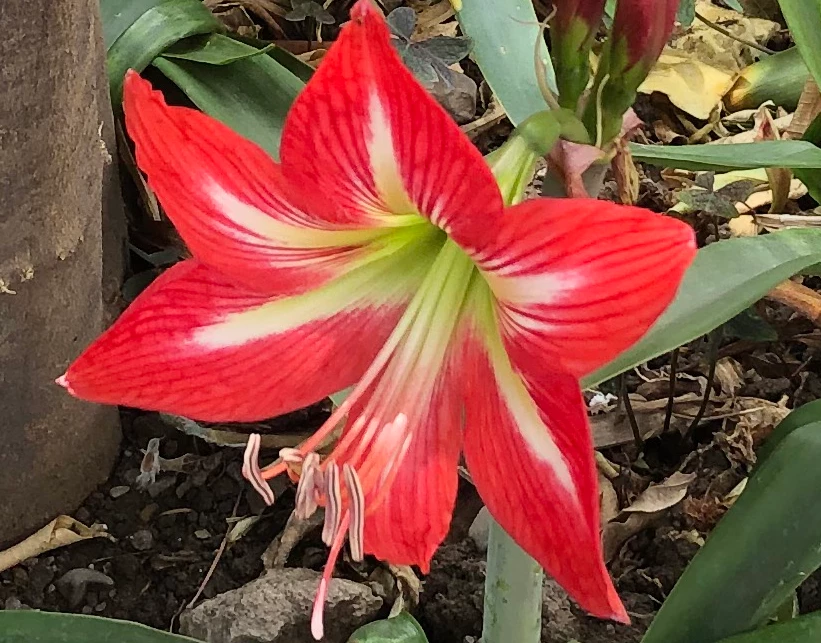


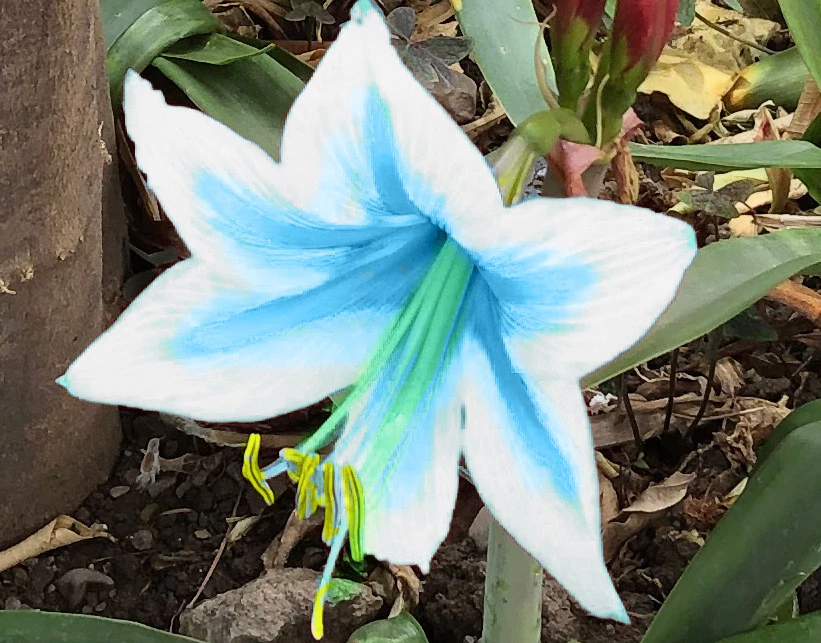
Right now the inside of the flower is white and the edges of the petals are red, but I want the inside to be a light blue and the edges white, like this: (I know, im a nerd)


Image result for silent princess

I saw the red flowers near my house and thought the petal's coloring was similar, so I wanted to try my hand at making it look as close as possible to the reference image but the refine edge tool just doesn't seem to cooperate. I started off selecting the red with the color range option and tried refining the details further toward the center of each petal, but the refine edge just selects the entire flower.

Am I using the wrong tool? Or is there some way to separate better between the colors?
This topic has been closed for replies.
Correct answer jasonm24525790

I would...
-Duplicate the layer
-Use select and mask (or whatever selection method you prefer) to select the whole flower and create a mask so only the flower is showing on this new layer.
-then I would invert the color (since the red outer and light center colors are opposite of your end goal)

-Then I would desaturate and adjust levels to get the main part closer to white and the center part a medium grey.
-Then using color mode, paint back in the blues and yellows, etc for the center parts.

2 replies

jasonm24525790Correct answer
Inspiring
November 14, 2019

I would...
-Duplicate the layer
-Use select and mask (or whatever selection method you prefer) to select the whole flower and create a mask so only the flower is showing on this new layer.
-then I would invert the color (since the red outer and light center colors are opposite of your end goal)

-Then I would desaturate and adjust levels to get the main part closer to white and the center part a medium grey.
-Then using color mode, paint back in the blues and yellows, etc for the center parts.

Participant
November 16, 2019

oh wow thanks so much!! I hadn't thought of that, definitely will give it a shot 

Chuck Uebele
Community Expert
Community Expert
November 14, 2019

I would try creating a selection using channels. Red for the outside of the flower and green for the inside. Maybe even better would be to use LAB color to make the selection.