
Participant
October 30, 2023
Answered

having an error

  • October 30, 2023
  • 1 reply
  • 252 views

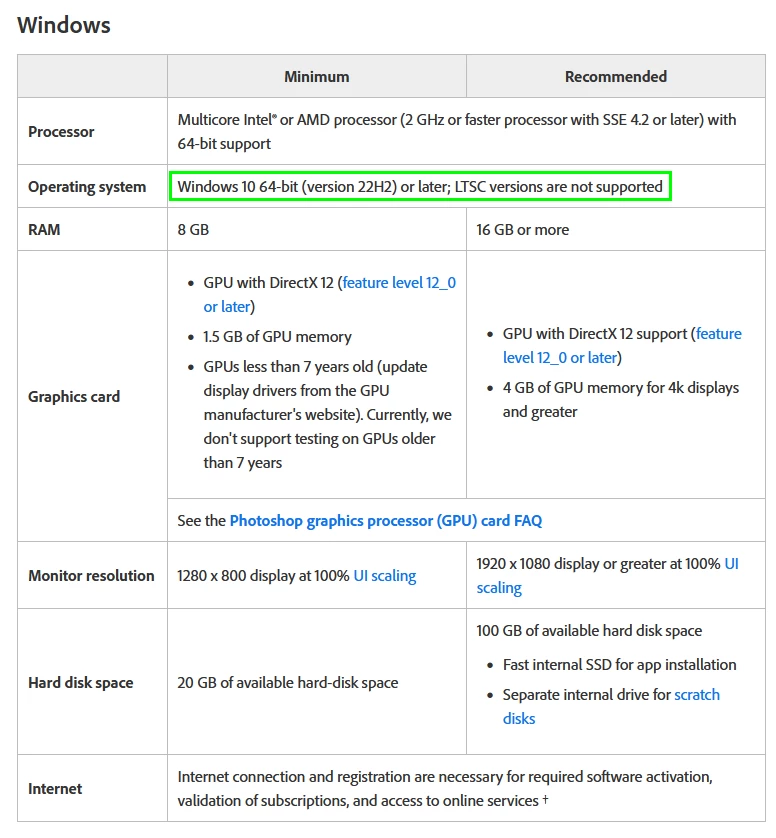
Why my system say you have an error 195 when i installed photoshop, i know this error shows that your device doesn't meet system requirements but, i have 8GB RAM in my pc and windows 10 version 20H2. Does anyone know what's the problem?
This topic has been closed for replies.
Correct answer Ged_Traynor

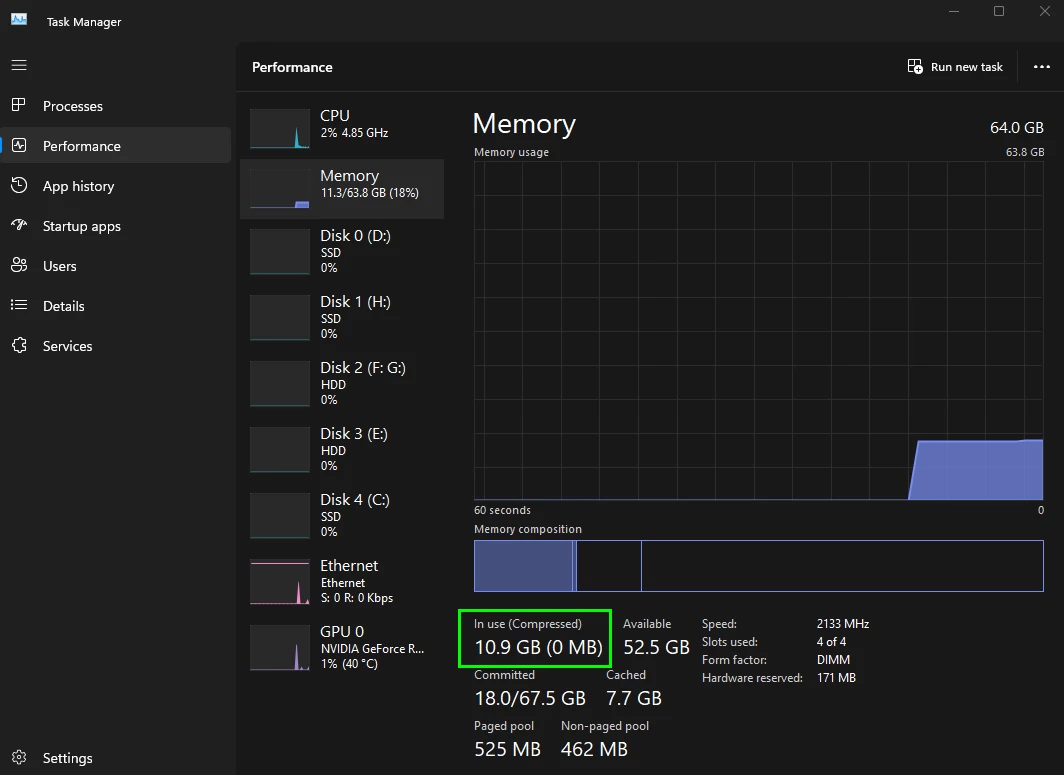
@Laraib332562963w2z you need to update Windows 10, you should also take a look at the recommended requirements rather than the minimum, 8 GB of RAM just isn't enough, I have Photoshop and Firefox opened and you can see my system is using over 10 GB of RAM

https://helpx.adobe.com/ie/photoshop/system-requirements.html

1 reply

Ged_Traynor
Community Expert
Ged_TraynorCommunity ExpertCorrect answer
Community Expert
October 30, 2023

@Laraib332562963w2z you need to update Windows 10, you should also take a look at the recommended requirements rather than the minimum, 8 GB of RAM just isn't enough, I have Photoshop and Firefox opened and you can see my system is using over 10 GB of RAM

https://helpx.adobe.com/ie/photoshop/system-requirements.html

Participant
October 30, 2023

Oh! Is Graphic card necessary in PC to install photoshop? The person who check PC said 2GB Graphic card is necessary and the Graphic Designing Instructor said, it is not necessary. Someone said that you have less resolution and have small LCD screen of PC but I have 1280 × 1024 (Recommended). 

Ged_Traynor
Community Expert
Community Expert
October 30, 2023

@Laraib332562963w2z it's recommended to have a modern dedicated GPU with at least 2 GB of VRAM with DirectX 12 support and a Feature level of 12 and above, you may be able to get away with one of the modern CPU's with an integrated GPU

I would certainly not try to run Photoshop with only 8 GB of RAM, 16 GB is recommended although 32 GB would be better

Something else you need to consider is the free space available for the scratch disk