Exit
  • Global community
    • Language:
      • Deutsch
      • English
      • Español
      • Français
      • Português
  • 日本語コミュニティ
  • 한국 커뮤니티
0

Having problems editing text

Community Beginner ,
Dec 07, 2018 Dec 07, 2018

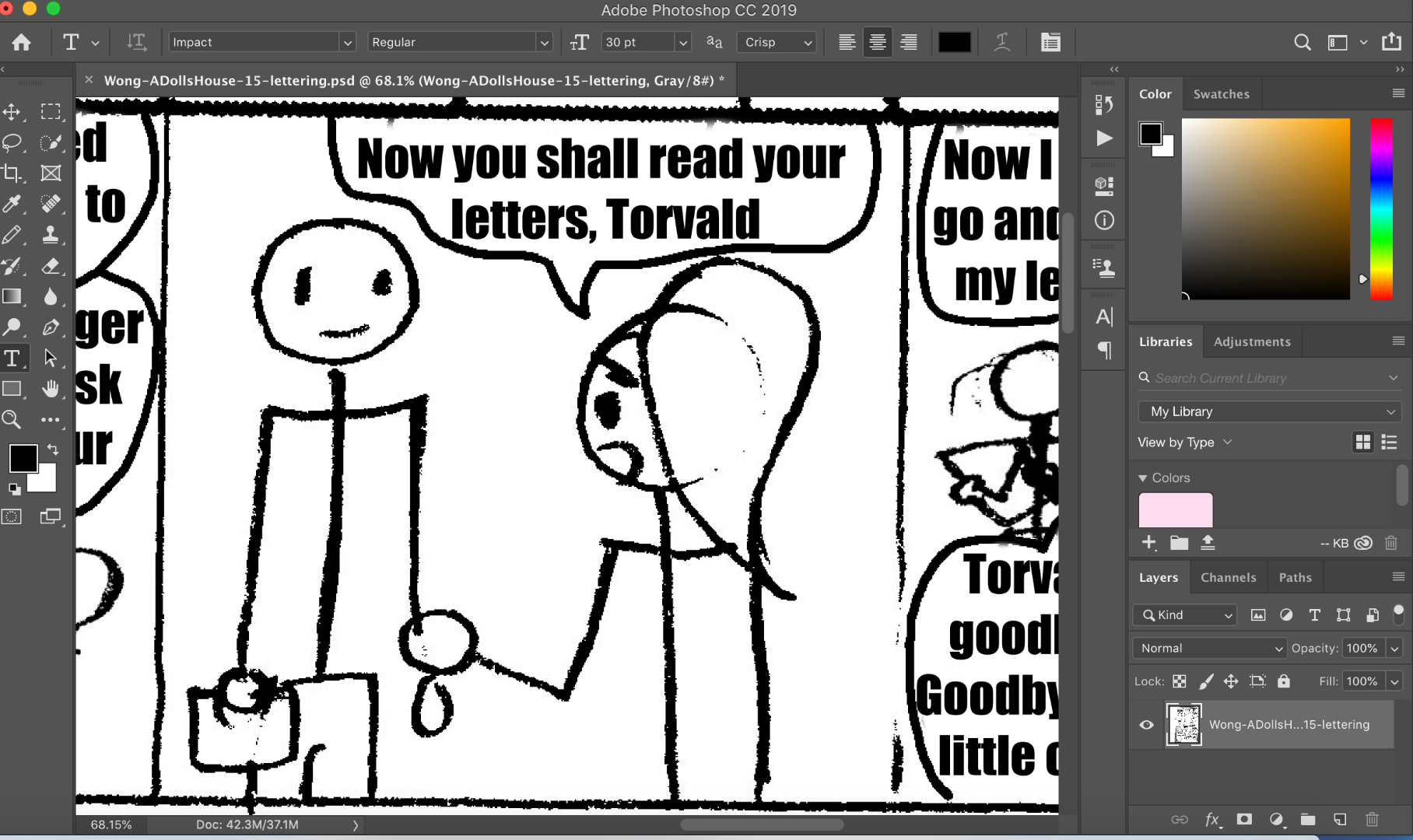
I'm trying to edit a text in my Adobe Photoshop 2019. Every time I click on the text, it would create a new layer. Also, there's this box wrapped around the cursor and it won't go away.

Please help!

1.0K
Translate
Report
Community guidelines
Be kind and respectful, give credit to the original source of content, and search for duplicates before posting. Learn more
community guidelines

correct answers 1 Correct answer

Community Beginner , Dec 07, 2018 Dec 07, 2018

I was able to resolve it. I found out that I had to open it as a PDF file, it works. It was a .psd file. Thanks for your help, everyone!

Translate
Adobe
Guest
Dec 07, 2018 Dec 07, 2018

Hi

Can you post a screenshot with all the pertinent panels opened

Translate
Report
Community guidelines
Be kind and respectful, give credit to the original source of content, and search for duplicates before posting. Learn more
community guidelines
Community Beginner ,
Dec 07, 2018 Dec 07, 2018

Screen Shot 2018-12-07 at 9.31.38 AM.png

Translate
Report
Community guidelines
Be kind and respectful, give credit to the original source of content, and search for duplicates before posting. Learn more
community guidelines
Guest
Dec 07, 2018 Dec 07, 2018

elizabethw2776512  wrote

Also, there's this box wrapped around the cursor and it won't go away.

If you're talking about the small box around the type tool cursor that's normal, just wondering why you're working in Grayscale

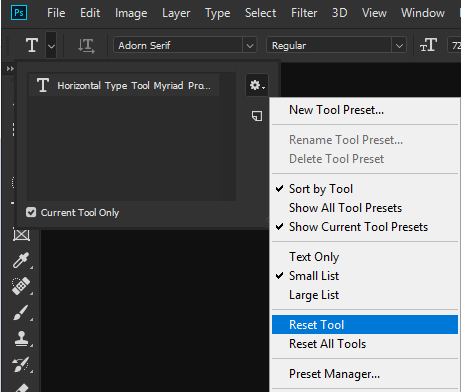
Have you tried resetting the Type Tool

Translate
Report
Community guidelines
Be kind and respectful, give credit to the original source of content, and search for duplicates before posting. Learn more
community guidelines
Community Beginner ,
Dec 07, 2018 Dec 07, 2018

I reset the tool and got it out of grayscale and it's still not working.

Translate
Report
Community guidelines
Be kind and respectful, give credit to the original source of content, and search for duplicates before posting. Learn more
community guidelines
Participant ,
Dec 07, 2018 Dec 07, 2018

Has that text been rasterized and the layer flattened?

Translate
Report
Community guidelines
Be kind and respectful, give credit to the original source of content, and search for duplicates before posting. Learn more
community guidelines
Community Beginner ,
Dec 07, 2018 Dec 07, 2018

I was able to resolve it. I found out that I had to open it as a PDF file, it works. It was a .psd file. Thanks for your help, everyone!

Translate
Report
Community guidelines
Be kind and respectful, give credit to the original source of content, and search for duplicates before posting. Learn more
community guidelines
Guest
Dec 07, 2018 Dec 07, 2018
LATEST

Thanks for letting us know

Translate
Report
Community guidelines
Be kind and respectful, give credit to the original source of content, and search for duplicates before posting. Learn more
community guidelines