
aspendawnskye
Participant
September 9, 2018
Answered

Having trouble locating and loading presets with new update

  • September 9, 2018
  • 1 reply
  • 326 views

I recently updated my Photoshop to the most recent version and I'm trying to load in new presets.  However, when I try to load the presets from within Photoshop, and I tried this in Lightroom as well, they are nowhere to be found. 

I'm using a Mac, have used gone through Library to Adobe, to CameraRaw, and end up with the Presets and Color Profiles included in the latest update, but I can't locate any custom presets.  However, when I use that same process with Finder, I can find them just fine.

I've tried dragging and dropping, pulling the xmp's to other locations to try and import them that way, and nothing is working  Has anyone run into this issue?
This topic has been closed for replies.
Correct answer Jeff Arola

Your custom presets should be in

Users/User Name/Library/Application Support/Adobe/CameraRaw/Settings

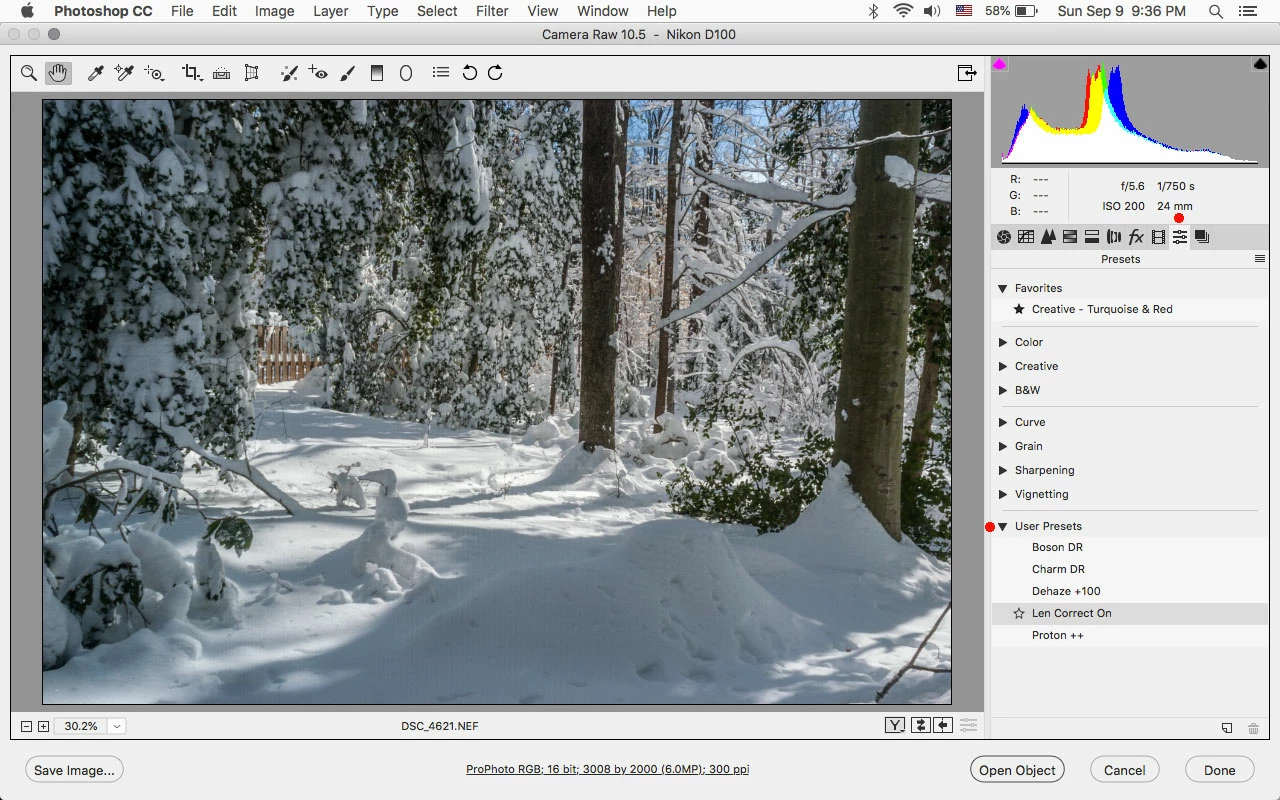
But if they are there, they should show under the Presets tab>User Presets in Camera Raw.

1 reply

Jeff Arola
Community Expert
Jeff ArolaCommunity ExpertCorrect answer
Community Expert
September 10, 2018

Your custom presets should be in

Users/User Name/Library/Application Support/Adobe/CameraRaw/Settings

But if they are there, they should show under the Presets tab>User Presets in Camera Raw.

aspendawnskye
Participant
September 10, 2018

Yep!!  I was just looking in the wrong place, I didn't know they loaded automatically!  Super cool tricks, Photoshop.  Thank you so much!