
Participant
July 7, 2020
Question

Healing Brush & Spot Healing Brush Not Working - CC20 v21.2

  • July 7, 2020
  • 2 replies
  • 2626 views

Hello,

I am having an issue with the 2 aforementioned brushes.  They produce a blurry, smudge over the object I'm trying to fix.  I have attached a screen shot.  I am using a Windows machine. Thanks for your help.  I just realized this also happens in Lightroom's healing brush.  The clone brush is fine.
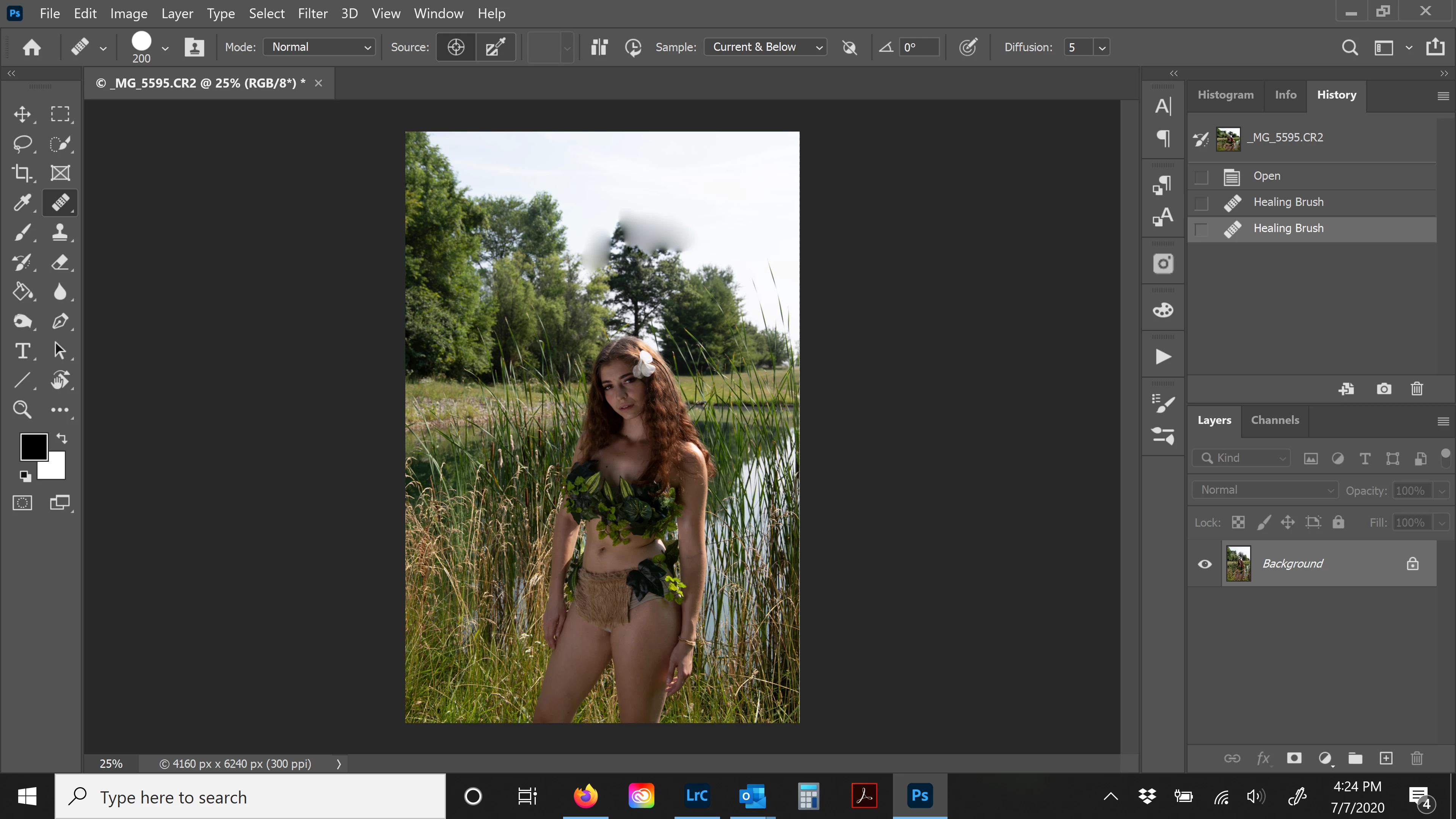
This topic has been closed for replies.

2 replies

AlexColvin
Inspiring
May 1, 2022

I had the same issue. Try re-setting the SH brush to its default setting. Right click SH brush icon in the Options Bar  > select reset, (to reset it to the default.)  Often when we work with brushes we change settings, and forget to reset them. Peace. 

Participating Frequently
July 10, 2020

The healing brush is best used on an area that is surrounded from all sides with the surface you want. For example, a pimple in the middle of a cheek. That is because the healing brush analyzes all the area around the spot you clicked and tries to fill that area with a similar fill.

In this instance, when you're clicking on the top of the tree, the healing brush is trying to take into account the sky + the tree below your spot and merging them together to create this blur.


The stamp tool is usually the preferred tool to use in this scenario because it lets you manually choose the source by Alt+Clicking and pasting it onto the area you're trying to edit bit by bit.


Hope this helps.

Aviatrix2Author
Participant
July 10, 2020

Thank you for your response.  This blur would happen regardless of image.  Whether it was a pimple on someones face or the tree.  I reverted back to v2.1.3 and the problem went away.  Thanks.