emanueleferrariph
Inspiring
May 16, 2019
Answered

Healing Brush Tool Angle Doesn't work

  • May 16, 2019
  • 3 replies
  • 10349 views

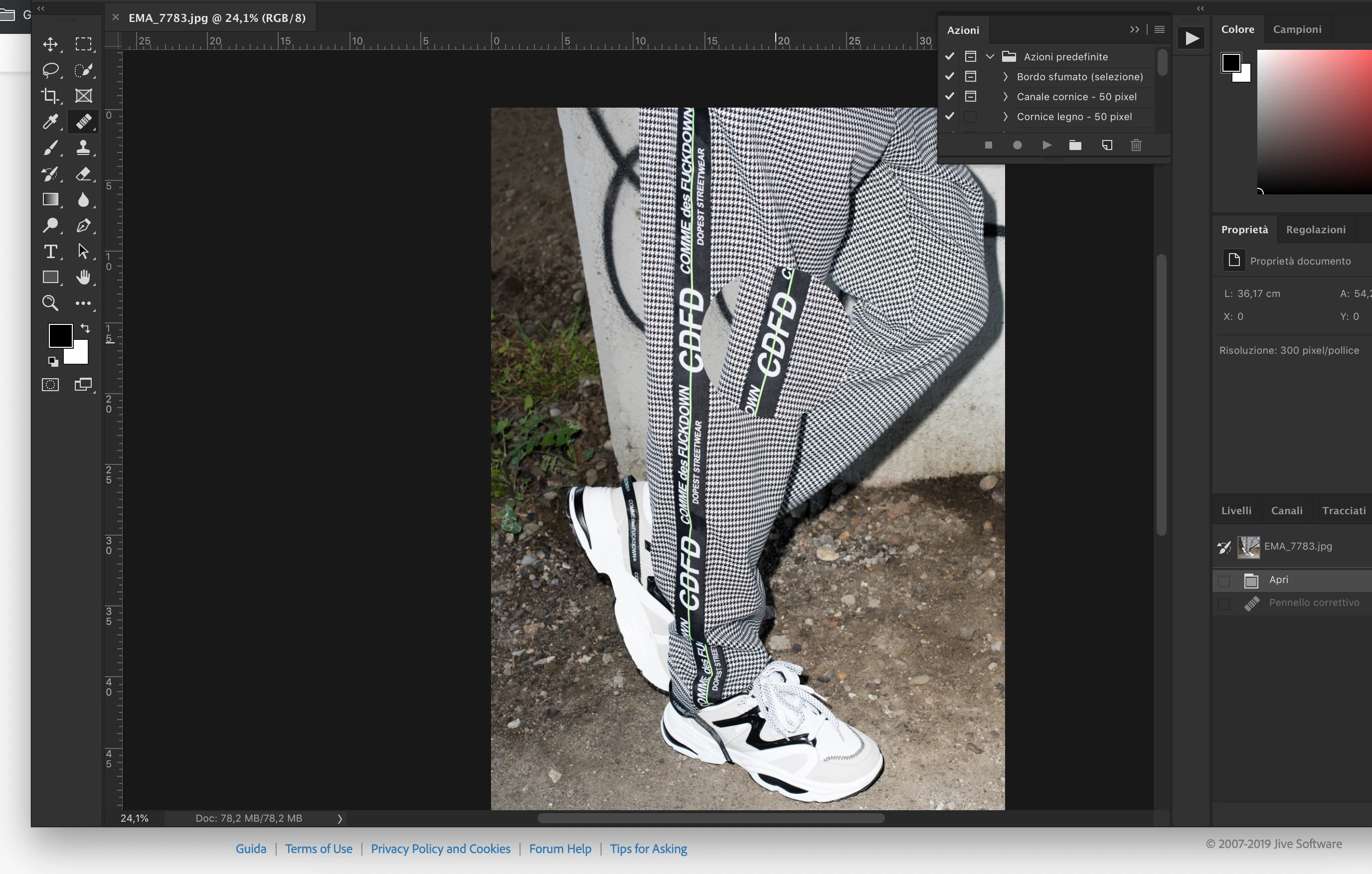
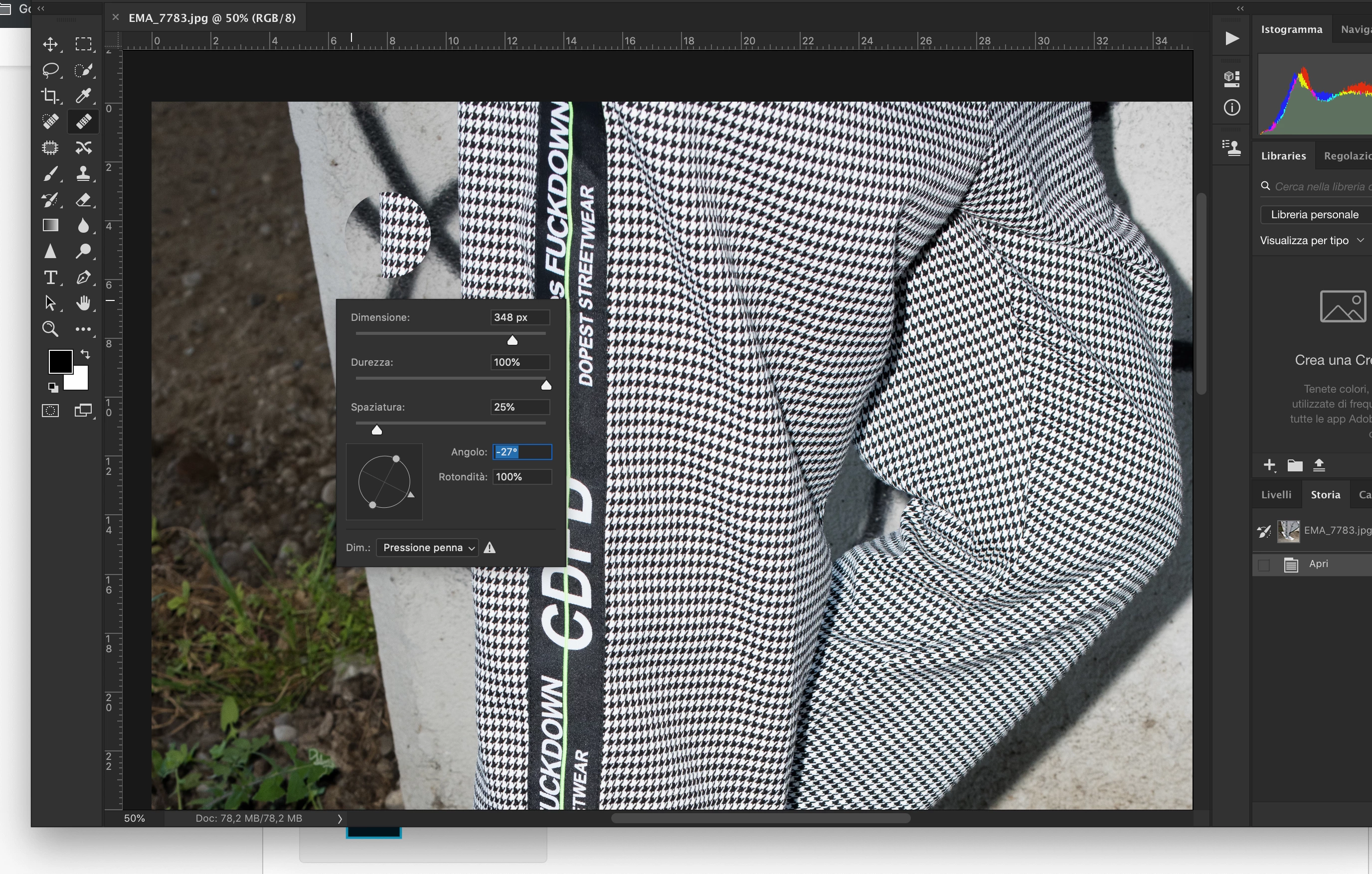
I have a problem with rotation of Healing Brush Tool...

Angle doesn't work...

Roundness Yes...

Could You help me .. Thanks

Tried to install previous version of PS but problem persist....

3 month ago.. all works correctly

OSX 10.14.4
This topic has been closed for replies.
Correct answer emanueleferrariph

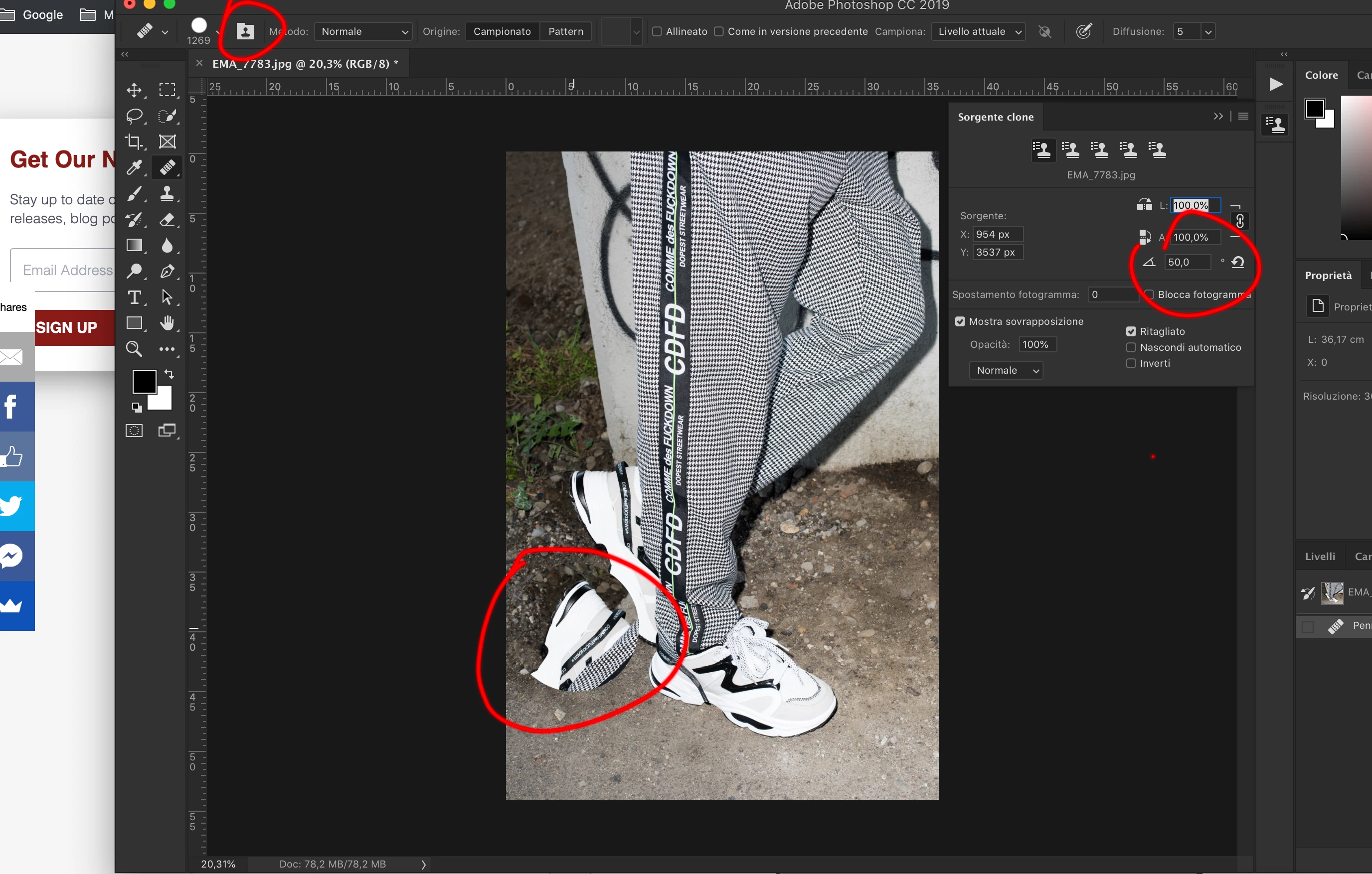
Using Shortcuts to rotate applied content it works....

Try to do this:

from tool try to use Roundness .... it works...


SOLVED !!

using Source clone ....

It works even with Healing Brush Tool.... maybe someone need this..

thank all for your attention..

3 replies

Known Participant
May 6, 2021

I realize this is an older post, and the "clone source" suggestion worked for me, but I'm still curious as to why the angle adjustment setting in the tool bar (when the healing brush tool is active) doesn't work. I assume it's supposed to serve the same purpose considering it uses the same exact compass icon and has the same exact hover over description. 


Is this just another one of many bizarre oddities / bugs with Photoshop, or am I missing something here? It only seems logical that the angle adjustment in the tool bar would rotate the active brush selection, just as it does in the clone source panel. If anyone can provide some more info on this that would be great. Again, I realize this is an older post, but I figured it made more sense to get an answer in this thread, that way anyone searching this topic can find both the solution and an explanation in one place. Also, does anyone know of a way to flip the selection before applying it? It seems this would be an option, yet I'm not seeing it. 


On a side note: if anyone is unaware, instead of having to enter a value for the angle adjustment, you can instead hold down the "shift" key and use the up and down arrows on your keyboard for a visual angle adjustment of the active brush selection. You of course first have to make your selection by holding "alt" and clicking on the selection of your image. 

Participant
November 26, 2020

I was racking my brain over this. Thank you for posting your solution!

c.pfaffenbichler
Community Expert
Community Expert
May 16, 2019

The Brush seems to be round so rotating it would not produce a noticeable result.

Or might you be confusing the Healing Brush Tool and the Clone Stamp Tool?

For the latter one one can rotate the Clone Course in the Clone Course Panel.

emanueleferrariph
Inspiring
May 16, 2019

Clone tool too.. doesn't rotate....

in the past both two works perfectly....

emanueleferrariph
emanueleferrariphAuthorCorrect answer
Inspiring
May 16, 2019

Using Shortcuts to rotate applied content it works....

Try to do this:

from tool try to use Roundness .... it works...


SOLVED !!

using Source clone ....

It works even with Healing Brush Tool.... maybe someone need this..

thank all for your attention..