MahaB82A
April 9, 2023
Answered

Healing Brush Tool

  • April 9, 2023
  • 1 reply
  • 1616 views

I want get rid of this wrinkle. I used Healing Brush Tool as said in the tutorial. But it does not work for me. How to fix the issue? Setting was done as said in the tutorial. Screenshot and video is attached.
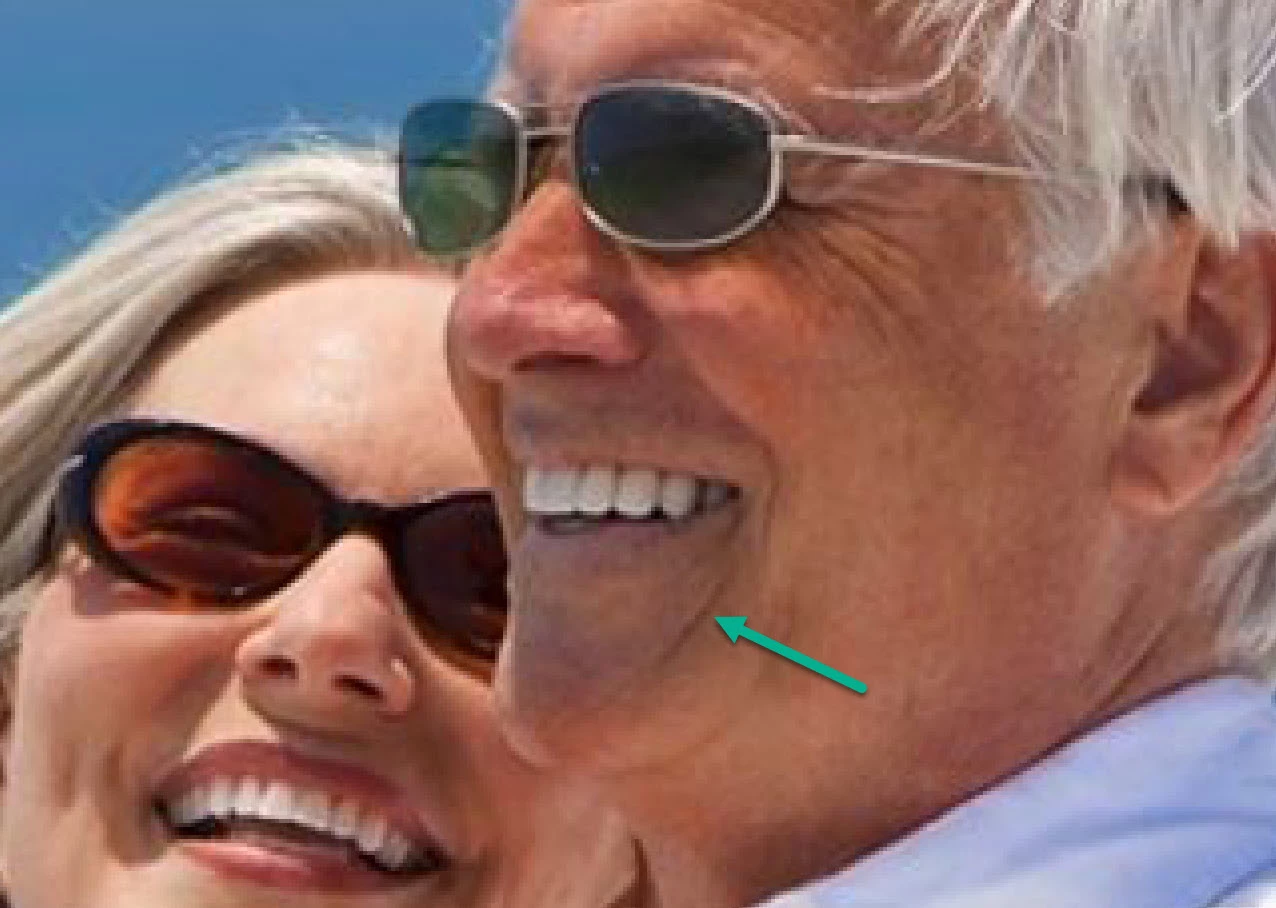



This topic has been closed for replies.
Correct answer Ged_Traynor

@MahaB82A 


Three questions from me:

  • When it "does not work" for you, what happens instead?
  • When you use the Healing Brush tool, exactly where are you Alt+Clicking to pick up the source material?
  • Did you also try the Spot Healing Brush that does not require Alt+Clicking first?


Jane


@MahaB82A just noticed in your video from your initial post you are continually holding down the ALT while using the tool and that's why it's not working for you, you need to sample from a location and then let go of the ALT key for the tool to work.

1 reply

c.pfaffenbichler
Community Expert
Community Expert
April 10, 2023

Seems to work here. 

MahaB82A
MahaB82AAuthor
April 10, 2023

There is a Adjustment Layer in  the tutorial. YouTube Video & screenshot is attached.


Ged_Traynor
Community Expert
Ged_TraynorCommunity ExpertCorrect answer
Community Expert
April 11, 2023

@MahaB82A 


Three questions from me:

  • When it "does not work" for you, what happens instead?
  • When you use the Healing Brush tool, exactly where are you Alt+Clicking to pick up the source material?
  • Did you also try the Spot Healing Brush that does not require Alt+Clicking first?


Jane


@MahaB82A just noticed in your video from your initial post you are continually holding down the ALT while using the tool and that's why it's not working for you, you need to sample from a location and then let go of the ALT key for the tool to work.