
January 23, 2020
Resuelto

Hello. How do I recreate this image w/ gradually fading blue overlay

  • January 23, 2020
  • 1 respuesta
  • 516 visualizaciones

Hi,


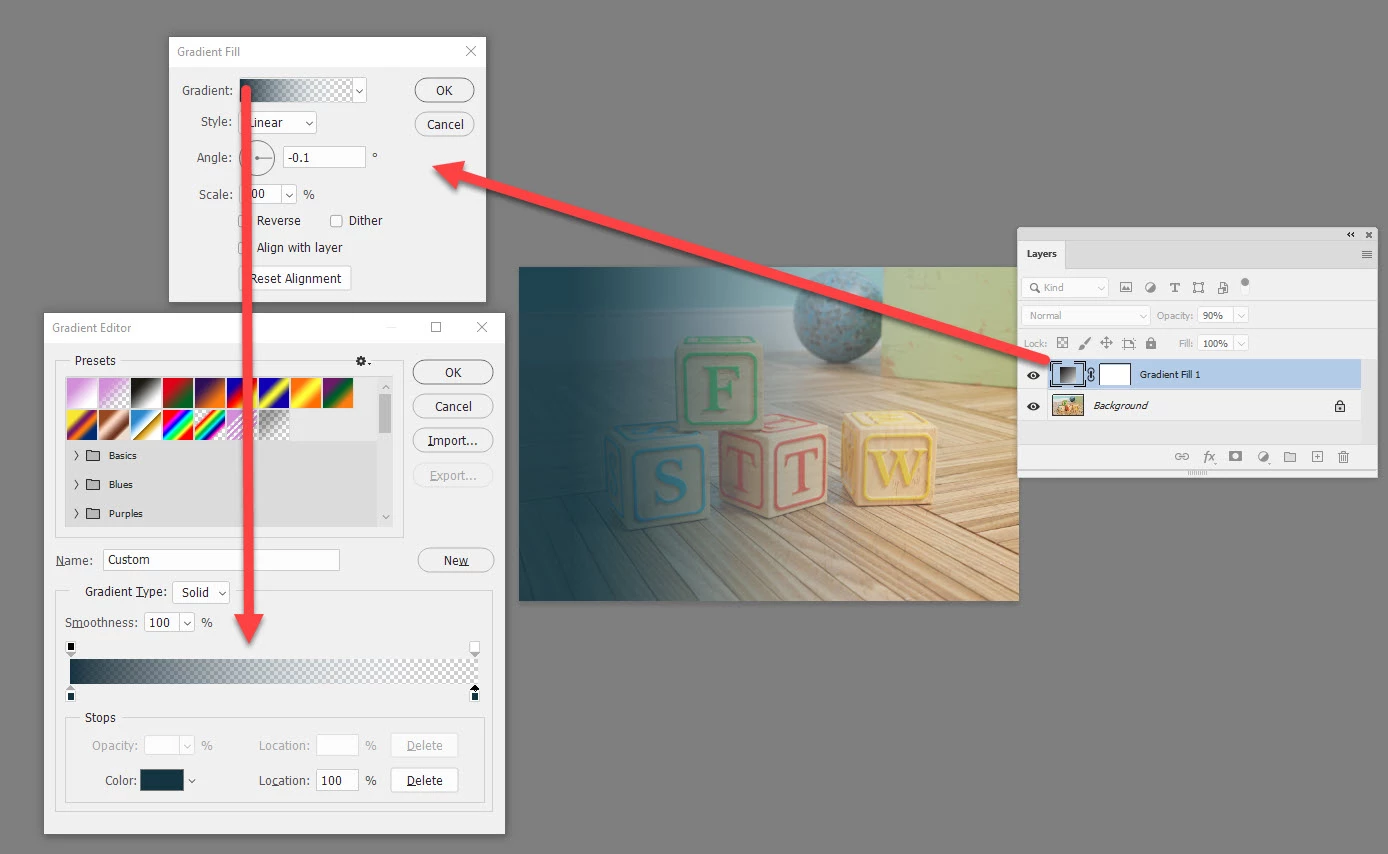
I'm a newbie to photoshop and I'm having difficulty recreating the image below. I know how to change the opacity of an enitre image with a new layer using blending options but I wanted to recreate the effect in this image, specifically the blue overlay I think that's what it's called) that starts off a solid colour on the left side and gradually lightens left to right.

I'm also trying to use the exact blue color, is there a way to sort of take it from the image rather than trying to recreate it myself?

Thank you

Este tema ha sido cerrado para respuestas.
Mejor respuesta de davescm

Use a Gradient Fill Layer (Layer>New Fill Layer>Gradient)  and make the gradient run from dark blue/grey to transparent .


You can pick up colour from an image by clicking with the eyedropper tool


Dave

1 respuesta

davescm
Community Expert
davescmCommunity ExpertRespuesta
Community Expert
January 23, 2020

Use a Gradient Fill Layer (Layer>New Fill Layer>Gradient)  and make the gradient run from dark blue/grey to transparent .


You can pick up colour from an image by clicking with the eyedropper tool


Dave

January 30, 2020

Thank you very much Dave.