
lanm25716822
Participant
March 14, 2017
Answered

Help! Brush thickness stays same

  • March 14, 2017
  • 2 replies
  • 8011 views

I tried using a brush preset that would start thin, become thick and finally go back to thin. However, the thickness stays the same, like the Marke pen's drawing effect. You can see in the highlighted portion of the screen how it should look. Can anyone tell why it's coming out this way?
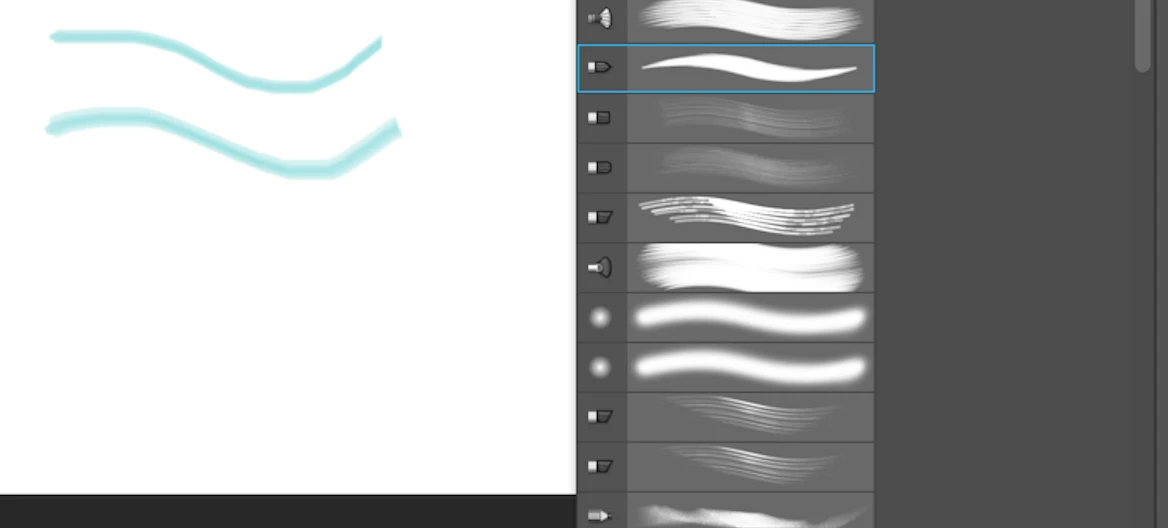
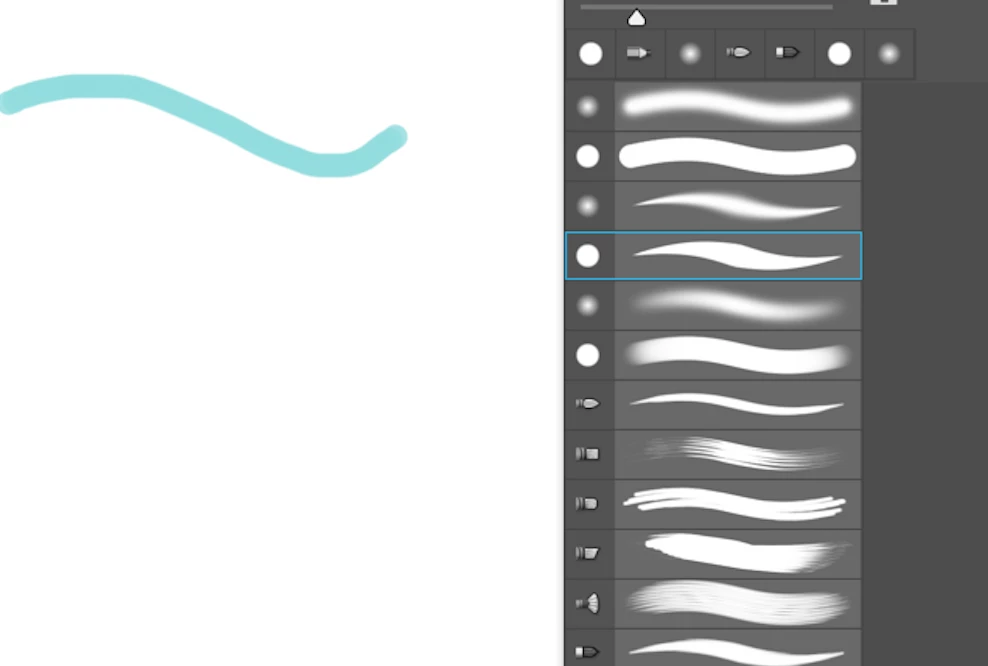
And when I load the new similiar brush preset into Photoshop, it still draws with the same effect: the thickness stays the same. The drawing's effect is different from the preview showing.

I Googled a lot about this issue, but still haven't found the solution to make the brush become what I expect( or what the preview shows). Thank you very much.
    This topic has been closed for replies.
    Correct answer josephlavine

    You can use a mouse to draw lines, but certain features do require more than a mouse.  Take a peek under Shape Dynamics for options.

    2 replies

    josephlavine
    Community Expert
    Community Expert
    March 14, 2017

    I'm guessing (and could be wrong) that you are using a mouse and not a tablet w/pressure sensitivity.  The change in brush shape/contour is created by pressure, which cannot be with a mouse.  Please let me know if I am mistaken.

    lanm25716822
    Participant
    March 14, 2017

    Oh, I see. So even if it is the Photoshop default brush, we have to use the pen to draw lines.

    But I'm still a little confused. I loaded the Kyle's brushes and he said we don't need to use the Pen with his brush preset. Finally thank you very much.

    josephlavine
    Community Expert
    josephlavineCommunity ExpertCorrect answer
    Community Expert
    March 14, 2017

    You can use a mouse to draw lines, but certain features do require more than a mouse.  Take a peek under Shape Dynamics for options.

    davescm
    Community Expert
    Community Expert
    March 14, 2017

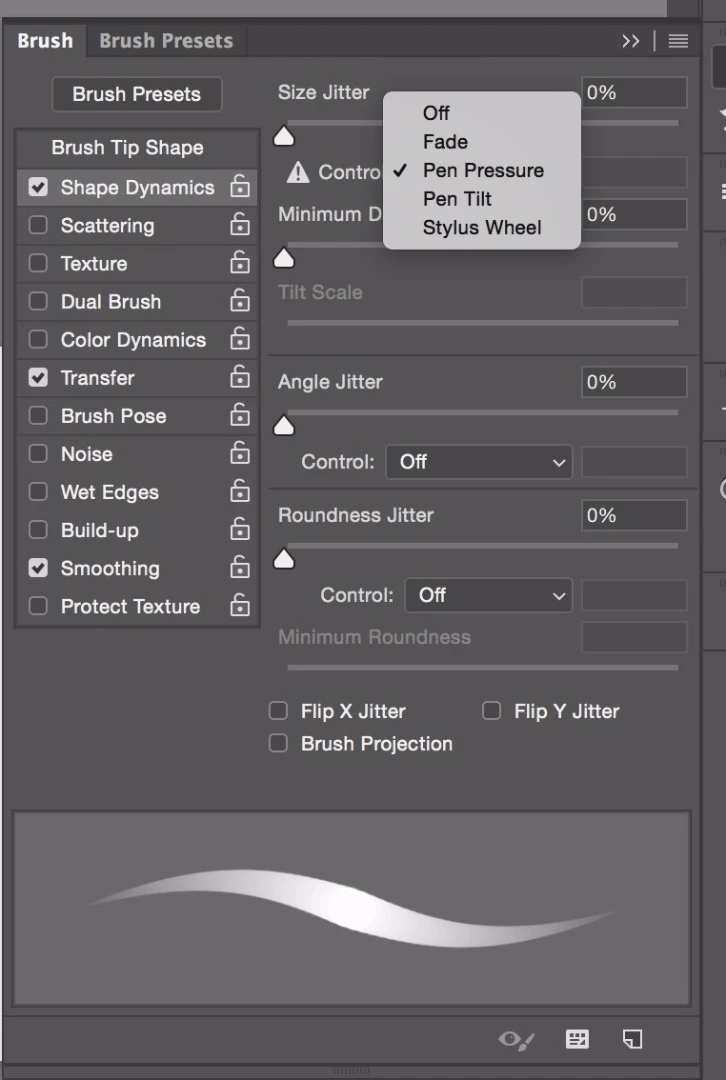
    Are you controlling this with a tablet and pen? If so there appears to be an issue with Photoshop seeing your pen pressure (hence the warning triangle in your last screenshot).

    Can you give some details of your system, Photoshop version and (if applicable)  tablet make/model

    Dave

    lanm25716822
    Participant
    March 14, 2017

    First, I'm so grateful that you replied my post.

    Then answering your questions:

    1, I just used the Mac mouse to draw the lines.

    I already tried to reset the Photoshop Preference , but it didn't work. And I tried to reset different factors in the Brush Panel to observe whether it's improved, like clicking the "pen pressure"(the last screenshot you just saw). But the result is the same. Other control choices are also tried.

    2, my Photoshop version is Photoshop CC 2015.