A major problem with this is that leather has a fundamentally different texture than fabric, so you have to account for that. First I had to kill the fabric texture, so I applied a blur, then a mask to keep the blur away from the edges and seams. Then, the approach shown below is to use the Materials panel (choose Window > Materials) to apply the Fine Leather material from Substance 3D materials for Photoshop, tweaking color and other Materials settings. It also took some tonal adjustment with Curves, which still needs more work (crevices need to be darker). I don’t even think this is a great solution, unless it works for you.
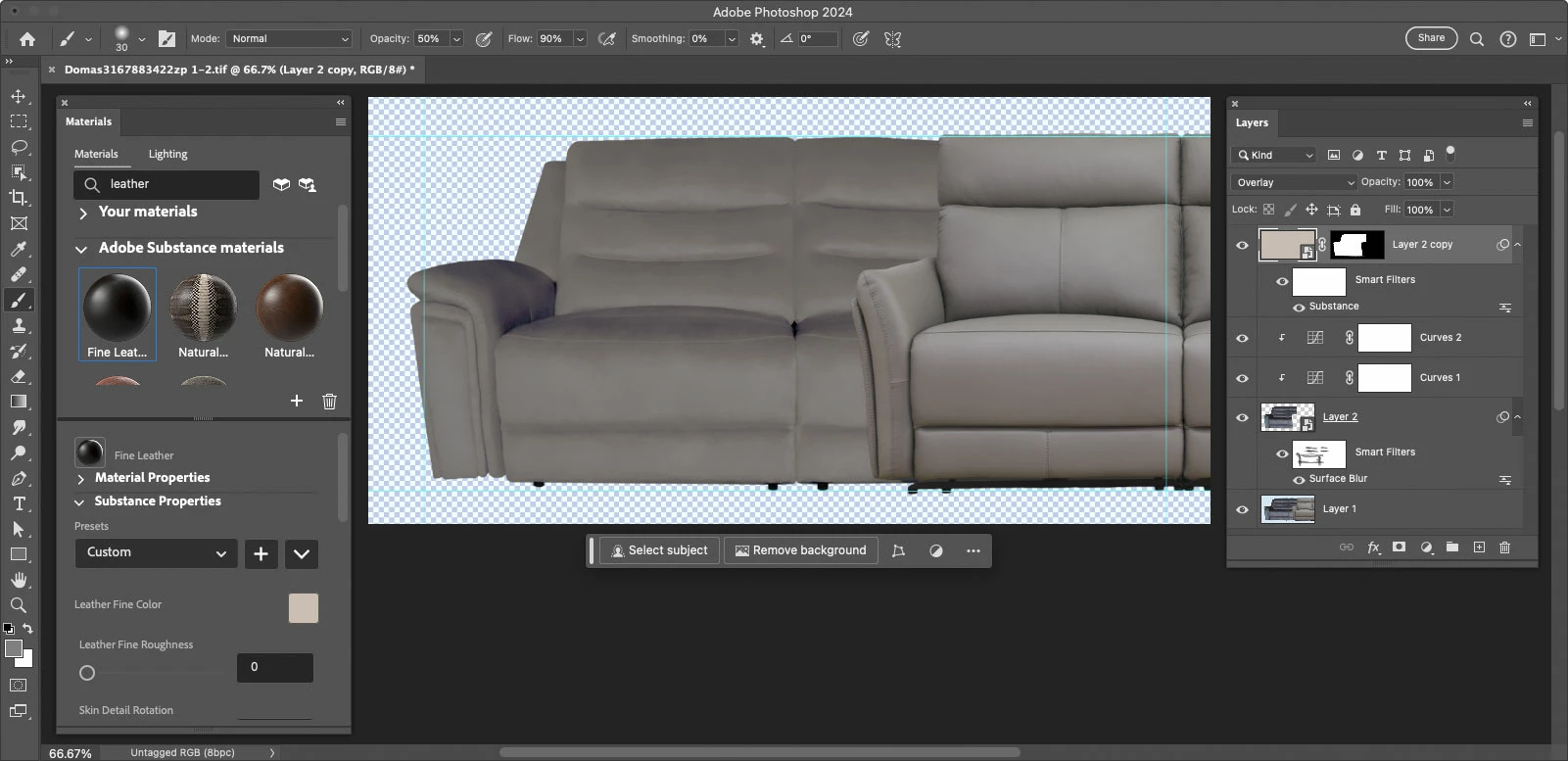
Another major problem you have is that the fabric and leather sofas are lit quite differently, look at where the highlights and shadows are. They’re almost the opposite of each other. This might be the way the fabric reflects light, but it might just be that each sofa was photographed with lights in different positions, which is difficult or just impractical to fix in Photoshop.
The way this would be done in for example the Ikea catalog is that they have 3D models of everything (which you can now scan yourself with the right iPhone/iPad and a good photogrammetry app), and then they would apply an accurate leather material in 3D software so that it would properly follow the contours, then light the model and render it. In Photoshop, you can only sort of fake this texture since it isn’t real 3D.
Really, if materials are to be changed in photos without the photos in the ad or website just outright lying to the customers, the original photos must be lit and photographed (or built as 3D models, which is increasingly common) with future materials changes in mind and accurate materials on hand in 3D software. Otherwise it’s just a mess, like this.
I also tried changing it to leather with Generative Fill, but although it did look like leather, it kept changing the actual sofa structure…not good. Maybe I need to try a different prompt. In the future, you might be able to ask an AI feature to both change the surface and relight it. Both have been shown to be possible, but they are not both features in Photoshop right now.

 AdChoices