
Answered
Help me save this as a PDF in exactly the dimensions it is already in.
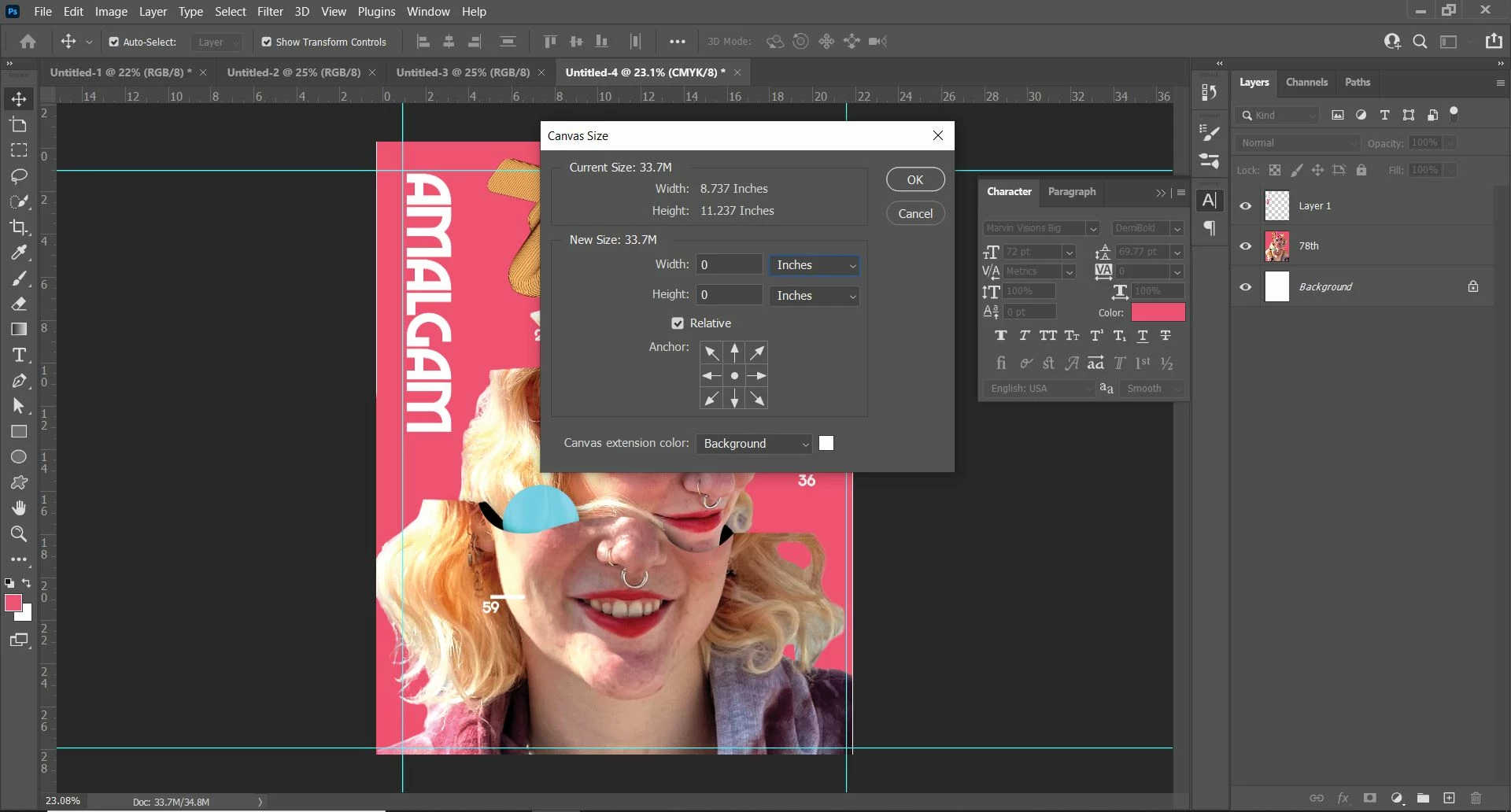 I have a photoshop document. It's canvas is 8.737 inches in width and 11.237 inches in length. I would like a PDF file. I would like the PDF file to be exactly 8.737 inches in width and 11.237 inches in length. When I try to save this as a PDF, however, I instead get a size of exactly 8.5 inches in width by 11 inches in length. It is absolutely infuriating. Please, for the love of god, help me.
 AdChoices