
Kapik
Known Participant
July 13, 2021
Question

Help! My brush is acting weird T.T

  • July 13, 2021
  • 1 reply
  • 1223 views

Hey guys, I am new to photoshop and I have just installed the latest version of it (22.4.2) for drawing purpose. I am using the very basic brush (hard round) provided by photoshop without changing any of the setting and the following image shows what comes out. Can somebody help me out with this?
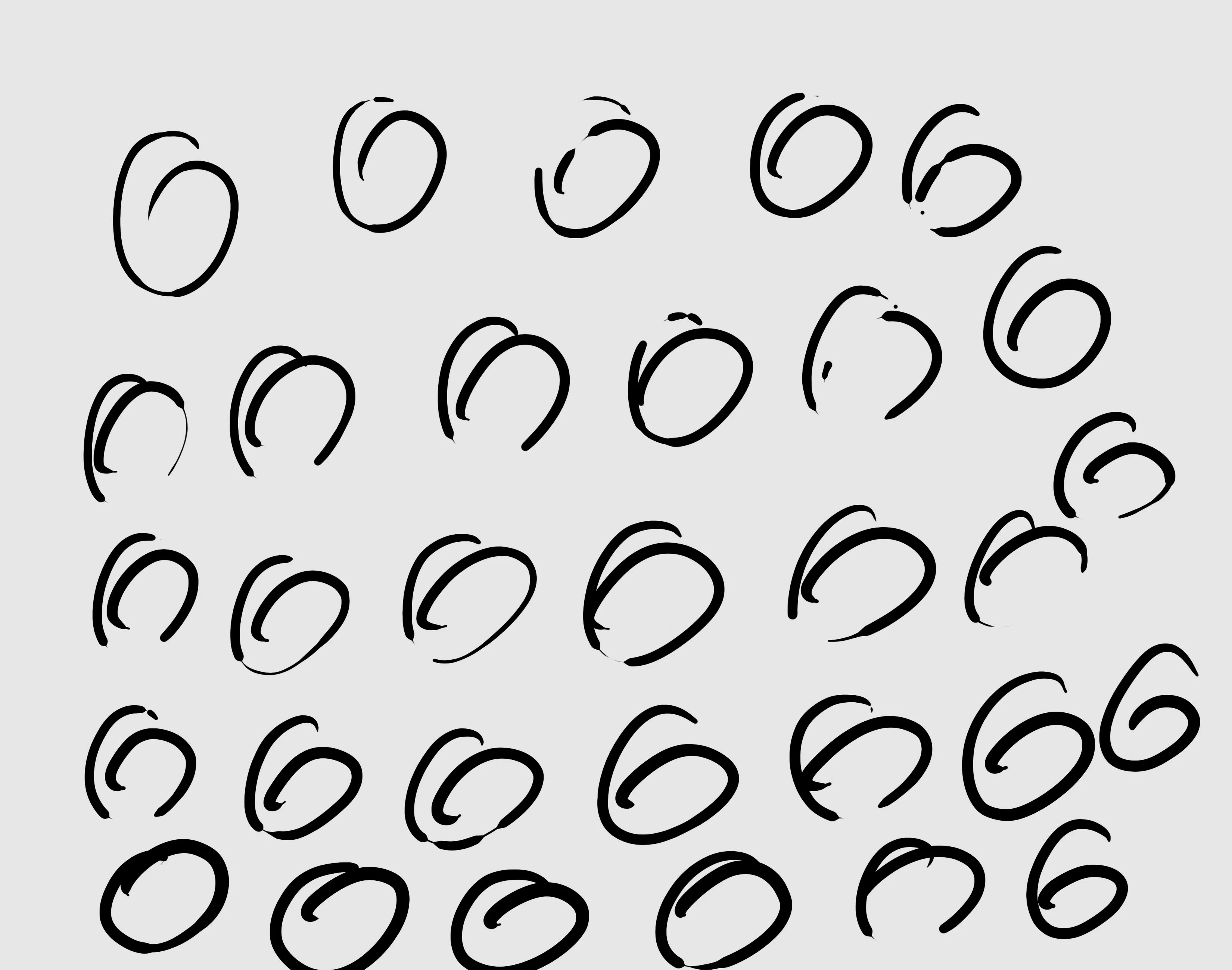
The followings are what I'm using:

-Processor Intel(R) Core(TM) i5-10210U CPU @ 1.60GHz 2.11 GHz

-RAM 8.00 GB

-64-bit operating system

-Photoshop version 22.4.2

-Wacom Cintiq 16 Creative Pen Display 16.6x11.2inch tablet

(DTK-1660/K1-CX)


This topic has been closed for replies.

1 reply

c.pfaffenbichler
Community Expert
Community Expert
July 13, 2021

Could you please post screenshots with the pertinent Panels (Toolbar, Layers, Brush Settings, Options Bar, …) visible? 

Kapik
KapikAuthor
Known Participant
July 13, 2021

Thank you for your response.

For your info, this happen to all of other brushes too.

Let me know if I could provide further details. Thank you

Kapik
KapikAuthor
Known Participant
July 14, 2021

Turning off Pen Pressure for Size Jitter is not an option? 


Hi, I have tried turning off the size jitter but sadly it didnt work out too.