

Lars Colour
Participant
October 16, 2023
Answered

Help Please - Need to reinstall Photoshop 2023 because Photoshop 2024 is not working

  • October 16, 2023
  • 3 replies
  • 4476 views

I installed the latest Photoshop 2024 and in the process have lost PS 2023. The newest version is not working and I have no way to work on my projects. I'm having issues connecting to customer support. Can anyone help me figure this out?
This topic has been closed for replies.
Correct answer D Fosse

Next time, uncheck "remove old versions" when installing.


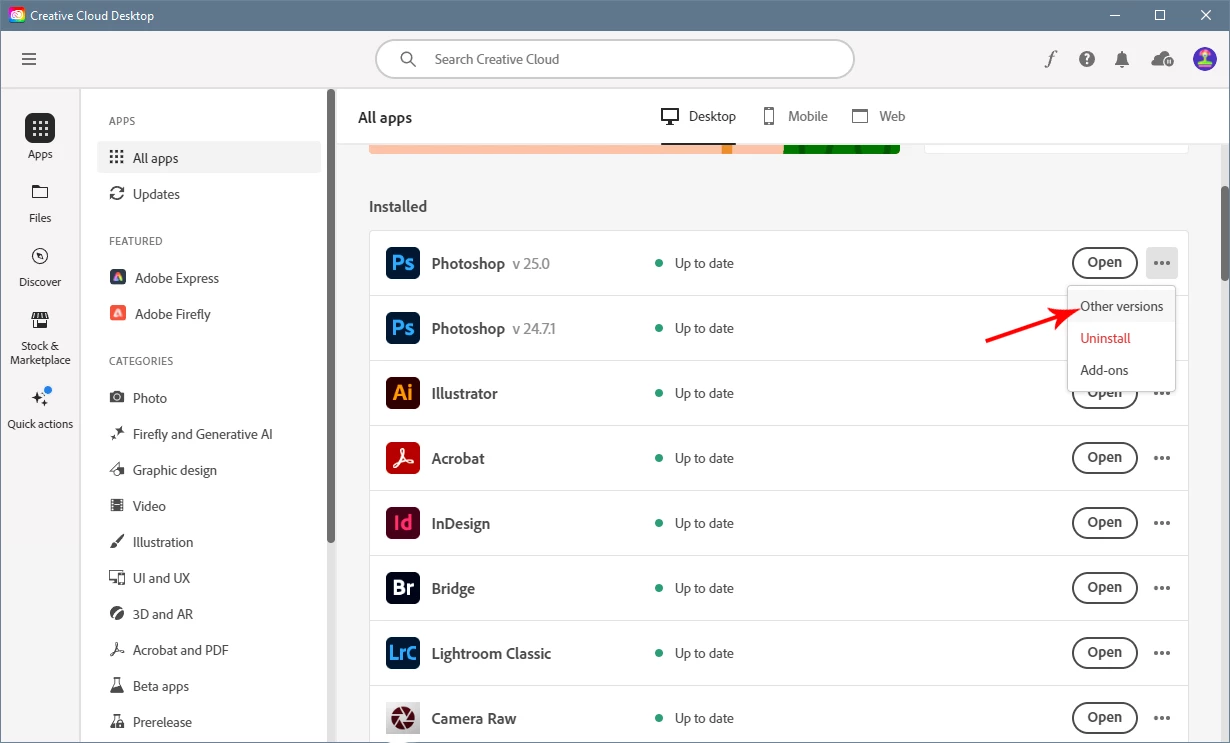
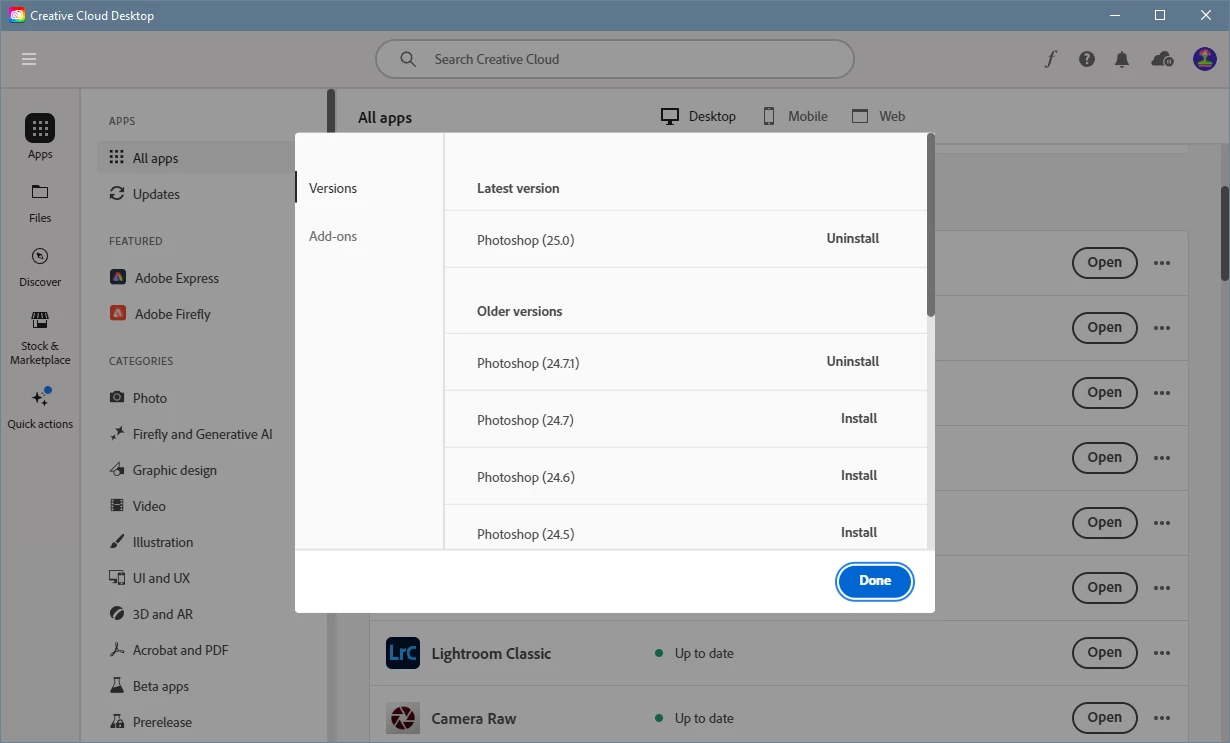
To get back 2023 (v 24) - as per KR Seals' post above:


I'd recommend that you uninstall v 25 first.

3 replies

Lars Colour
Participant
October 23, 2023

Thanks ALL.

I reinstalled the older version 2023 and was still having problems. 

Then I uninstalled the newer version 2024 but my issues remained.

I uninstalled the old version and removed all my saved settings.

Lastly I reinstalled the old version and NOW ALL IS GOOD.

Thanks to all who helped!

Stephen Marsh
Community Expert
Community Expert
October 16, 2023
Lars Colour
Participant
October 16, 2023

Is that helping others with the PS 2024 version?


D Fosse
Community Expert
D FosseCommunity ExpertCorrect answer
Community Expert
October 16, 2023

Next time, uncheck "remove old versions" when installing.


To get back 2023 (v 24) - as per KR Seals' post above:


I'd recommend that you uninstall v 25 first.

KR Seals
Community Expert
Community Expert
October 16, 2023

In the Adobe Creative Cloud app, on the Photoshop line there are three little dots at the right Click on those and choose other versions.

Ken Seals - Nikon Z 9, Z 8, 14mm-800mm. Computer Win 11 Pro, I7-14700K, 64GB, RTX3070TI. Travel machine: 2021 MacBook Pro M1 MAX 64GB. All Adobe apps.