
Help Requested: Precise layer alignment with master selection
Hello,
I have what should be two identical shots of a very complex and historical double-neck guitar.
One was shot with lighting with a dark background I want for the final result. The lighting and staging were quite complex. Call this my FINISHED shot.
The other was shot with lighting that is bright enough that I could create an extremely exact "master"selection (using pen tool, etc. this took a few days to create). Call this my REFERENCE shot.
This is a one-of-a-kind instrument, things have to be extremely accurate.
So, I have my perfect, master selection created, looking great.
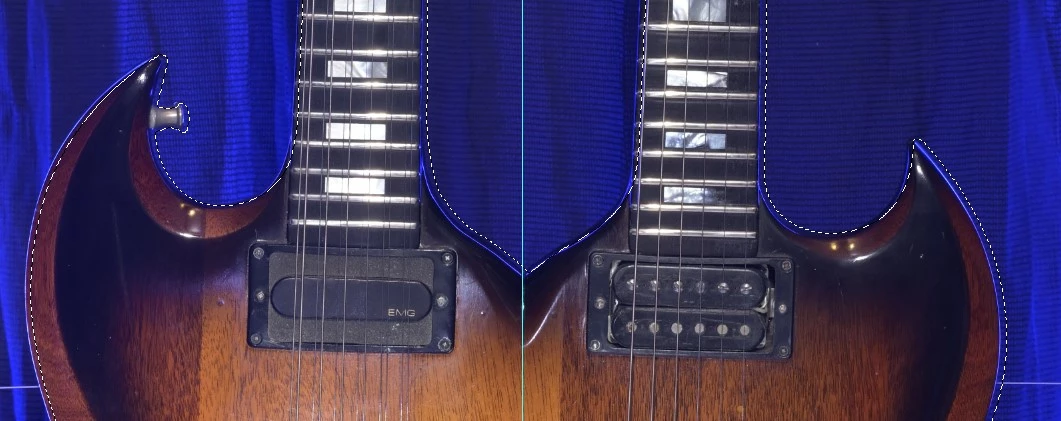
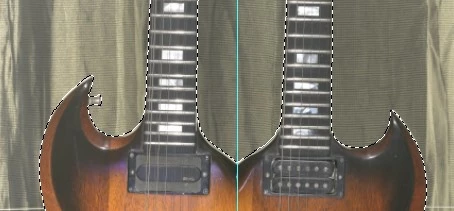
Problem is - somewhere between the first and second shot, my camera must have shifted slightly, the master selection from the REFERENCE shot does not match the FINISHED shot. There seems to be some rotation as well as horizontal/vertical shift that happened. No idea what happened, and I no longer have the guitar in my possession to reshoot.
Said differently, I cannot get the FINISHED to match the selection from the REFERENCE' shot. It's almost impossible to get a reliable selection from the FINISHED shot, there are places where the contrast between background and guitar is almost null.
I've tried using PS's various tools from the file/automate menu for getting the two layers to line up, nothing works.
If I load the master selection (marching ants, etc.), then I cannot nudge the dark shot into place to match, since moving the layer also moves the selection.
Is there a way to force the FINISHED shot to conform to the REFERENCE'S selection?
The only thing I could think of would be to create a new separate transparent layer on top, have the desired selection outlined and then start tweaking the FINISHED shot's layer until it conforms. Not excited by this approach, hoping y'all have a better approach.
PS - the selection is not just off by a few pixels horizontally. There's some rotation that becomes apparent very quickly as well.
PPS - added 2 shots with mismatch between FINISHED and selection shown in red outline...
Thank you for your help!
 AdChoices