

HELP !!!!!! Tiny video is taking forever to render
Hi folks,
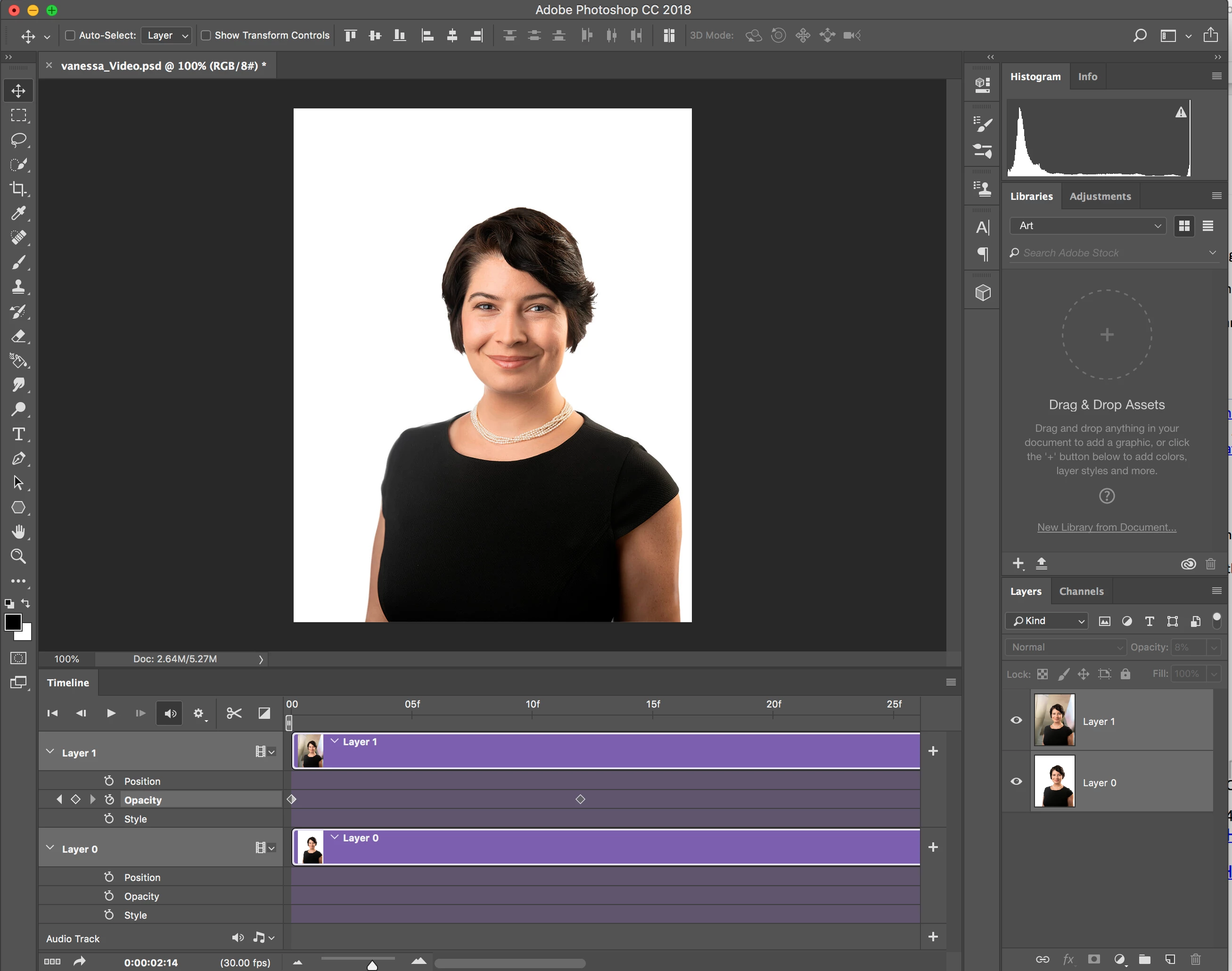
I am trying to create a small video (first time) for my website using two optimized jpeg images (1090 X 850). No effects except two cross fades fades. Total length is 3.5 seconds. I have just two layers I am using to create a looping transition. Total file size is 2.6 megs.
After I follow Adobe instructions for exporting the file to a GIF or MP3.
Adobe instructions
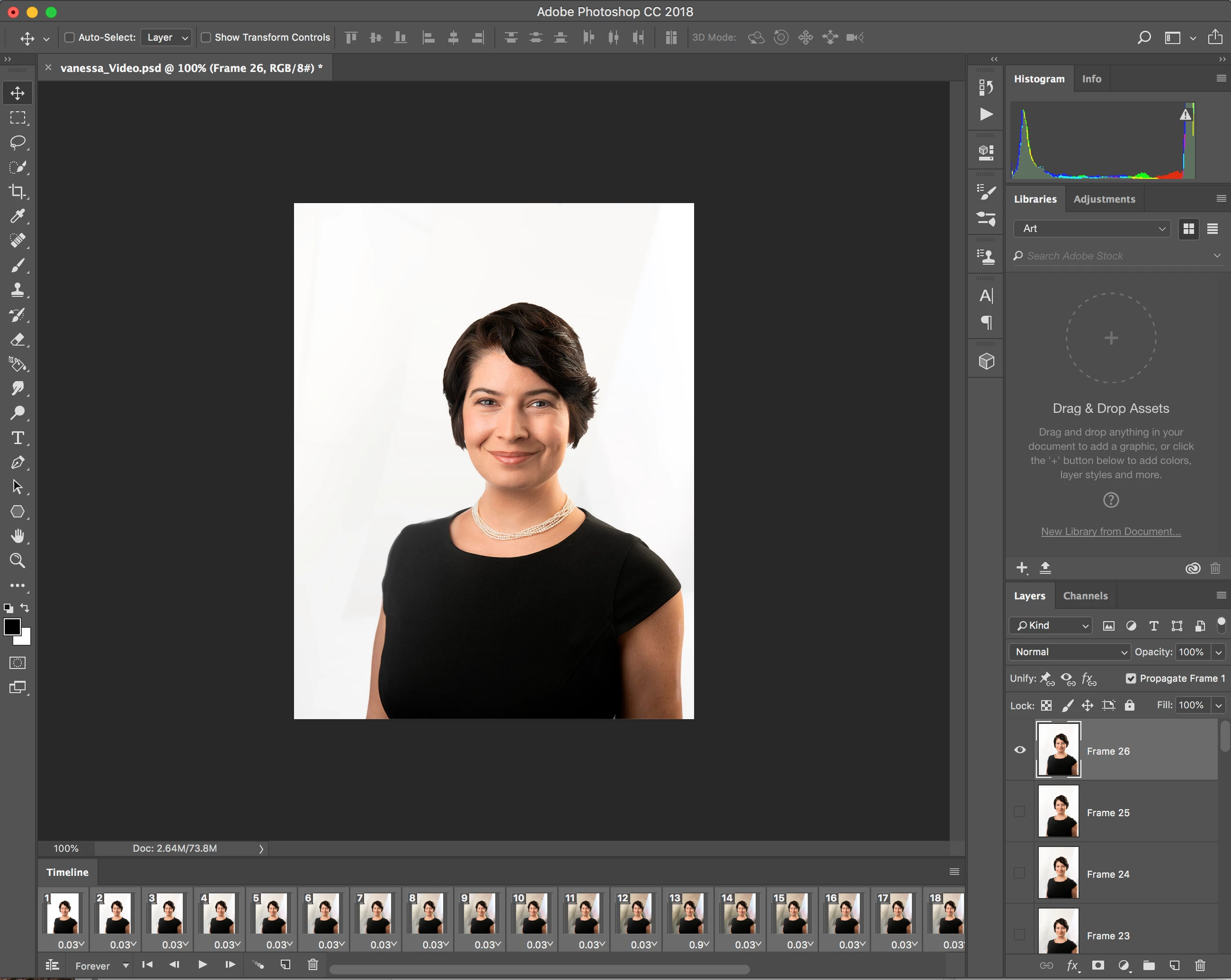
- Make sure that the Timeline panel is in the frame animation mode.
- Choose Optimize Animation from the panel menu.
- In the Timeline or Layers panel, select the video layer.
- Choose File > Export > Render Video. This is where it gets stuck !!!!
I get a window that says, "initializing video export" and it just hangs there with a spinning process wheel.
I have included what the interface looks like before I change to animation mode and then just before render. I am sure this is user error but an figure out where my error is.
I have a 27 inch iMac 2017 with 32 Gigs of RAM. System is on an SSD drive and the content is on its own drive. Dedicated SSD scratch disk.
Any thoughts would be deeply appreciated.
 AdChoices