Answered
help to locate custom curve presets folder in Mac OS 10.14.4
I am unable to find my custom curves in either the Library or Applications folders. Help where are these located?
I am unable to find my custom curves in either the Library or Applications folders. Help where are these located?
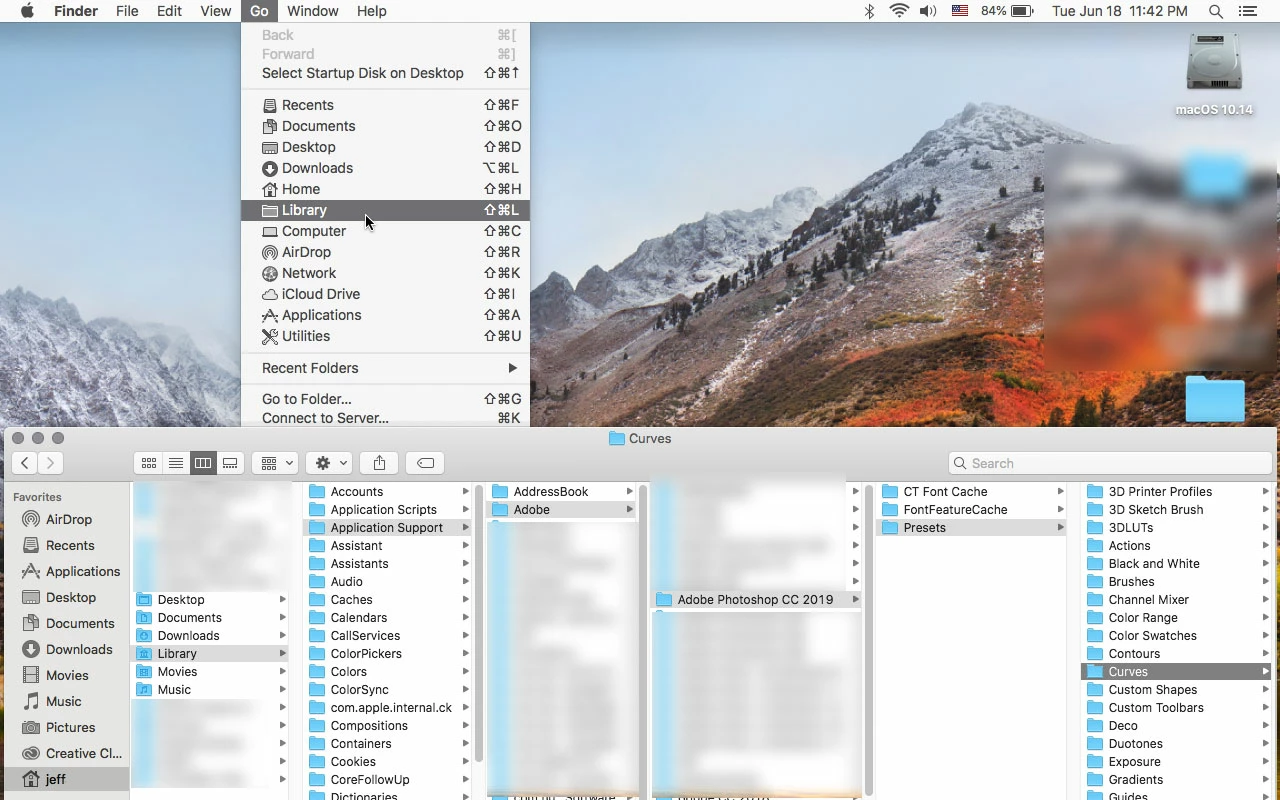
You can save a curves preset to anywhere on your hard drive, but the place photoshop should default is in your User Library.
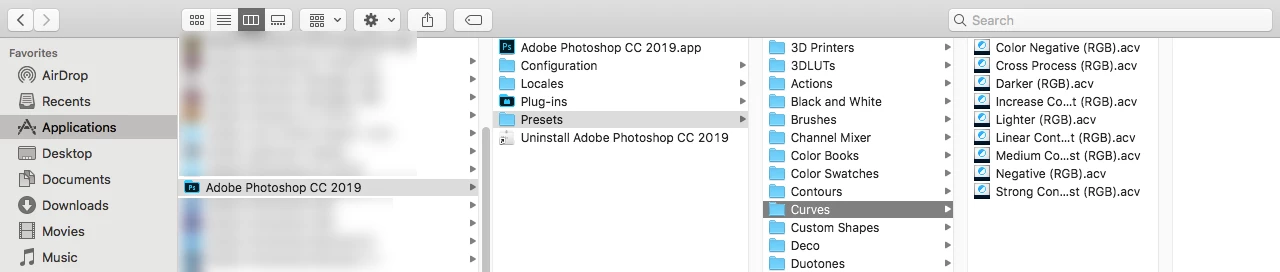
The examples below show Adobe Photoshop CC 2019
Click on your desktop, click on the Go menu while holding down the Option key and you'll see Library, which is your User Library
The default for Adobe supplied curves presets is in the Applications folder
Already have an account? Login
Enter your E-mail address. We'll send you an e-mail with instructions to reset your password.
 AdChoices