CirceD
Participant
November 28, 2023
Answered

Help understanding change in Drop shadow Appearance

  • November 28, 2023
  • 3 replies
  • 992 views

I created a noise drop shadow and when I save it as a jpeg or PNG the drop shadow goes soft in appearance. Anyone know why?


This topic has been closed for replies.
Correct answer Stephen Marsh

@CirceD 


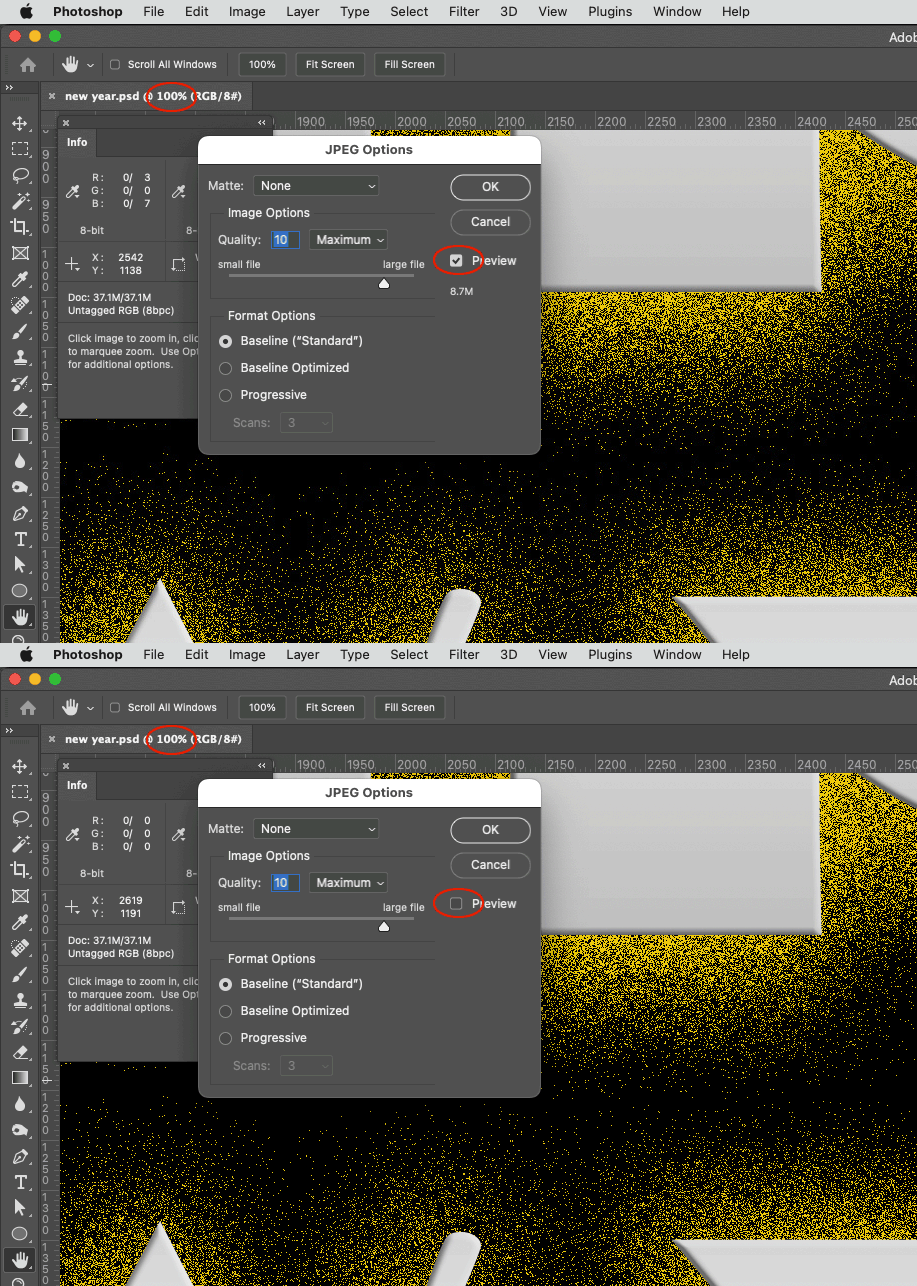
The video was recorded at 31% zoom level and NOT at the requested 100% zoom level where 1 image pixel is directly mapped to 1 screen pixel (1:1).


Here is an animation at 100% view, there is no change in appearance!
 

3 replies

Bojan Živković11378569
Community Expert
Community Expert
November 28, 2023

I compared the original image with the JPEG image saved at maximum quality and imported back into Photoshop. I did not notice any significant difference in the drop shadow at 100% zoom level.


CirceD
CirceDAuthor
Participant
November 28, 2023

I hope you can see what I see in this video. I recorded the save to a jpeg screen.

CirceD
CirceDAuthor
Participant
November 28, 2023

@CirceD 


The video was recorded at 31% zoom level and NOT at the requested 100% zoom level where 1 image pixel is directly mapped to 1 screen pixel (1:1).


Here is an animation at 100% view, there is no change in appearance!


I see that at 100%.  Thank you for all your help.

CirceD
CirceDAuthor
Participant
November 28, 2023

PSD is before

JPEG-Options is setting for save

New year.jpg is the result.

Thank you

c.pfaffenbichler
Community Expert
Community Expert
November 28, 2023

Could you please post screenshots taken at View > 100% with the pertinent Panels (Toolbar, Layers, Options Bar, …) visible? 


It seems like this might be the old cache-issue. 

Bojan Živković11378569
Community Expert
Community Expert
November 28, 2023

Can you post before/after or Photoshop versus exported image and export or save settings?