
Participant
December 2, 2016
Answered

Help with Cartoon Effect

  • December 2, 2016
  • 3 replies
  • 2505 views

Hello guys. I am struggleing with having a cartoon effect.
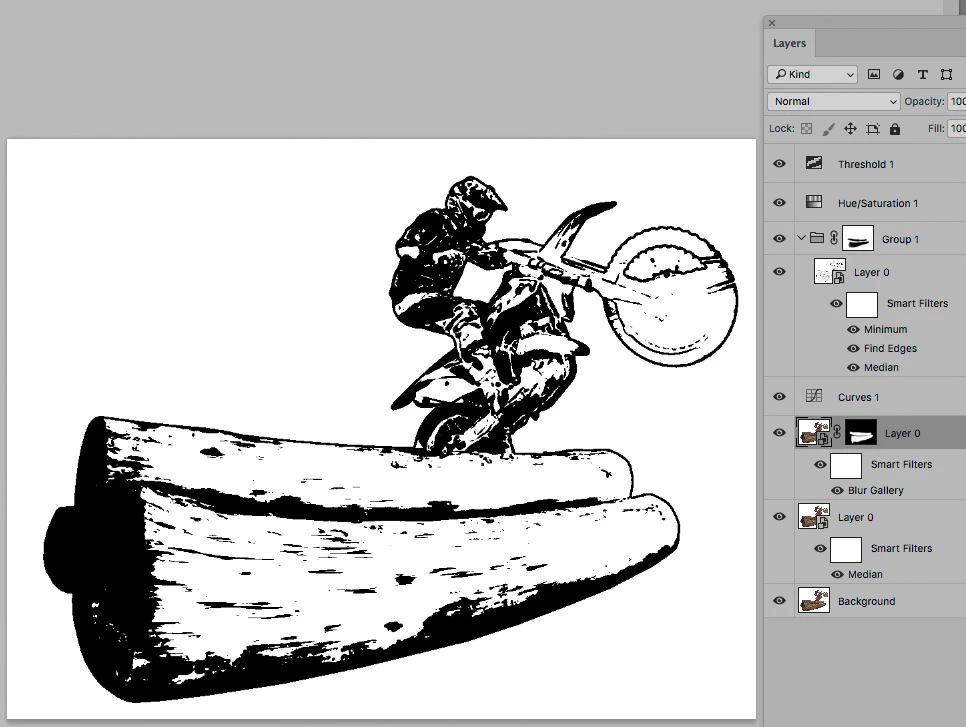
I am trying to make something like this

from this photo
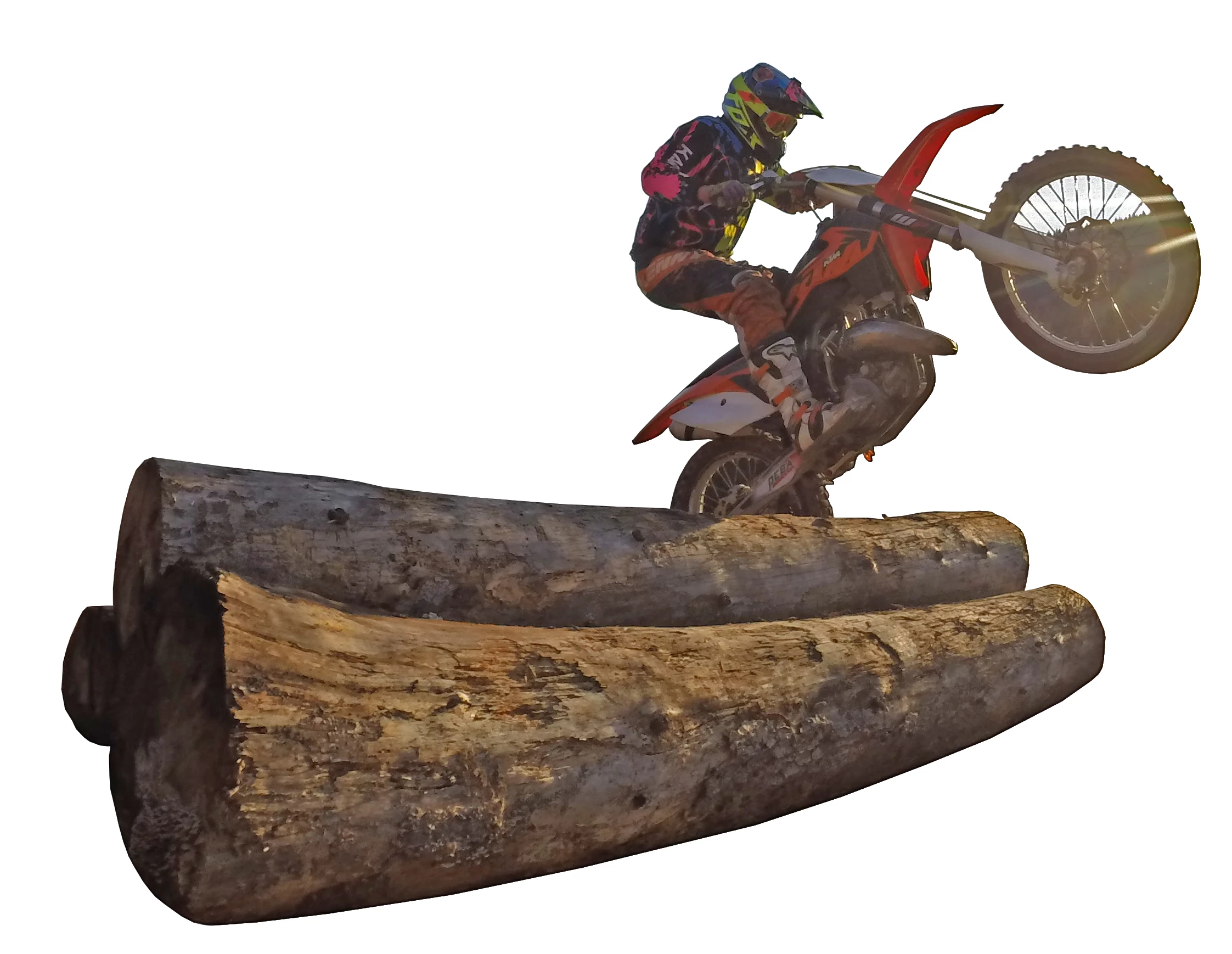
I have tried cartoon effect tutorials from youtube but nothing helped me.
Any ideas on how to make something like this?

Thank you very much for your answers.
    This topic has been closed for replies.
    Correct answer c.pfaffenbichler

    To achieve a stroke-like effect a Smart Object Copy with the Filters Finde Edges and Minimum and set to Blend Mode Multiply might help.

    To edit the contrast a Curves Layer can be inserted below the Threshold Layer.

    And the structure in the tree trunks could be edited with the Filters Median and Blur Gallery.

    The front wheel and its spokes may need manual illustration, though …

    3 replies

    Derek Cross
    Community Expert
    Community Expert
    December 2, 2016

    In addition to these excellent responses, if you have money to spend, have a look at this cutline filter plug-in:

    Cutline Photoshop Plug-in - Andromeda

    War Unicorn
    Community Expert
    Community Expert
    December 2, 2016

    I can practically guarantee that image was made in Illustrator; dead giveaway is the vector art look with the shading between black and white. My guess is they might have started with Illustrator's Image Trace feature for the silhouette and went from there.

    I made a silhouette image trace and then proceeded to make white shapes within the silhouette using the Pen Tool. (Obviously, not as detailed because I'm just trying to...illustrate.)  >.>  <.<  >.>  It only took a few minutes alone.

    You can probably do the same in Photoshop to a degree but its vector tools aren't quite what Illustrator offers in terms of raw vector power.

    December 2, 2016

    Hi

    You could try a Threshold adjustment layer

    c.pfaffenbichler
    Community Expert
    c.pfaffenbichlerCommunity ExpertCorrect answer
    Community Expert
    December 2, 2016

    To achieve a stroke-like effect a Smart Object Copy with the Filters Finde Edges and Minimum and set to Blend Mode Multiply might help.

    To edit the contrast a Curves Layer can be inserted below the Threshold Layer.

    And the structure in the tree trunks could be edited with the Filters Median and Blur Gallery.

    The front wheel and its spokes may need manual illustration, though …