Help with CMYK Blacks
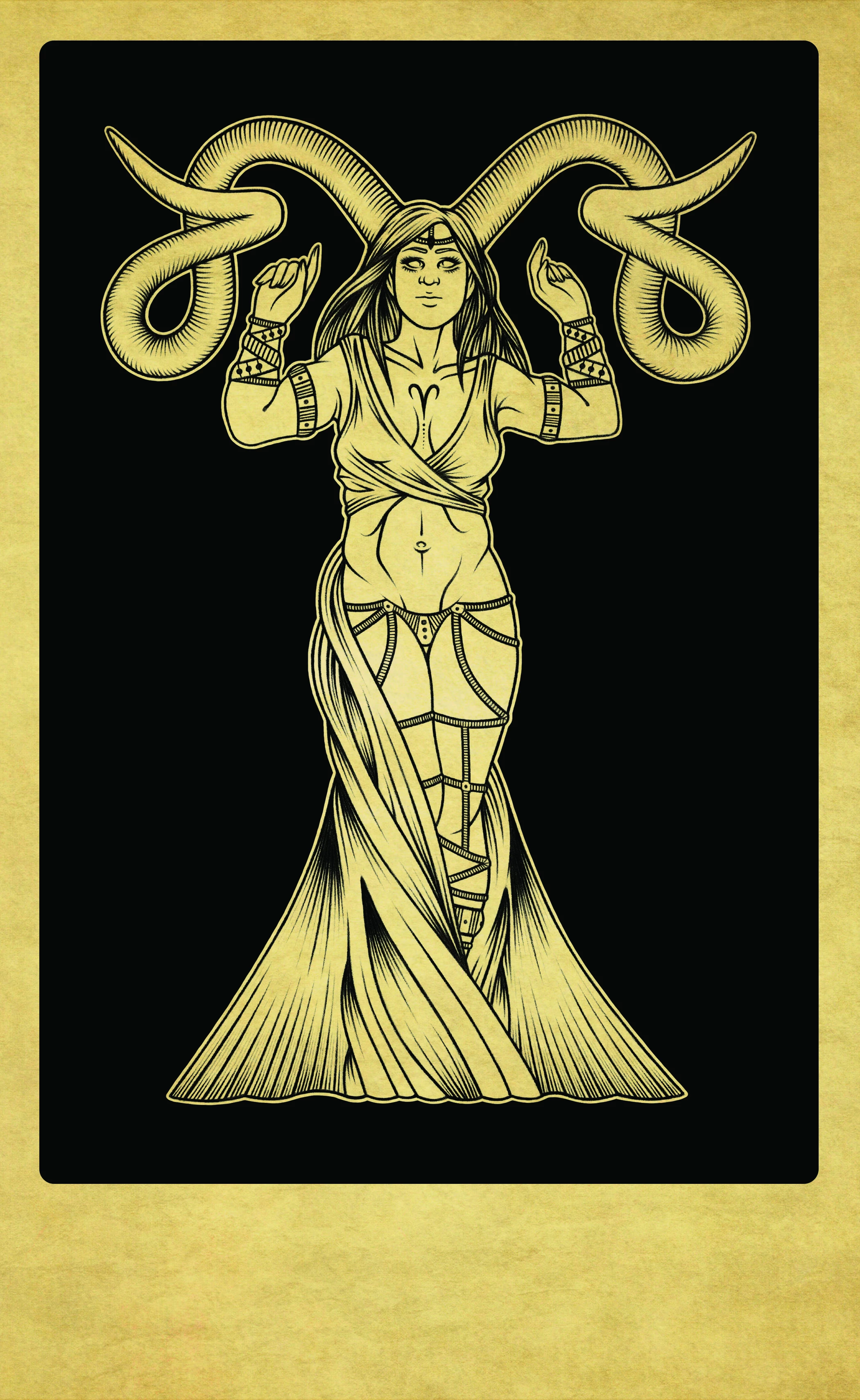
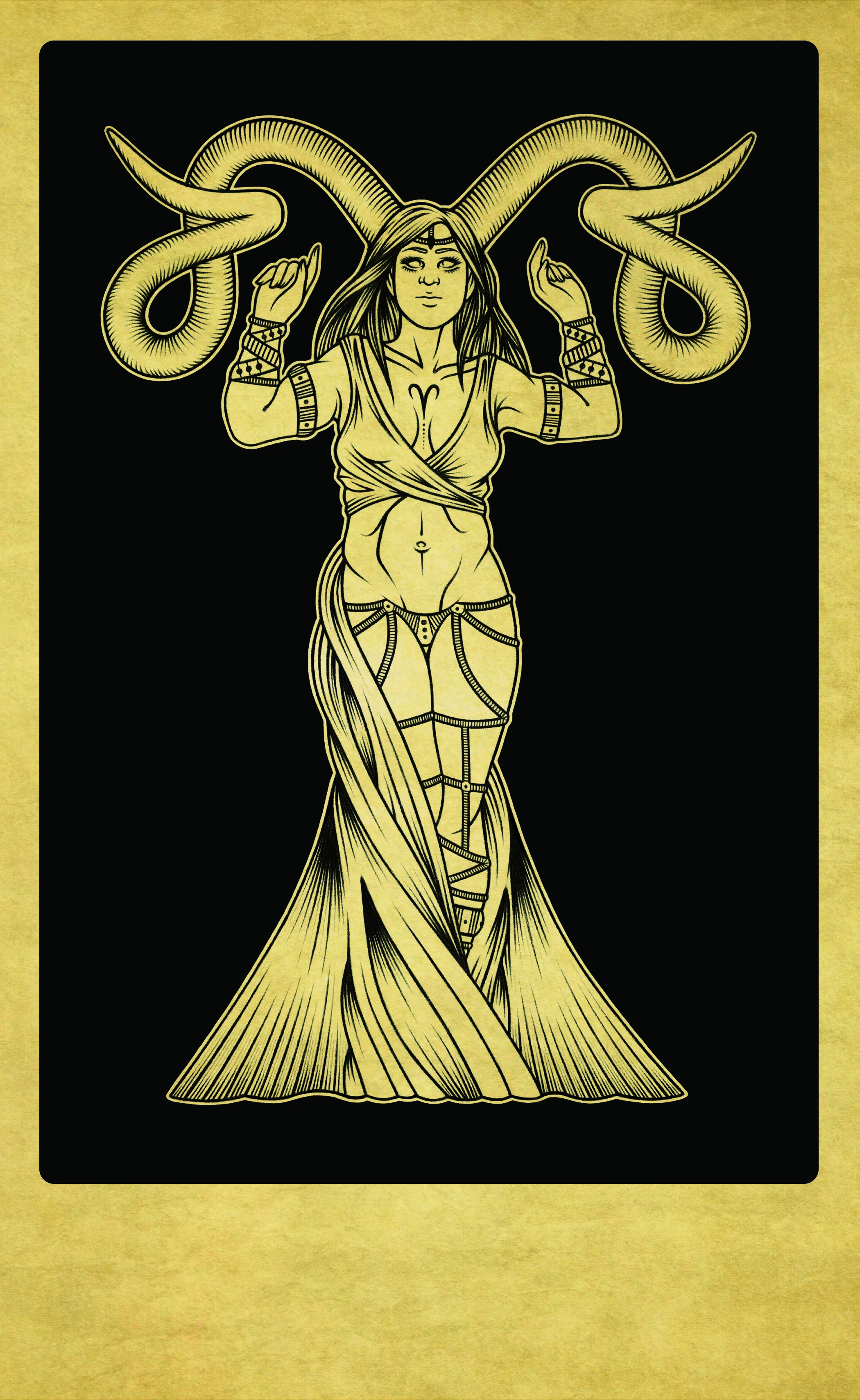
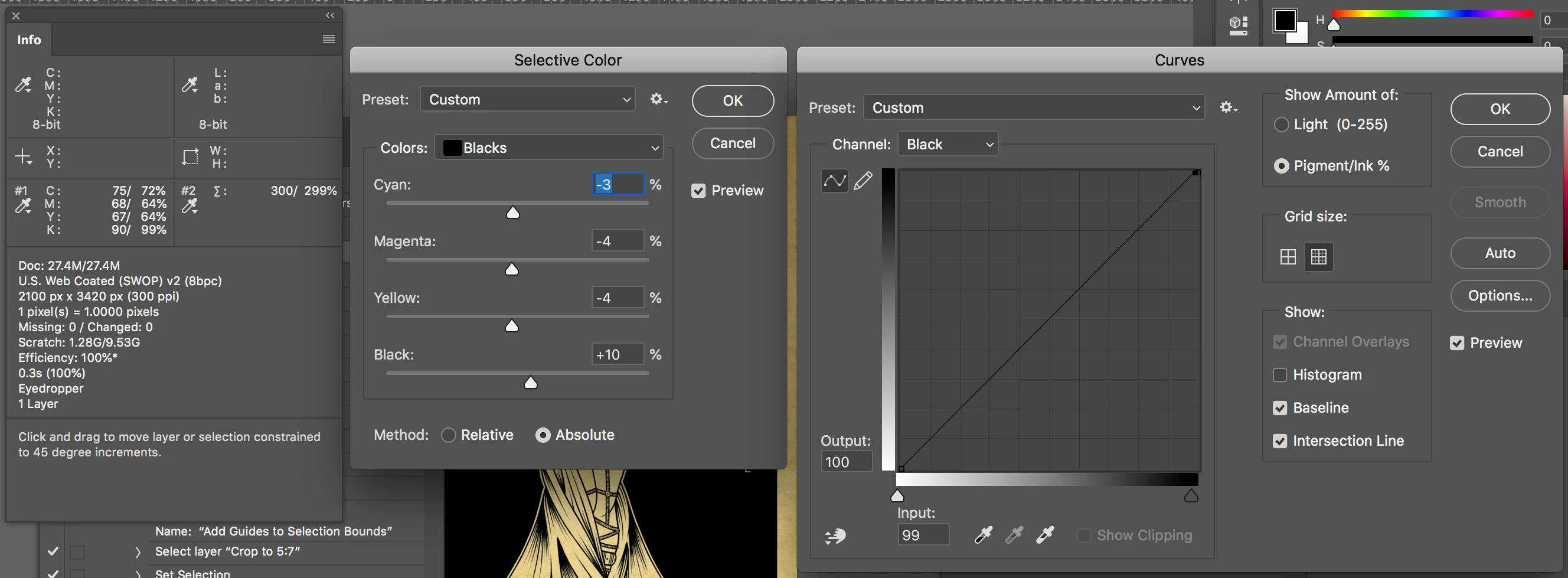
Hey all, I'm just finishing up a set of illustrations and I'm very frustrated with figuring out how to achieve the best black in Photoshop. I have been working in CMYK the whole time because these images will be printed. I understand CMKY dulls the colors quite a bit. The black looks fine in Photoshop (I have tried out a mixture of sliders and now I'm using C=75, M=68, Y=67, B=90.) Any combination I use still ends up looking bad when I save as a PDF in the end. I know printers are capable of printing the black I'm working with, it's just my PDF looks very dull in comparison to what I want. I'm very close to the deadline for this project and need to send PDFs to a printing company first thing Monday morning. I'm worried if I send the grayed PDFs, they will look like that in print. I have attached two images, one is a CMYK jpeg with dulled out colors, and another is an RGB jpeg with the black I want (but I do not like the paper color in this one). There is no way for me to contact the printing company and ask them for help, so I was wondering if someone could help me here. Is there a way for me to save a CMYK PDF with that nice black? Or do I have to send the grayish one and risk the print looking dulled out in the end?
 AdChoices