
Inspiring
September 26, 2019
Question

Help with dodge and burn

  • September 26, 2019
  • 4 replies
  • 1001 views

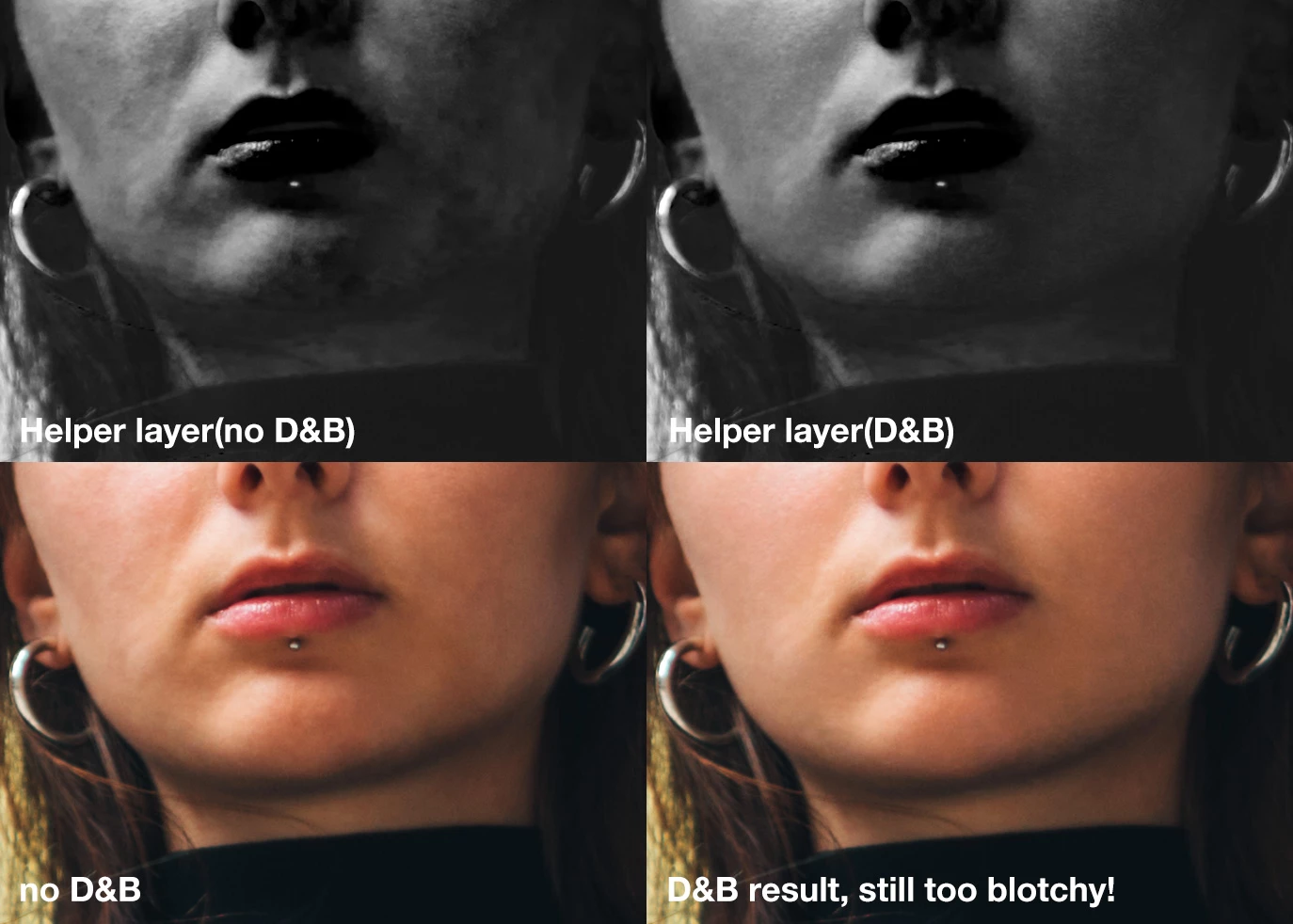
I'm really struggling with this particular D&B. The subject is relatively far away from the camera so her face is not as sharp as it could be. A B&W helper layer reveals very blotchy skin. Using traditional D&B I'm finding it really really hard to even out the tones. 
This topic has been closed for replies.

4 replies

Legend
September 26, 2019

This is a prime candidate for Frequency Separation editing.

markwmAuthor
Inspiring
September 26, 2019

I thought that too, but I'm not a fan of FS. I continue to play around and learnt that by adding another 2 helper layers. Solarization etc it really helped me get better results. Still not perfect but better than what I had


Derek Cross
Community Expert
Community Expert
September 26, 2019

You can do this non-destructively, by adding a layer above the image, filling it with 50% grey and then selecting Overlay blending mode, you can then use the Dodge tool to lighten areas of the image and the Burn tool to darken areas. You can then fine tune by adjusting the Opacity.


markwmAuthor
Inspiring
September 26, 2019
I believe you just told me how to dodge and burn, which is what I'm already doing.
Mike_Gondek10189183
Community Expert
Community Expert
September 26, 2019
Norman Sanders
Legend
September 26, 2019

i suggest that you experiment with Filter > Blur > Surface Blur. It must be handled gently to avoid the result looking like cake makeup. Easy to overdo.