
Participant
February 16, 2020
Question

Help with removing shadows

  • February 16, 2020
  • 3 replies
  • 226 views

Hello, I am very new to using photoshop besides doing the most basic of functions.  My question is: How do I remove the outline of myself taking a picture of a picture? I have an iPhone image of a professional photograph of myself and my mother when I was a young child.  She will not let me remove it from the frame so I can do a high quality scan of the picture. So, the pic is all I have to work with.  What I want to do is remove the borders and get rid of the shadow of me taking the picture.  If anyone could teach me how to go about this process, it would be most appreciated!
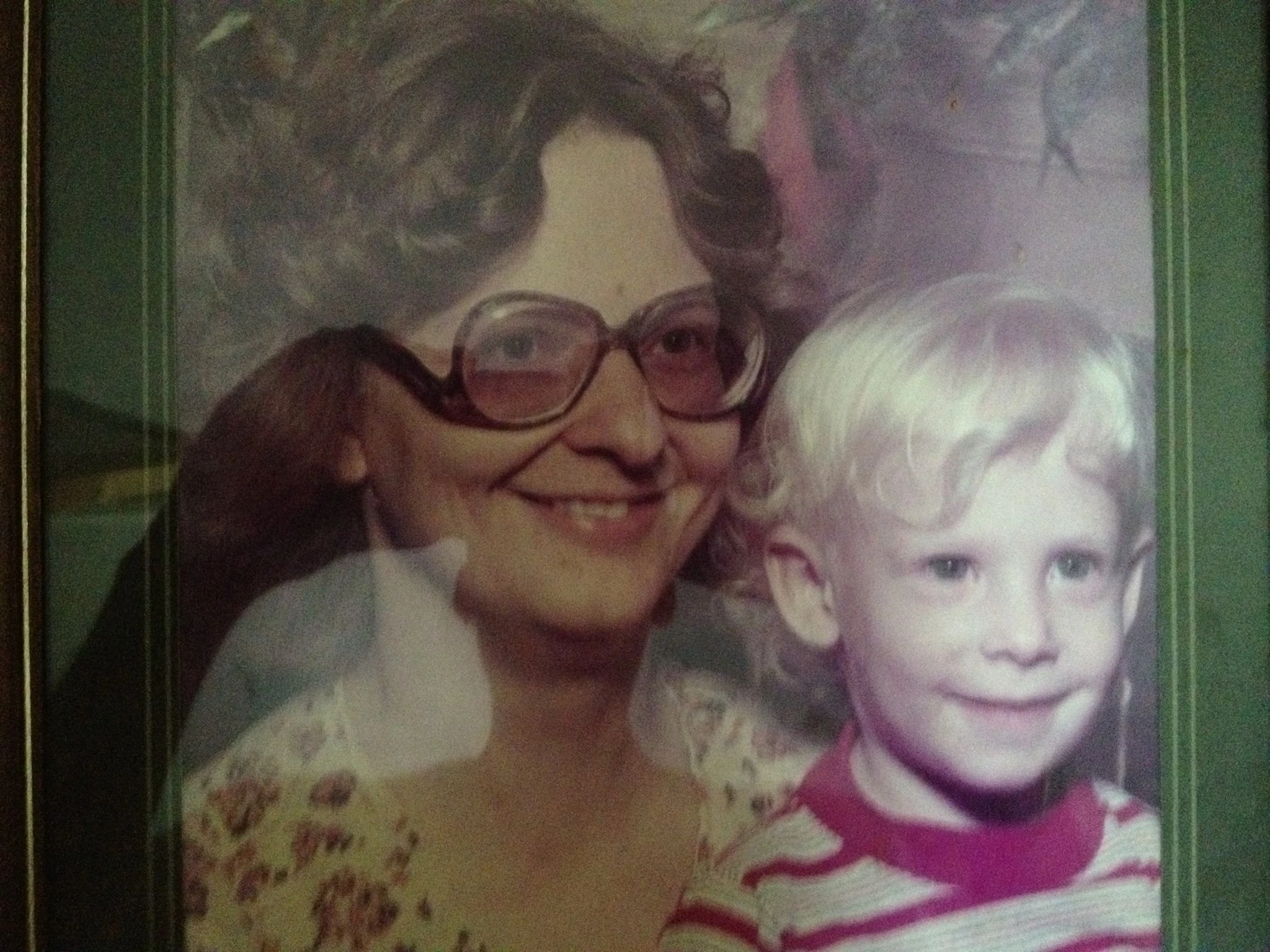


(Edited by Mod JSM to included image, insert it, in line with the text and removed the attachment)

This topic has been closed for replies.

3 replies

D Fosse
Community Expert
Community Expert
February 17, 2020

Actually there is a quick and dirty trick that should work. Place the camera a little to the side, and get someone to hold up a piece of black cardboard beside you, big enough to cover the original as seen from the camera. You'll need to correct the perspective afterwards, but that's straightforward, much easier than removing reflections.


In any case, use your eyes. If you can see reflections, they'll be 100 times more prominent in the photo.

D Fosse
Community Expert
Community Expert
February 17, 2020

I didn't look at the image before JSM included it in the message. I should have, because this isn't a shadow, it's glass reflections and a bad case at that. That's even more impossible to remove afterwards, to the point where you can safely abandon the whole idea, so my point is emphasized.


This is why professional photographers like myself still have a living. It can be done, but before pressing the shutter, not afterwards. I use a pretty advanced setup with cross-polarized light for cases like this.


It might be possible using ordinary lights, but it requires tightly controlled lighting and an otherwise completely dark room. Place two lights at 45 degrees angle to the sides. Cover all shiny surfaces. Without polarizing it's impossible to eliminate reflections completely, but it might get it down to an acceptable level.


D Fosse
Community Expert
Community Expert
February 16, 2020

All you need to do is place two lights to the sides, so that you don't cast a shadow. Trust me, that's much faster than attempting to remove a shadow already there. If there's glass, avoiding reflections is a separate problem.


That shadow is now baked into the pixel values in the image. It's part of the image. There's no way to remove it other than by manually altering the image, painting it out. Even to an experienced user that's a lot of work.


Photoshop or not, you still need to take some basic precautions when photographing.