
Participating Frequently
May 6, 2018
Answered

Help with using Brushes in Photoshop CC

  • May 6, 2018
  • 3 replies
  • 799 views

I have followed the tutorials and I can't get the brush to work???  I am obviously missing something here.  I tried creating a layer thinking the background is locked but I am taking the tutorial from the very beginning for beginners and they have not even touched on layers yet.  And that did not help anyway.  What am I missing?

I opened a new blank document.

Chose the 5x7 size.

I clicked on the brush on the tools.

Chose my color - black.

Made my brush larger.

But when I try to brush black (left click hold on mouse) onto my blank document nothing happens.

I have also tried this on an existing photo to no avail.

I know there has to be a very simple solution but darned if I can figure it out.  Help?
    This topic has been closed for replies.
    Correct answer SMOk3420

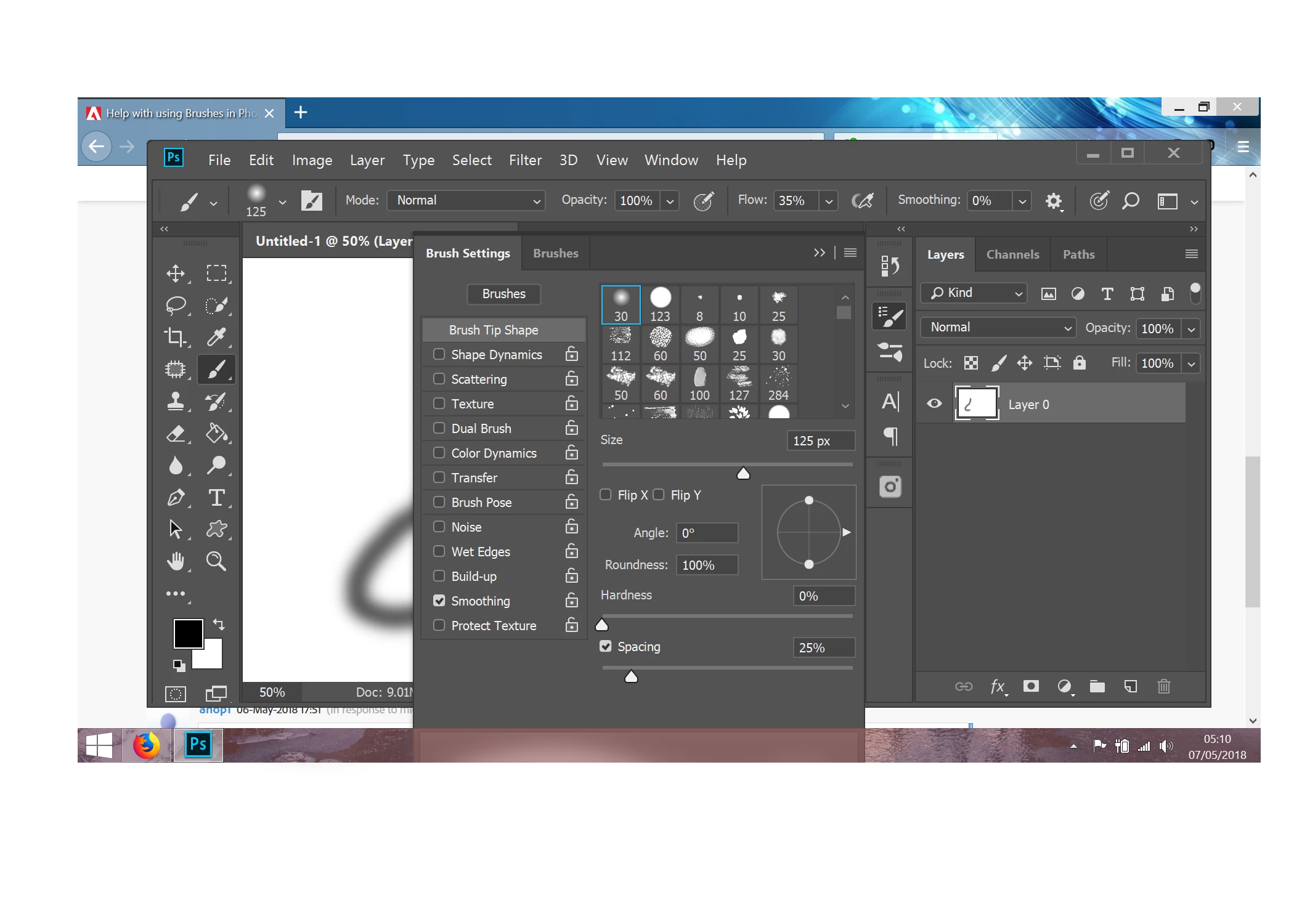
    These are my brush settings. Could you provide a screen of yours?

    3 replies

    Trevor.Dennis
    Community Expert
    Community Expert
    May 7, 2018

    Do you definitely have the Brush tool selected?   If you selected it with its shortcut, then you might one of the other tools that use the B shortcut, and they don't do much if there is nothing underneath where you are painting.

    ahop1Author
    Participating Frequently
    May 8, 2018

    I figured it out.  I could not understand why my brush looked different than what you and others kept showing me.  I was using the 'history brush'.  When I finally realized there was a brush two spots above it and chose it, it worked!  Yea!  Your asking me if I was using the correct brush finally made me realize what I was missing.

    THANK YOU ALL!

    michelew83603738
    Community Expert
    Community Expert
    May 6, 2018

    Troubleshooting techniques -

    - is a layer selected

    - is there perhaps a selection that you are not aware of (try Ctrl + D to deselect anything)

    - what are the setting of the particular tool - they don't automatically reset every time you use them, so if they are set to a blending mode or opacity that you didn't realize, they may not work the way you think

    - is the layer itself set to a blending mode or opacity setting other than normal

    If a tools isn't working the way you think it should be, running through these will resolve the problem 9 out of 10 times.

    ahop1Author
    Participating Frequently
    May 7, 2018

    michelew83603738 - Thanks for your reply also.  Yes, the layer is selected, I have selected nothing (but just in case I did use Ctrl & D),  Settings of the tool are factory defaults, Opacity is 100%, and as I have not gotten to a tutorial for blending I don't know where it is to check it and layer is set to normal at 100% opacity.  I have also 'unlocked' the layer.  As I told the first fellow I just opened up Photoshop CC and started on Adobe's tutorials for it.  I do know LR and Elements quite well, but Photoshop is foreign to me.  And obviously I am not doing it well.  LOL.

    SMOk3420
    SMOk3420Correct answer
    Inspiring
    May 7, 2018

    These are my brush settings. Could you provide a screen of yours?

    JohanElzenga
    Community Expert
    Community Expert
    May 6, 2018

    Check the 'Mode' of the brush in the tool bar. It should be set to 'normal'. If it is set to anything else, this could happen. Also check the Density and the Flow. If one or both are set to zero, your brush will do nothing.

    -- Johan W. Elzenga
    ahop1Author
    Participating Frequently
    May 7, 2018

    JohanE154 - Thanks for your reply.  Mode is set to 'normal', Flow is set to '100%', I am unsure where Density is.  Please understand I have used Lightroom and Elements extensively but have literally just opened up Photoshop CC.  Everything to my knowledge should be factory defaults currently.  The only thing I have done is start with Adobe's tutorials.  This was in tutorial #2.  Lordy help me if I can't get past this... :-(

    JohanElzenga
    Community Expert
    Community Expert
    May 7, 2018

    ahop1  wrote

    JohanE154 - Thanks for your reply.  Mode is set to 'normal', Flow is set to '100%', I am unsure where Density is.  Please understand I have used Lightroom and Elements extensively but have literally just opened up Photoshop CC.  Everything to my knowledge should be factory defaults currently.  The only thing I have done is start with Adobe's tutorials.  This was in tutorial #2.  Lordy help me if I can't get past this... :-(

    Sorry, I meant 'Opacity' not 'Density'. That's the trouble with running Lightroom and Photoshop and often switching between languages for teaching purposes...

    -- Johan W. Elzenga