Participant
May 21, 2020
Question

help

  • May 21, 2020
  • 4 replies
  • 1209 views

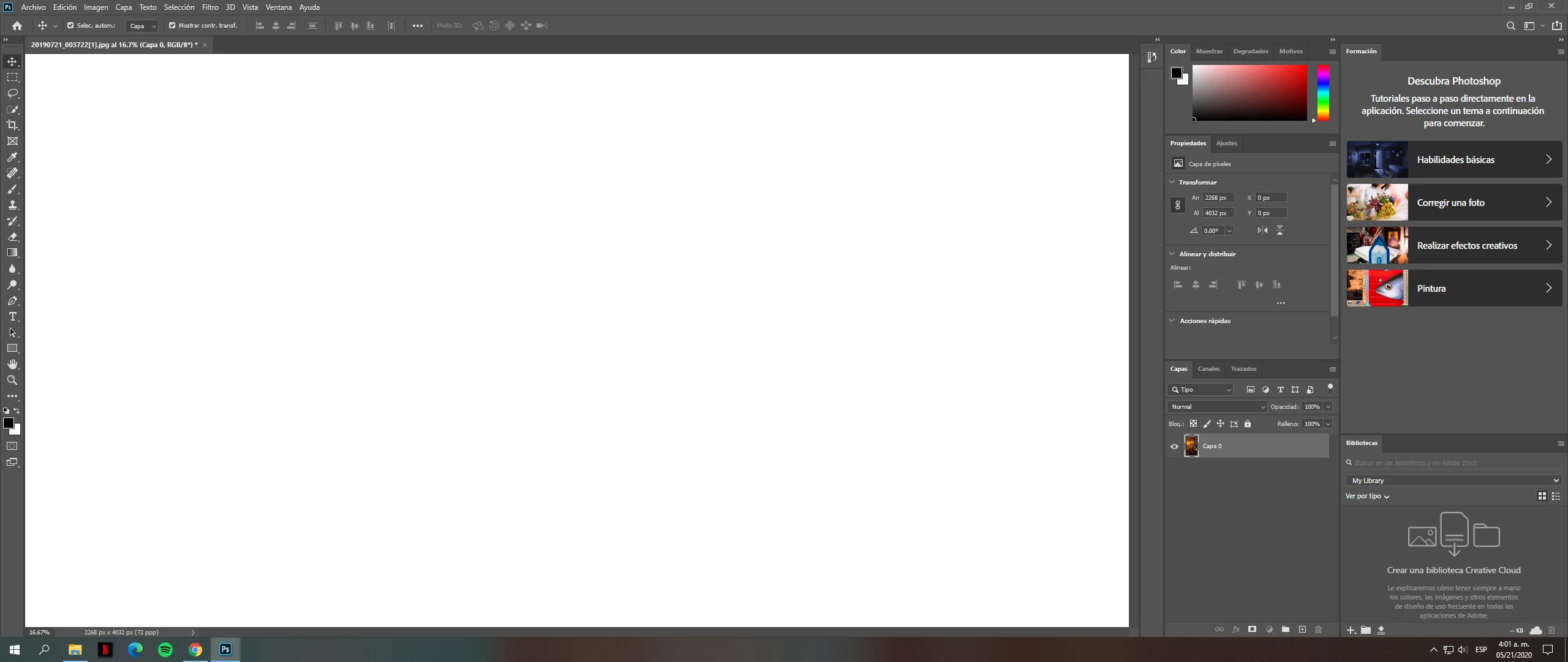
im new in this when im selecting a photo im just looking a white square but not my photo, i dont know how to see the photo that i want to edit

This topic has been closed for replies.

4 replies

davescm
Community Expert
Community Expert
May 21, 2020

Hi

Can you try going to Preferences >Performance and uncheck "Use Graphics Processor". Then restart Photoshop and see if you can then see the image.

If so, there are some further steps to take, but try that first.


Dave

BeRadB
Inspiring
May 21, 2020

After looking at your screen shot, I notice that the zoom percentage was in double digits, you could either be zoom in too far out if the image is real small

Try this

On the left-hand nav bar there is an icon that looks like a magnifying glass, click that.

on the top, right under the main nav bar, there should be three buttons ,,, 100%, fit screen, Fill screen

Try clicking on one of those buttons. see if that brings your image into view


Iambradb.com Adobe ColdFusion Specialist.
BeRadB
Inspiring
May 21, 2020

In photoshop there are layers, it is possible that your image is hidden under a layer. this is how to check that ...

How to view your layers

1) open photoshop

2) on the main nav bar click window then select layers (windows press f7)

You should see a new window that shows all the layers


Ok if that is not the issue then let's make sure you know how to open an image for editing

1) open photoshop

2) go to file on the main nav bar

3) select open (a file dialog box will open)

4) navigate to the image you want to edit and select it and then press open

5) you should now see the image you want to edit


Iambradb.com Adobe ColdFusion Specialist.
Charu Rajput
Community Expert
Community Expert
May 21, 2020

Hi,

It is very difficult to guess what you are selecting inside the Photoshop without seeing any reference of it. Could you share screenshot for this to help you ?


Best regards
kathaaa03Author
Participant
May 21, 2020

i just upload the photo