
Answered
Holding Left Mouse Button Invokes Windows Task Switcher
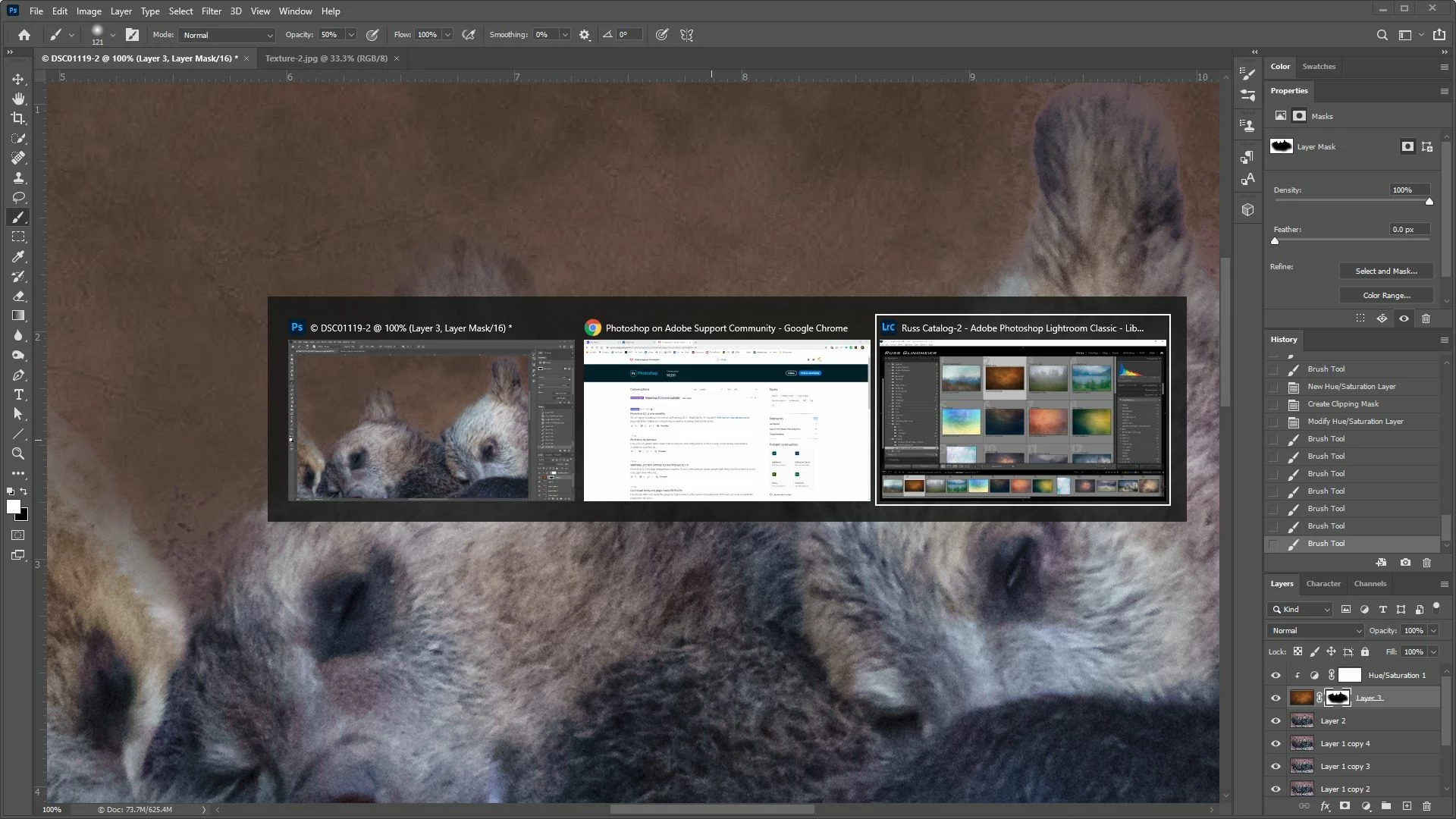
I've noticed an odd behavior since recent Photoshop updates. Many times while I am holding down the left mouse button and painting with the brush tool or moving an adjustment slider back and forth, Windows brings up the task switcher (same as holding down Alt+Tab) (see screen shot). The screen shot shows this happening while painting with the brush tool. Never used to do this before. Seems to happen during relatively long hold and move sequences. Windows 10 Pro 64 bit, Photoshop version 21.2.0. Not sure why or how to make it stop. Thoughts?
 Russ
Russ
 AdChoices