
Inspiring
May 28, 2019
Answered

Home screen language changed to Japanese

  • May 28, 2019
  • 4 replies
  • 4171 views

I started Photoshop as usual to work today and suddenly my home screen is completely changed --to Japanese. As much as I love all things Japan, I never changed the language settings. I installed Photoshop in English and never changed it, so I'm puzzled, what is going on here?
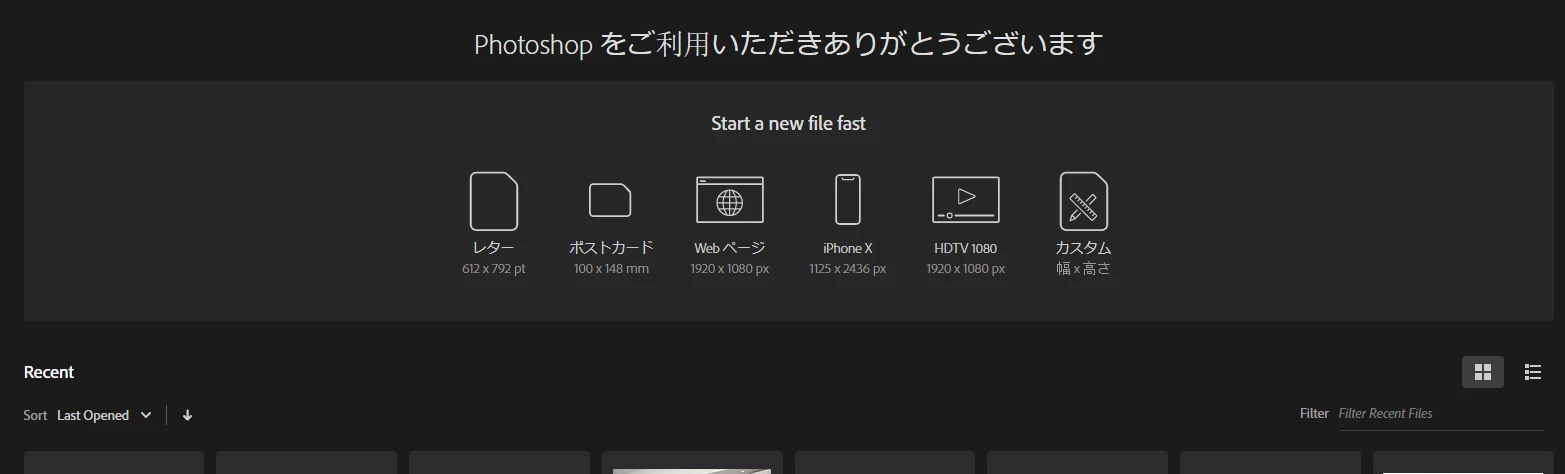
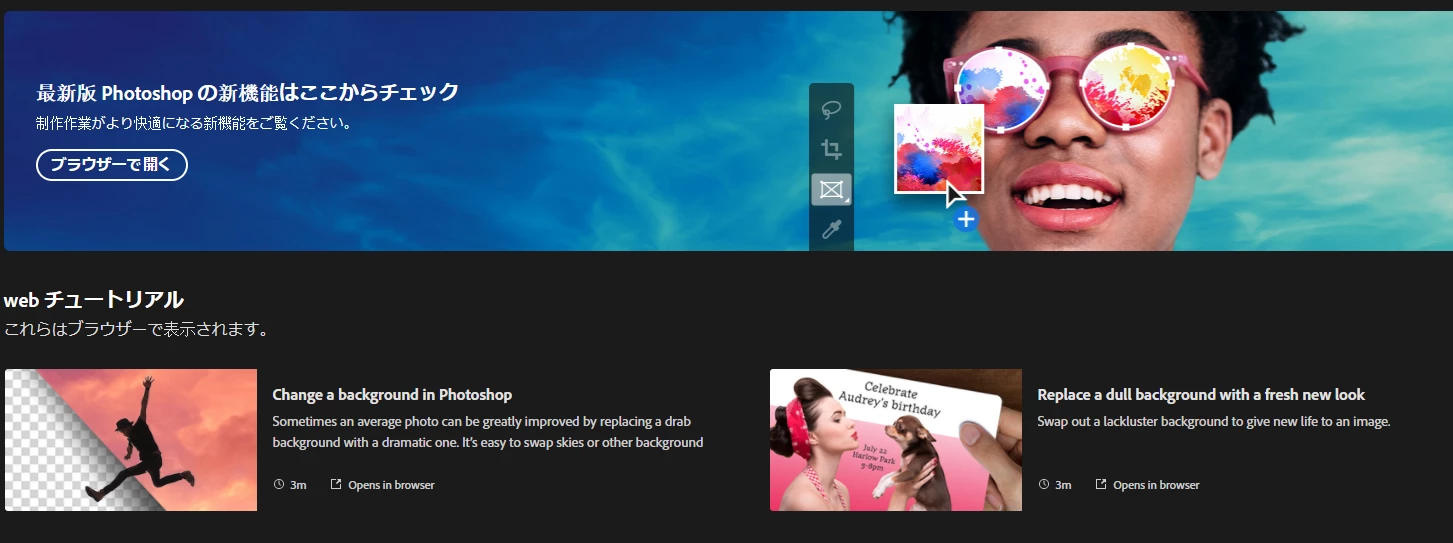
I couldn't find any settings for the Home page, I only have the option to disable it. The "start a new file" submenu is also changed, my regular "new files" that appeared here are not these. The "learn" menu is also changed, as you can see on the second image. I tried restarting everything but the issue is still here. Not sure if I have a virus of some kind (my computer appears to be clean) or if this is a Photoshop bug that I wasn't aware of.

I actually like the home screen and the quick access to new files as well as the ones I have been working on. Any ideas of what is wrong and how to change any settings here? Usually the bugs resolve once I update the program but I'm really puzzled and a bit worried it might be something on my computer. Thanks!!!

Correct answer jesslzz

Quick update: I was about to start with all suggestions here but the issue resolved itself. The Home screen is not on Japanese anymore, but the top portion of it (Create a new file) is now gone. So my best guess is this is an error related to the Creative Cloud app, not a Photoshop error. I think this because my CC app updated automatically with a mandatory update on the 27th and saw this change yesterday, and a new change today. Not sure what happened since I didn't do anything but restarting everything several times, so I believe this CC app update may be the problem.


So all of you who still have this issue may want reinstall the CC app instead of just Photoshop to see if that solves it. Or wait a day like me and see what happens. I'm not really sure if the problem is totally gone though

4 replies

jesslzzAuthorCorrect answer
Inspiring
May 29, 2019

Quick update: I was about to start with all suggestions here but the issue resolved itself. The Home screen is not on Japanese anymore, but the top portion of it (Create a new file) is now gone. So my best guess is this is an error related to the Creative Cloud app, not a Photoshop error. I think this because my CC app updated automatically with a mandatory update on the 27th and saw this change yesterday, and a new change today. Not sure what happened since I didn't do anything but restarting everything several times, so I believe this CC app update may be the problem.


So all of you who still have this issue may want reinstall the CC app instead of just Photoshop to see if that solves it. Or wait a day like me and see what happens. I'm not really sure if the problem is totally gone though

gener7
Community Expert
Community Expert
May 29, 2019

I had just thought of something. You said the Home Screen was displaying in Japanese, not the Photoshop Application itself. I usually change the User Interface language to open Japanese PSDs that are sometimes incompatible with the English versions. That's the only way I get a Japanese language Home screen. Now I'm finding out there are other circumstances.

jesslzzAuthor
Inspiring
May 29, 2019

Yes, it was only the Home Screen, not the whole Photoshop interface. It's a weird error, and it wasn't that bothersome, but I was a bit worried so I thought of asking here. Thanks for your answers!!

Participant
May 29, 2019

I'm having the exact same issue on Mac!

Participating Frequently
May 28, 2019

I have the same problem, I wonder if it is related to the Window 10 may update!

JJMack
Community Expert
Community Expert
May 28, 2019

Is that the May preview build update  or the current 1809 version

I do not have a problem with Windows 10, 1809 with all updates installed.

JJMack
Participating Frequently
May 28, 2019

Nope, I am on Version 1903 (OS build 18362.116)

JJMack
Community Expert
Community Expert
May 28, 2019

Creative cloud Desktop Application preferences creative cloud Apps, App language settings.

JJMack
jesslzzAuthor
Inspiring
May 28, 2019

Yes, checked that one right away, the setting is currently on English.This only happens on Photoshop, Illustrator and other apps home screens look like usual: