Participant
August 7, 2013
Answered

How can I Add a Speech Bubble in Pictures?

  • August 7, 2013
  • 4 replies
  • 27791 views

When I surf the Internet, I find a back-to-school promotion of Moyea , it requires me to add speech bubbles to the picture.

But I'm white-hand on PS, so how can I add speech bubble to a picture? Could you please help me?
This topic has been closed for replies.
Correct answer Alec Molloy

Hi KilLWeBbeR,

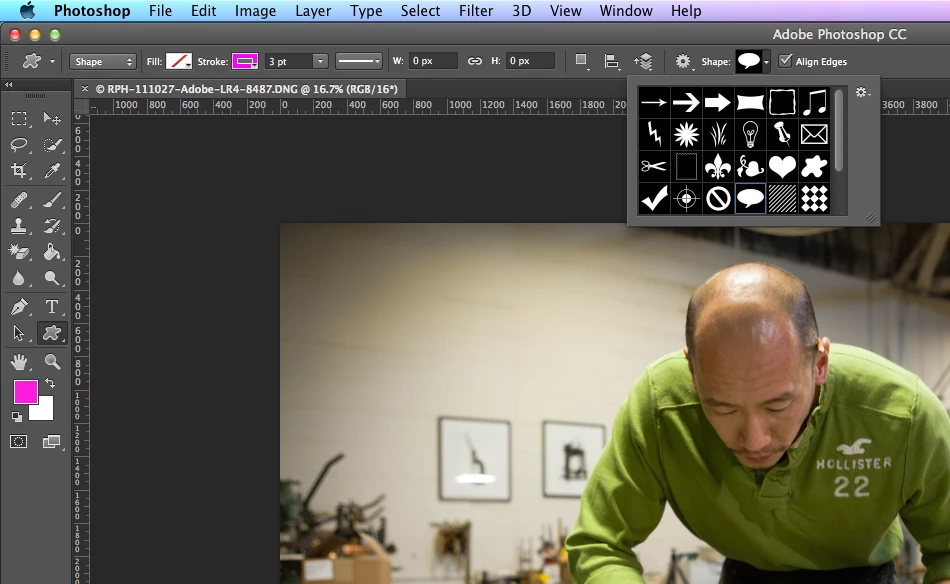
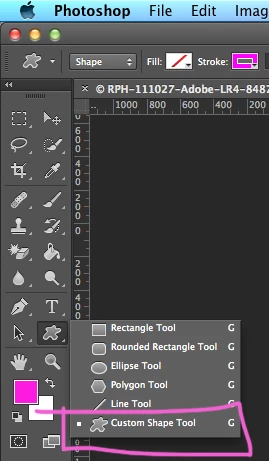
You don't have to draw anything at all if you use the Custom Shape tool in Photoshop:

With the tool selected, choose the speech bubble option from the "Shape" selection in the top part of the Application frame:

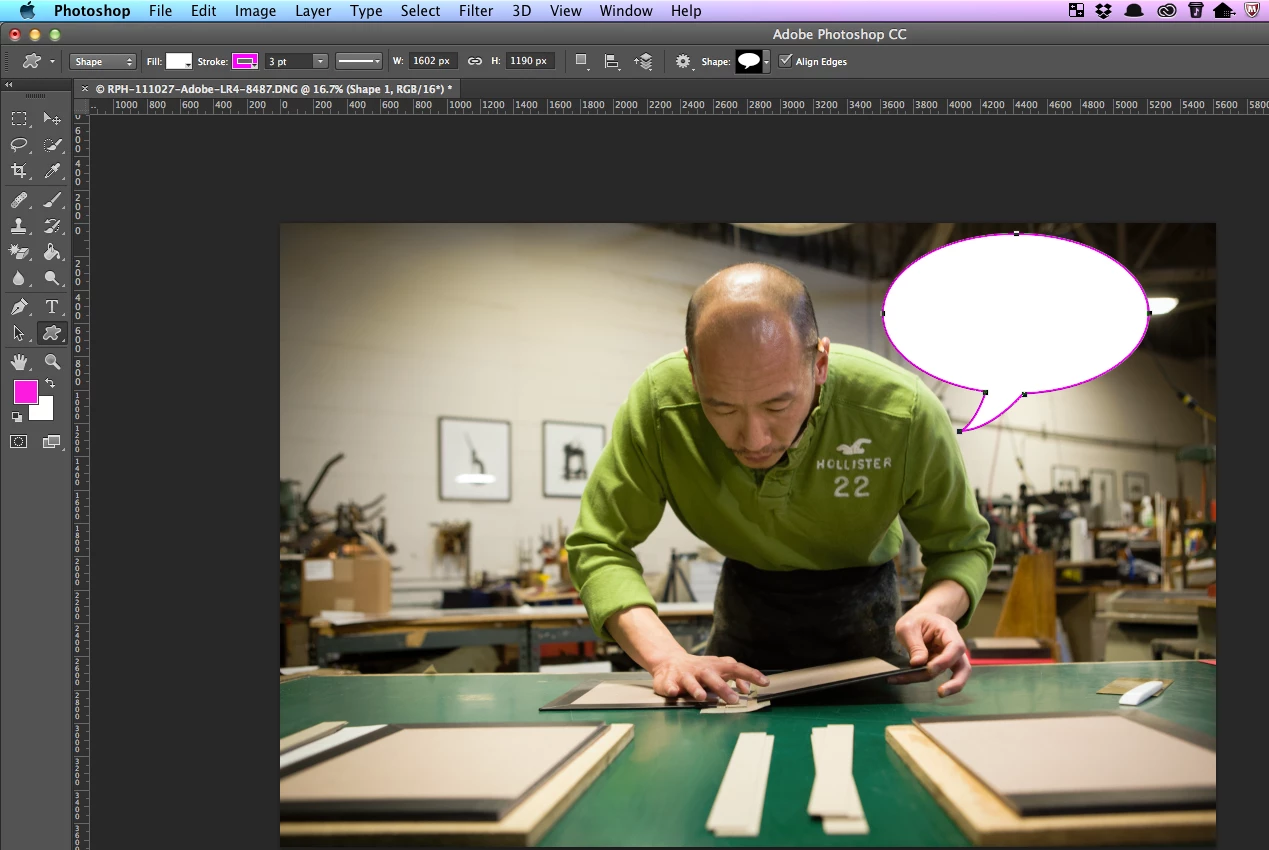
Then just drag out a speech bubble and you are done!

4 replies

louisd79464044
Inspiring
August 9, 2023

Hi Alec,

I wish I could use such tool but my shapes are restricted to wild animals, trees, ships and flowers. How do I get the full package of shapes. Even in the legacy shapes to add the the speech bubbles are gone

Thanks,


Louis


Participant
May 2, 2016

My CS6 (V 13.0 x64 on a MacBook) doesn't show a custom shape tool so I can't select it.

The place in your posted pictures shows that italic-like star shape on the left tool area where mine shows a rectangle. When I select the rectangle the upper tool bar Make: has "Selection", "Mask" and "Shape" grayed out.

The upper current tool rectangle on the left has no Custom Tool Shapes in the list (or text/speech bubbles) and the only similar shapes I see are "Starburst Color Target" and "Stitched Patchwork".

Custom shape tools aren't in any menu or sub-menu. Where do I get the custom shape tools?

claricechan
Participant
August 7, 2013

Hi KilLWeBber,

There are many ways you can add speech bubbles. One way is to draw your own using the shape tools; another way is importing an image of a standard empty bubble and adding your own text.

Here is a detailed tutorial demonstrating one way you can create bubbles: Photoshop Speech Bubble Tutorial - Youtube.

Hope it helps!

Clarice

Alec Molloy
Alec MolloyCorrect answer
Inspiring
August 7, 2013

Hi KilLWeBbeR,

You don't have to draw anything at all if you use the Custom Shape tool in Photoshop:

With the tool selected, choose the speech bubble option from the "Shape" selection in the top part of the Application frame:

Then just drag out a speech bubble and you are done!

Participant
August 8, 2013

Thank you for your detailed tutorial. Really appreciate it!

That's exactly the speech bubbles I need.

[spam link removed]

Thank you again!

August 7, 2013

Hi there,

You can use custom shapes tool and draw any type of speak bubble using it.

Participant
August 8, 2013

Thks!