Answered

This topic has been closed for replies.
Hi,
In your screen shot, you did not show the Options Bar--and the Options bar is where you can delete the stroke:
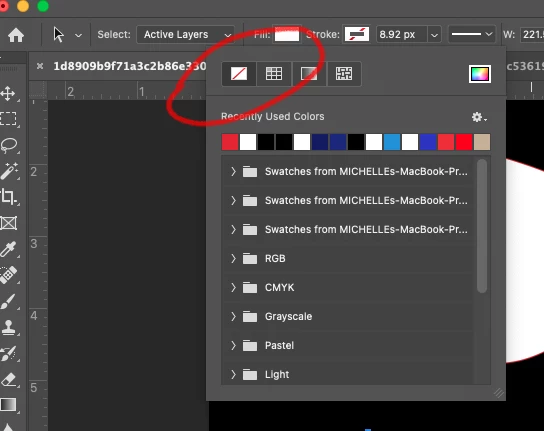
With your Shape selected, click on the Stroke Option in the Options Bar, and select None. See the image above.
Let us know if that works, or if you are still having the issue.
Michelle
Sign up
Already have an account? Login
To post, reply, or follow discussions, please sign in with your Adobe ID.
Sign inSign in to Adobe Community
To post, reply, or follow discussions, please sign in with your Adobe ID.
Sign inEnter your E-mail address. We'll send you an e-mail with instructions to reset your password.
 AdChoices