Participant
July 26, 2024
Answered

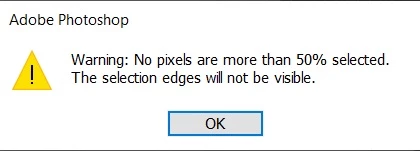
How can I disable "Warning: No pixels are more than 50% selected" from showing up?

  • July 26, 2024
  • 2 replies
  • 534 views

My workflow involves making quick lasso selections, some of which can be small.  This leads me to inevitably getting the "warning: no pixels more than 50% selected. The selection edges will not be visible" warning. 


I imagine this feature would be useful for those getting started with Photoshop, but I'd like to disable this box from showing up altogether as it's become an inconvenient pop up that shows up several times a day. 


Thank you!


Correct answer Stephen Marsh

Create a new topic, and label it as an "idea" (feature request), rather than as a "discussion".


Ask for a checkbox to be added to the warning for "Do not show again".


2 replies

Stephen Marsh
Community Expert
Stephen MarshCommunity ExpertCorrect answer
Community Expert
July 26, 2024

Create a new topic, and label it as an "idea" (feature request), rather than as a "discussion".


Ask for a checkbox to be added to the warning for "Do not show again".


Participant
July 26, 2024

I should mention, I am aware that a common workaround is to set Feather to 0%.  I'd prefer a direct solution if possible as I need Feathering enabled.