Answered
How can I isolate this image?
I created this image and want to make it into a bouncing ball animation? I can't figure out how to isolate it and keep copying it onto white background. Thanks for looking, Lucie.

I created this image and want to make it into a bouncing ball animation? I can't figure out how to isolate it and keep copying it onto white background. Thanks for looking, Lucie.
Is the object in a separate layer?
Use Ctrl+J (Win) or Cmd+J (Mac) to copy the Layer. Repeat and move position as required. See screenshot.
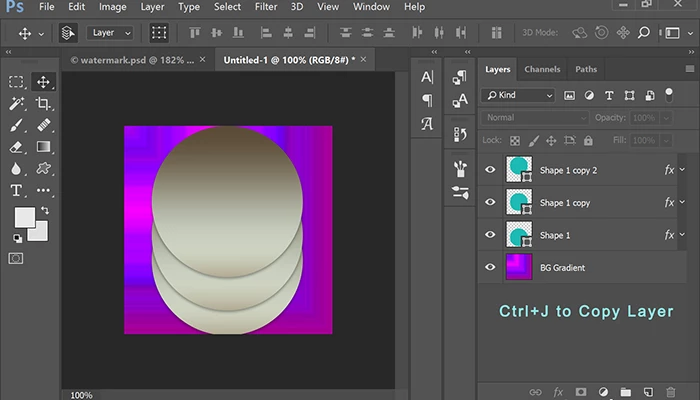
Nancy
Already have an account? Login
Enter your E-mail address. We'll send you an e-mail with instructions to reset your password.
 AdChoices