Participant
January 28, 2020
Answered

How can I make a mockup look hi-res?

  • January 28, 2020
  • 2 replies
  • 5426 views

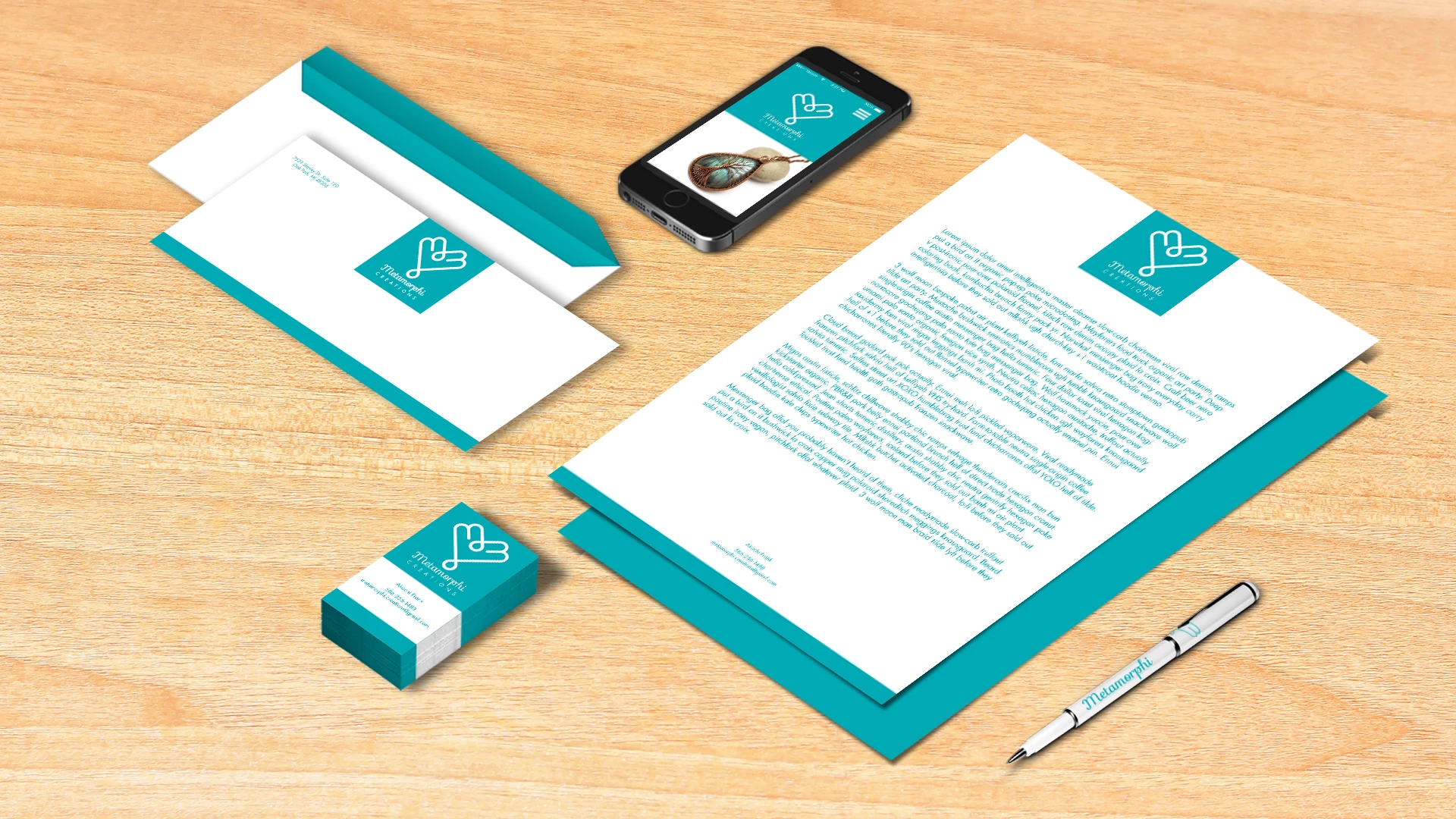
I've converted the resolution to 300 and made sure the smart objects were 300 as well, but the text in this mockup looks grainy. I was hoping anyone had some tips and tricks in making the text look crispy rather than blurry. It looked fine when the mockup was large but when I reduced the canvas size and the size of the items, that's where the problem started. 

This topic has been closed for replies.
Correct answer JJMack

Forget about the print resolution it not what image quality is about.  You degraded your template from a 7.36MP images to a 1,77MP image You have few pixels to store to composite details in the 1920x1080 canvas. Print Resolution ppi is print pixel size 72ppi pixels are 1/72" by 1/72"   300ppi pixels are 1/300" by 1/300".


You can store more image detail in a 3200px by 2300px document the tor can store in a 1920px by 1080px document you you also changed the template Aspect Ratio. 1920x1080 is a 16:9 Aspect ratio. 3200x2300 is a 32:23 Aspect Ratio.   You can not interpolate images without loosing image quality and it not  just about the number of pixels.  Its the number of high quality pixels.  If you have a 8MP out of focus image you have 8MP poor quality pixels where with an in focus image you will have 8MP High quality pixels.  It you interpolate thoes 8MP images to a 1.77MP image you gabs to through away some of the image details you have.  You no longer will have your 8MP Image you have a new smaller image with 1.77MP interpolated from the 8MP images the image quality will be poorer.

 

2 replies

D Fosse
Community Expert
Community Expert
January 28, 2020

Forget everything you think you know, and focus on one thing only: pixels. You need pixels! Everything comes down to pixels, all other ways of expressing resolution are just different ways to count pixels.


Forget 300 ppi. That doesn't mean anything by itself. That expression is just a roundabout way to count pixels over a certain area of print. Without a print size to relate it to, it's meaningless.


Every time you're about to do something that might reduce the number of pixels, stop. Don't do it.


If you don't have enough pixels to read that text, there's no way to "invent" them. The only possibility is to somehow start with a document that has more pixels, and retype the text.

Participant
January 29, 2020

I tried it at 400 ppi and it looked a lot better. 300's what I've been indoctrinated into believing is ideal but what you said about pixel density makes sense. Cheers.

D Fosse
Community Expert
Community Expert
January 29, 2020

Yes, 300 is usually safe - but the point I'm making is that this number is tied to the final physical print size. Without that size, ppi is just a naked meaningless number. One half of the equation is missing.


Ppi means pixels per inch. Read it literally, it means precisely what it says. It's not a number, it's a relationship. It only makes sense when you know both the pixels and the inches.


Again, it's all about counting pixels. Ppi defines how many pixels you need at a certain print size.


And one more thing: If this is for screen, not print, then ppi is completely irrelevant and not applicable. Ppi is strictly a print parameter. It's pixels per inch of paper. On screen there already is a pixel density given by the panel properties, so the number does not apply.

JJMack
Community Expert
Community Expert
January 28, 2020

Can you provide some information about your mockup template and the smart object. What is the templates document canvas size in pixels.  Are you creating the document with the required amount of high quality pixels required for a high quality 300 ppi print or are you resampling a document that has to few pixels.  300PPI is just the pixels print size.  If the pixels do not have high image quality the print will not have high quality.  This site also resize most image posted so the image we see in your post is most likely not your image it is a scaled version of your image.  This site software has been downgraded.

JJMack
Participant
January 29, 2020

Originally the document size was 3200px W x 2300px H and in inches 44.4x31.94 with resolution at 72. I've then increased the resolution to 300, made the canvas size 1920px x 1080px and dragged the items down to fit that size. Each item is a smart object and when initially imported it looked like a vector but quality reduced severely when scaled down.

JJMack
Community Expert
JJMackCommunity ExpertCorrect answer
Community Expert
January 29, 2020

Forget about the print resolution it not what image quality is about.  You degraded your template from a 7.36MP images to a 1,77MP image You have few pixels to store to composite details in the 1920x1080 canvas. Print Resolution ppi is print pixel size 72ppi pixels are 1/72" by 1/72"   300ppi pixels are 1/300" by 1/300".


You can store more image detail in a 3200px by 2300px document the tor can store in a 1920px by 1080px document you you also changed the template Aspect Ratio. 1920x1080 is a 16:9 Aspect ratio. 3200x2300 is a 32:23 Aspect Ratio.   You can not interpolate images without loosing image quality and it not  just about the number of pixels.  Its the number of high quality pixels.  If you have a 8MP out of focus image you have 8MP poor quality pixels where with an in focus image you will have 8MP High quality pixels.  It you interpolate thoes 8MP images to a 1.77MP image you gabs to through away some of the image details you have.  You no longer will have your 8MP Image you have a new smaller image with 1.77MP interpolated from the 8MP images the image quality will be poorer.
 

JJMack