
June 21, 2019
Answered

How can I overlay/multiply a solid black color on a detailed background texture?

  • June 21, 2019
  • 2 replies
  • 5276 views

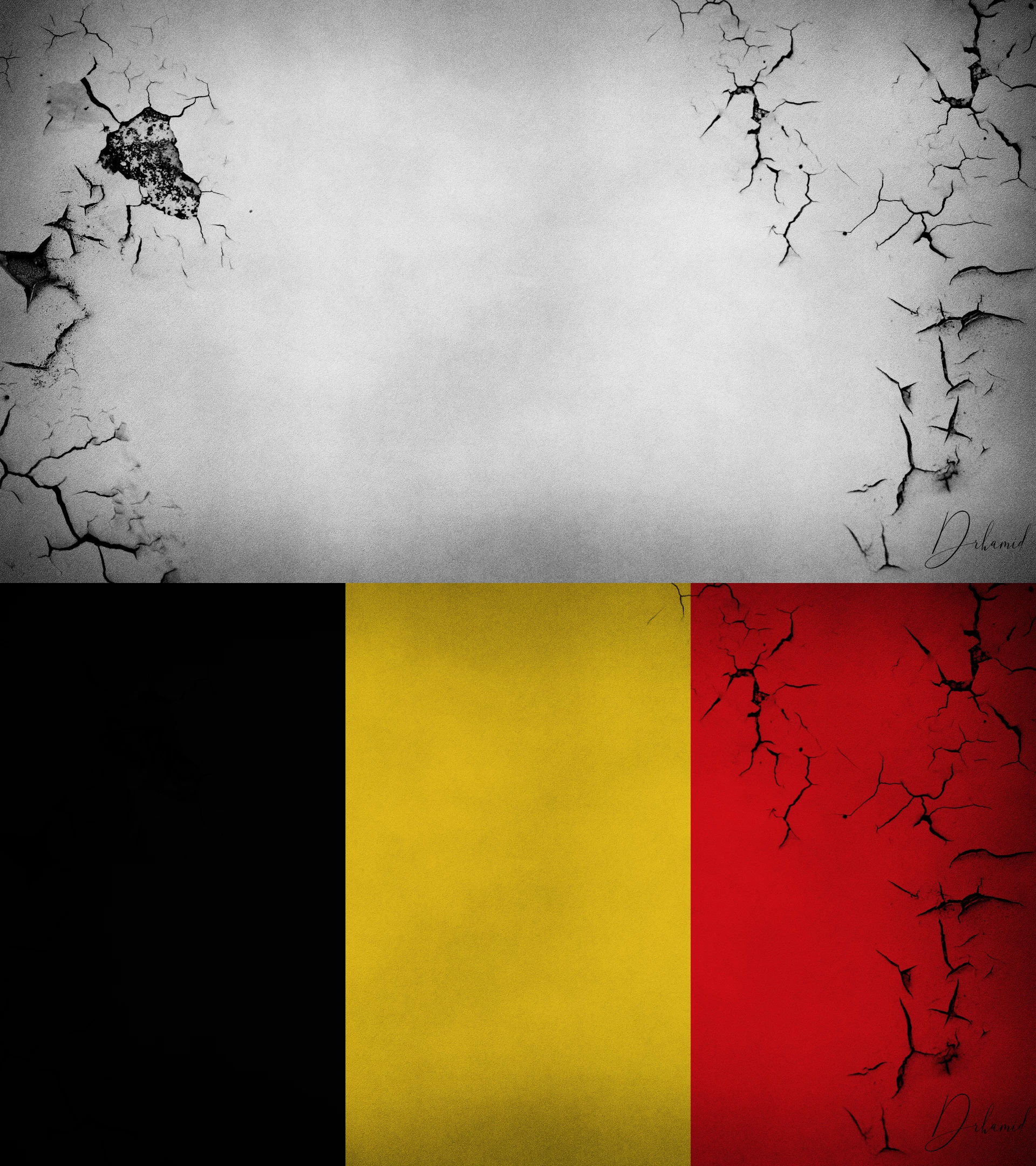
Hi. I'm trying to overlay/multiply Belgium flag on a grunge B&W background. The yellow and red details are well represented but details of the black part are not shown at all. It does not matter what combination of layers I put. The details are not displayed or it looks very unnatural. I'm not professional Photoshoper!! So any help to how can I combine black part with a natural detailed texture?? Here is the picture for more information:
    This topic has been closed for replies.
    Correct answer courtneyw98665068

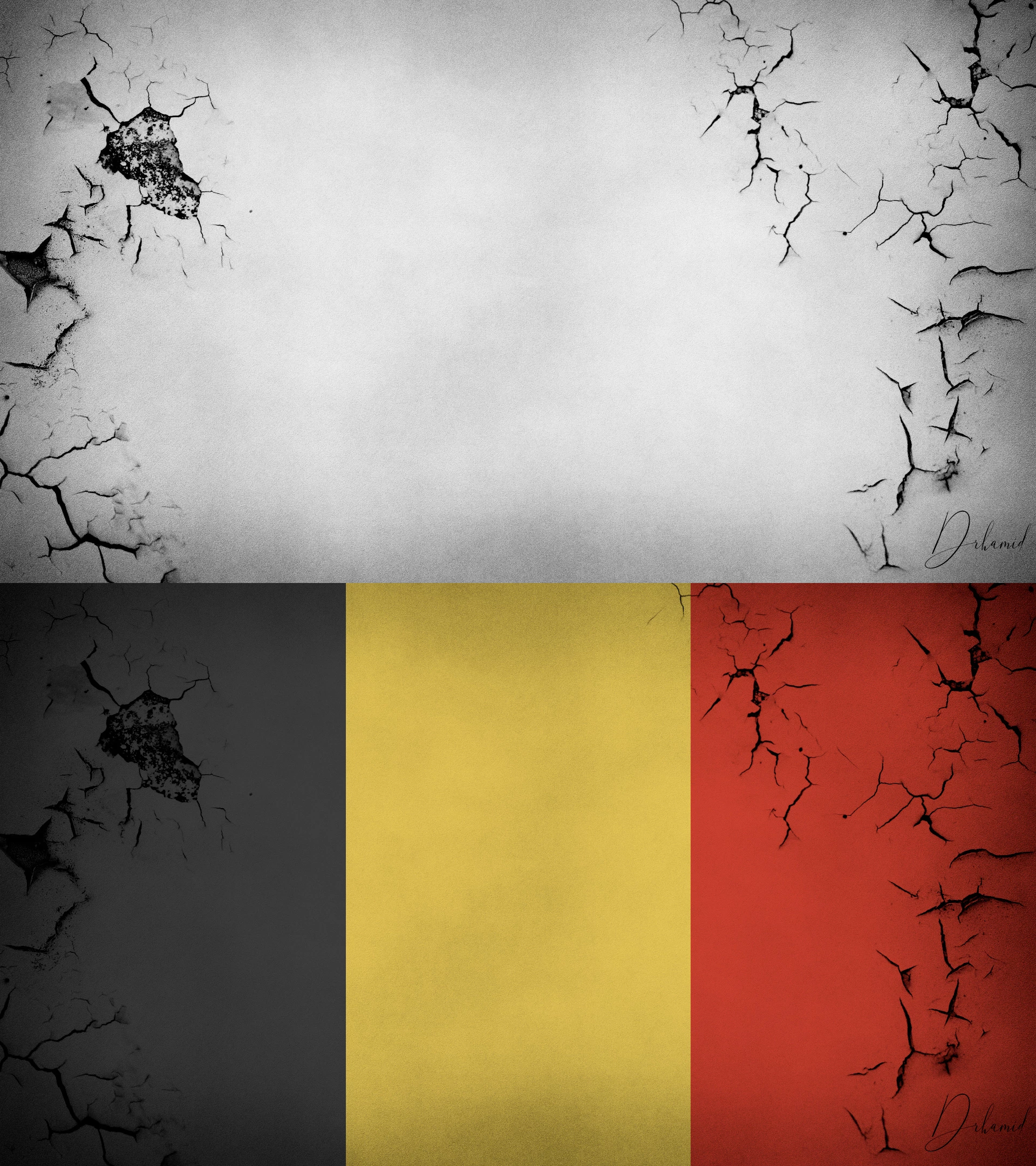
    I just gave it a quick shot with your jpeg - as I should've known it doesnt work setting a solid black to "screen" ( this essentially makes the black invisible) but I mocked a quick and cheap way to achieve the effect as you can see in the JPEG below. I just used a dark grey instead of black, feel free to download the PSD I created and explore the layers and styles ive used to achieve the effect -  WeTransfer 

    2 replies

    Chuck Uebele
    Community Expert
    Community Expert
    June 21, 2019

    You can also just reduce the opacity of the grunge layer.

    Inspiring
    June 21, 2019

    You can not achieve the desired effect with a solid black - "multiply" works by showing whatever pixels are darker on the layer below and darkening them even more with the pixels on the top layer. If the top layer is black nothing can be darker than that, to achieve your desired results cut out the black part of the flag, put it on its own layer and set only the black layer to "screen" or "overlay". "Screen" should work best as it is the opposite effect of multiple, this why you cant use the "screen" effect with a solid white.

    courtneyw98665068Correct answer
    Inspiring
    June 21, 2019

    I just gave it a quick shot with your jpeg - as I should've known it doesnt work setting a solid black to "screen" ( this essentially makes the black invisible) but I mocked a quick and cheap way to achieve the effect as you can see in the JPEG below. I just used a dark grey instead of black, feel free to download the PSD I created and explore the layers and styles ive used to achieve the effect -  WeTransfer 

    June 21, 2019

    Thank you so much! I'm new to PS and you made my day. I wish you the best!