
Participant
February 7, 2021
Answered
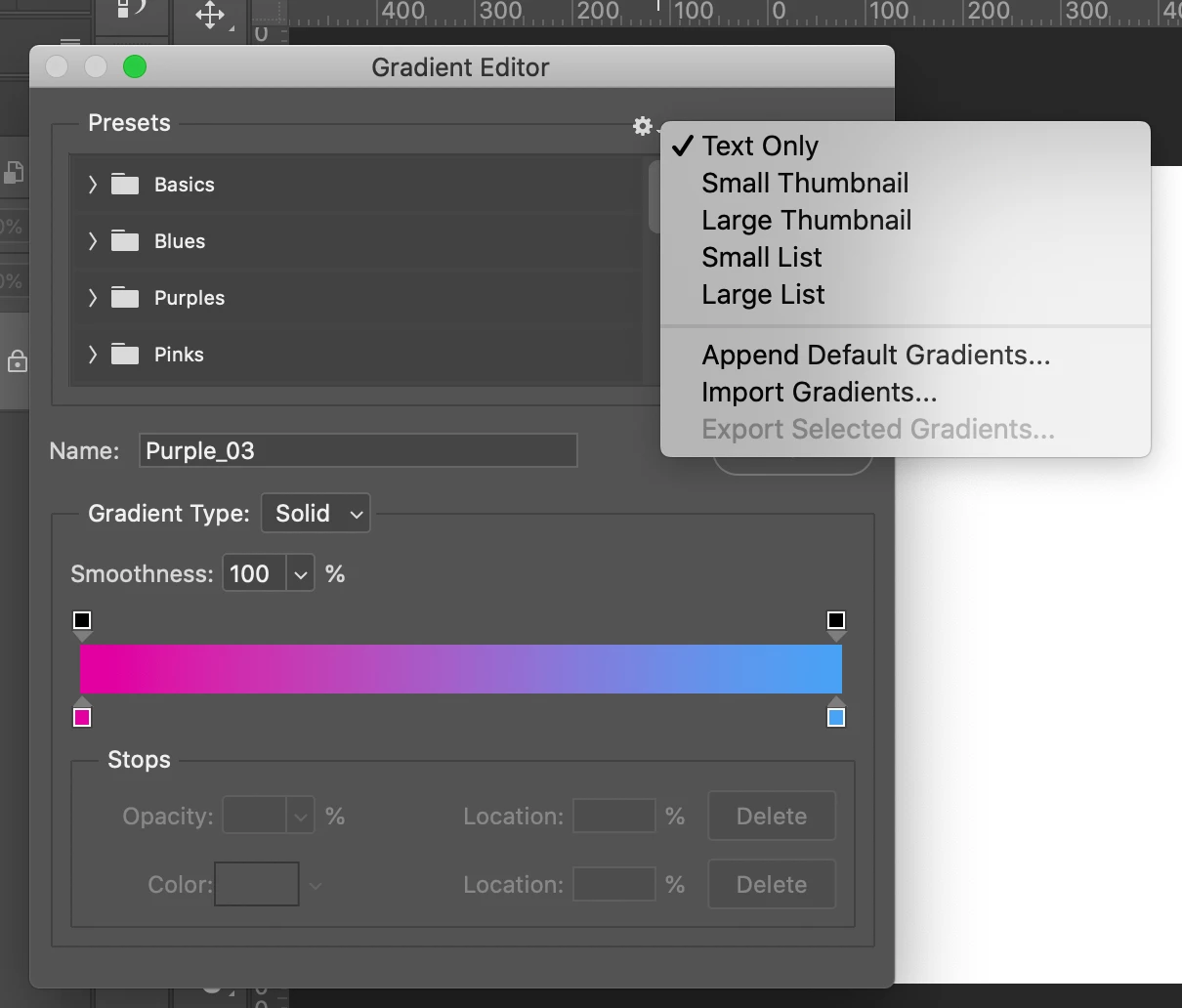
How can I switch the Panel View for my Gradient Colour Editor?
- February 7, 2021
- 1 reply
- 364 views
I fixed my old Macbook Pro and I downloaded Photoshop in December 2020. I have a seperate Macbook that I originally used for my photoshopping but it was so slow so that's why I fixed my other Mac.
When I open my Gradient editor, the color options appear as Text and when you click on the Text bar, it shows the thumbnail of the colors.
I want to switch it back so it shows ONLY the thumbnails with NO Text bars to have to open. I liked when it showed all the Gradient Color Options under 1 tab.
Is there a way to change this back in the settings? Thanks
 AdChoices