

Nicklas G
Inspiring
December 13, 2022
Answered

How could i better integrate my panel to the wall

  • December 13, 2022
  • 1 reply
  • 189 views

Hi all 

Im a beginner and i don't realy know how i could make this grey round go better with the background image... 
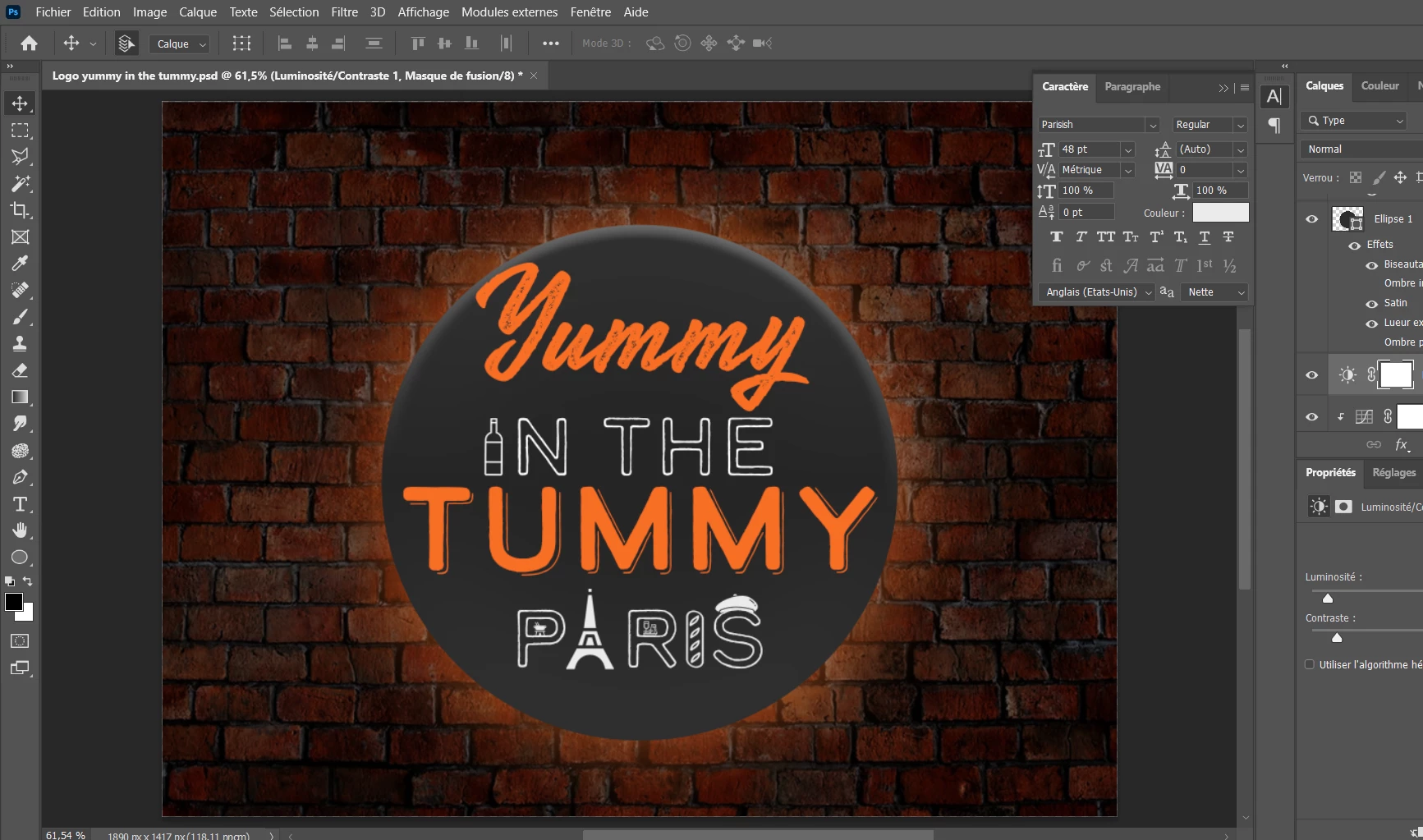
The edge is too rough i reckon so it's not real at all 

and the grey inside the round is a bit fake.

Thanks for you help 


PS: Photoshop is awsome 🙂 

This topic has been closed for replies.
Correct answer Mylenium

Start by giving the sign some depth with a few gradients to mimic highlights and curvature. Also the illumination would capture the texture of the brick wall, so play around with duplicates and blending modes.


Mylenium

1 reply

Mylenium
MyleniumCorrect answer
Legend
December 13, 2022

Start by giving the sign some depth with a few gradients to mimic highlights and curvature. Also the illumination would capture the texture of the brick wall, so play around with duplicates and blending modes.


Mylenium

Nicklas G
Nicklas GAuthor
Inspiring
December 13, 2022

the problem hid that im really not good at gradient and i dont now how to put it what lenght what angle and what colour ...


"People rarely succeed unless they have fun in what they are doing."-- Dale Carnegie.