
Participant
February 6, 2023
Answered

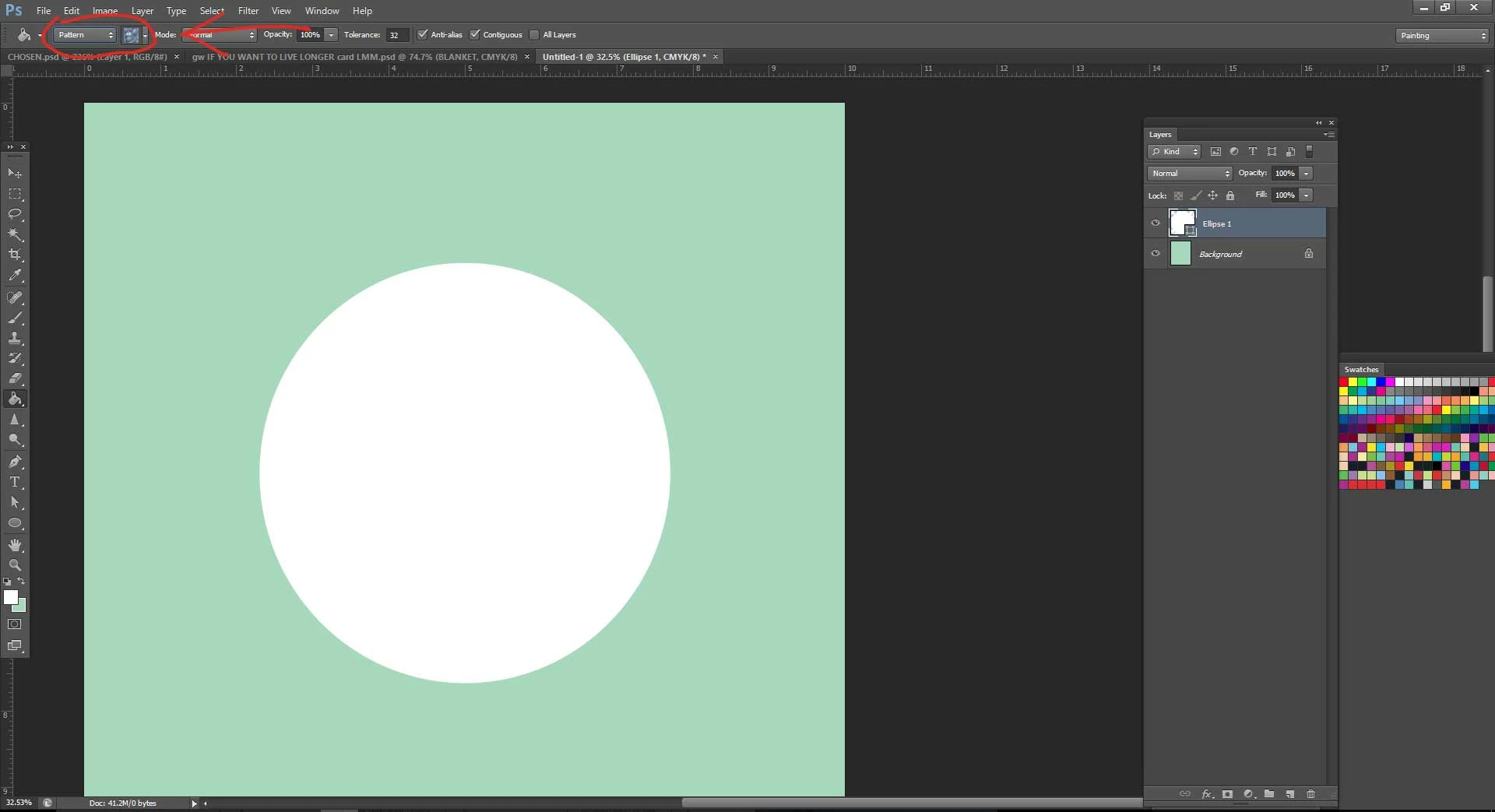
how do I add a solid white circle? It keeps filling with bubbles.

  • February 6, 2023
  • 2 replies
  • 718 views

I just want to add a white circular shape around a door. It shouldn't be so hard. When I make a circle, go and select the border, then try to fill, it fills with bubbles. I don't work at a water park, what am I doing wrong?
This topic has been closed for replies.
Correct answer Leslie Moak Murray

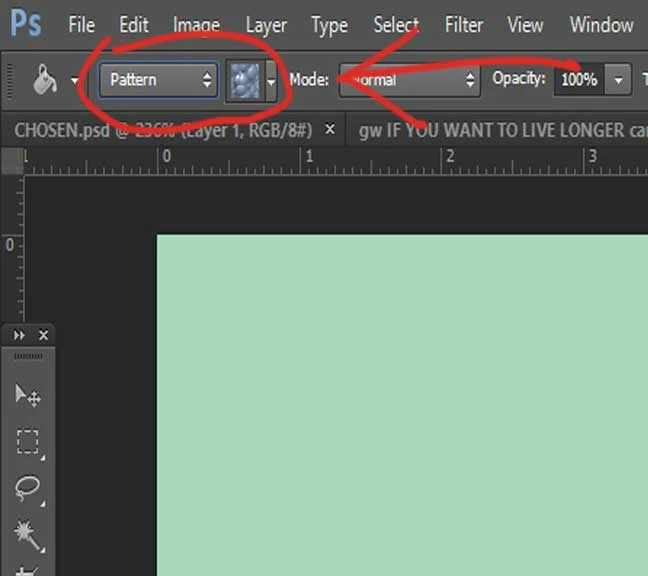
If you're using the Paint Bucket, check to make sure you don't have "Patterns" selected for the fill.

2 replies

Leslie Moak Murray
Community Expert
Leslie Moak MurrayCommunity ExpertCorrect answer
Community Expert
February 6, 2023

If you're using the Paint Bucket, check to make sure you don't have "Patterns" selected for the fill.

NB, colourmanagement
Community Expert
Community Expert
February 8, 2023

@Leslie Moak Murray great idea, well done to think of it - I hope that’s the issue. 


I hope this helps
neil barstow, colourmanagement net - adobe forum volunteer - co-author: 'getting colour right'
google me "neil barstow colourmanagement" for lots of free articles on colour management

TheDigitalDog
Inspiring
February 6, 2023

Try resetting your Photoshop preferences. Press and hold Alt+Control+Shift (Windows) or Option+Command+Shift (macOS) immediately after launching Photoshop. You will be prompted to delete the current settings. You can also reset preferences upon a quit if Photoshop is running by going into General Preferences>General>Reset on Quit.


Author “Color Management for Photographers" & "Photoshop CC Color Management/pluralsight"
Participant
February 6, 2023

Okay now it's giving me a white line when I draw it with the brush tool, but I can't even see "fill" now unless I go to the "Edit" section at the top of the screen! Also the white line is soft fade, and I just want a hard white line! How do I change that? Thank you!

PECourtejoie
Community Expert
Community Expert
February 6, 2023

Hello, @Abigail28283107hda2 it is a guessing game, unless you share a screenshot of your current settings. 

Hit CMD+Shift+3 to save it on your desktop, then attatch it here using the icon that looks like a picture.