
Participating Frequently
August 22, 2022
Question

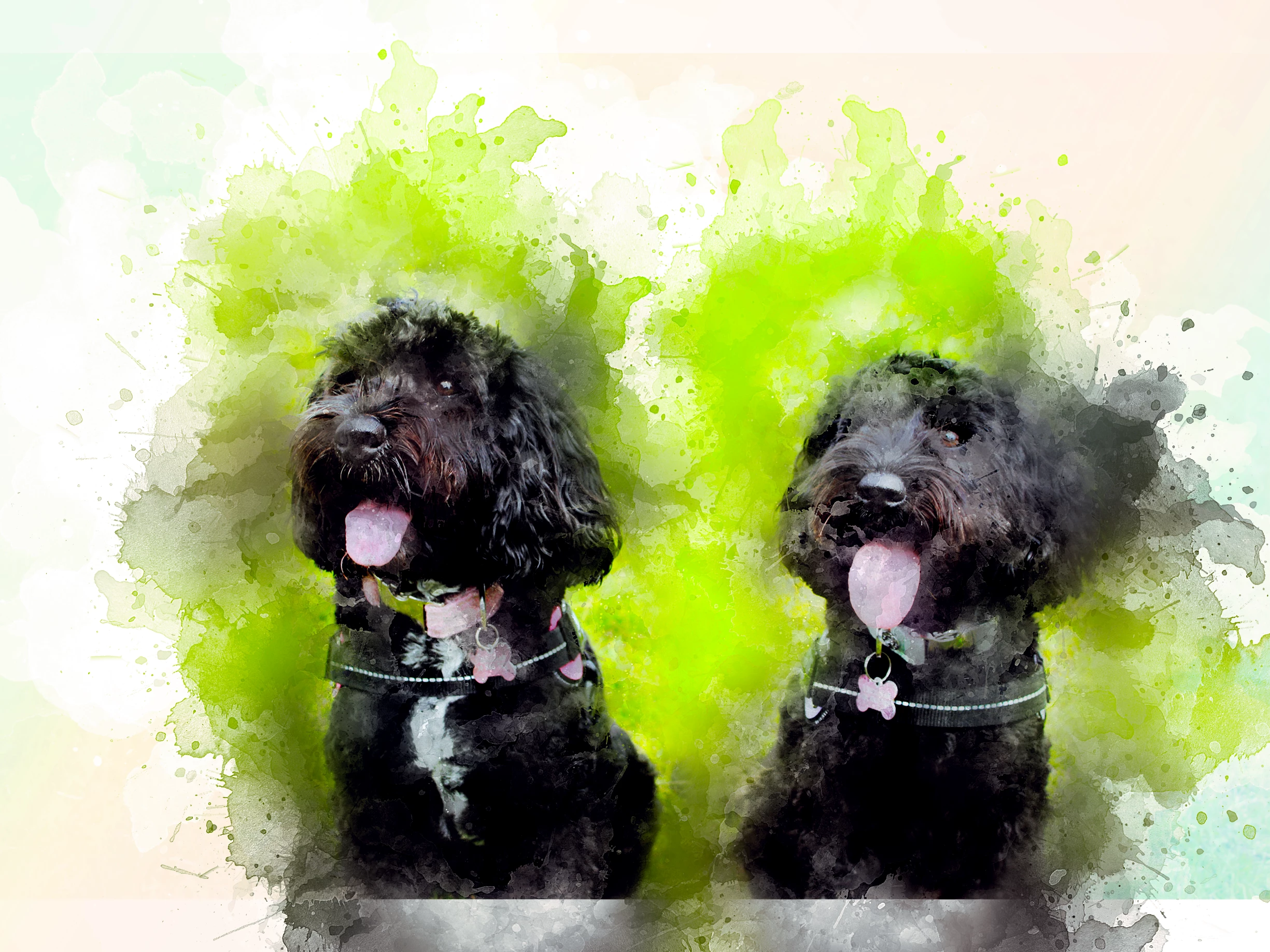
How do i blend the edges of this photo to remove the sharp line
  • August 22, 2022
  • 3 replies
  • 1013 views


I am trying to print it on A4 when copy it into an A4 photoshop page the picture is in the middle which is fine becuase i cant stretch it without it going funny but i need to somehow blend the sharp line out so it looks more natrual on the page.

This topic has been closed for replies.

3 replies

Jumpenjax
Community Expert
Community Expert
August 30, 2022

You can add a gradient layer.

Lee- Graphic Designer, Print Specialist, Photographer
Participating Frequently
August 31, 2022

I decided to just print it lands scape in the end and stretch the lines out

Trevor.Dennis
Community Expert
Community Expert
August 31, 2022
quote

I decided to just print it lands scape in the end and stretch the lines out


By @jameso12451699


It's crazy to just give up when such an important feature is not working for you.  If it is your workflow, then a screen shot of your entire workspace with relevant layer selected, and the matching ants visible.  Have you found other features that are not working as they should.  You need to fix this, or you are are flat out wasting your CC subscription dollars.

didiermazier
Community Expert
Community Expert
August 22, 2022

Selcting the lower part of the image and usin Content aware filling on a new layer did this

You can test various selections…

Participating Frequently
August 23, 2022

I found the button but it is greyed out and i cant press it

Trevor.Dennis
Community Expert
Community Expert
August 23, 2022

Do you have the layer selected?

Have you selected the area you want to fill?  Use the rectangular marquee tool to make the selection.

If Content Aware Fill is still greyed out, let us know and we'll try something else.

Mylenium
Legend
August 22, 2022

Apply a layer mask and paint on it with soft feathered brushes and low pressure/ opacity, then smooth out the result further by applying a Gaussian Blur or Surface Blur to the mask


Mylenium