Participant
July 15, 2017
Answered

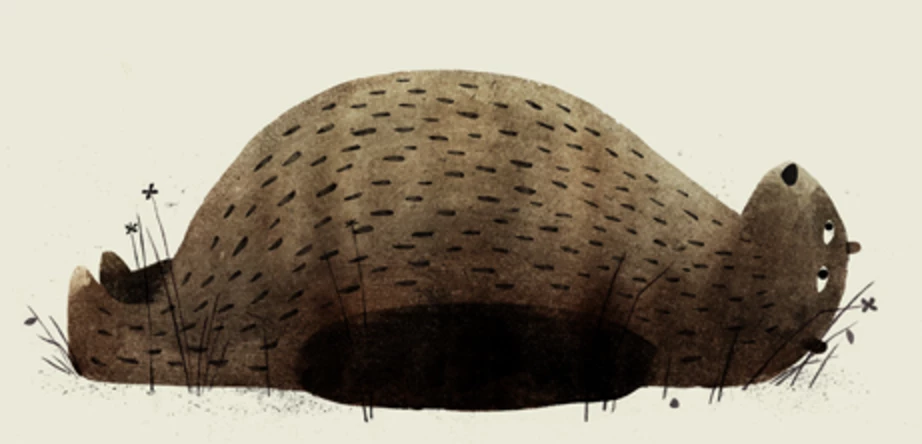
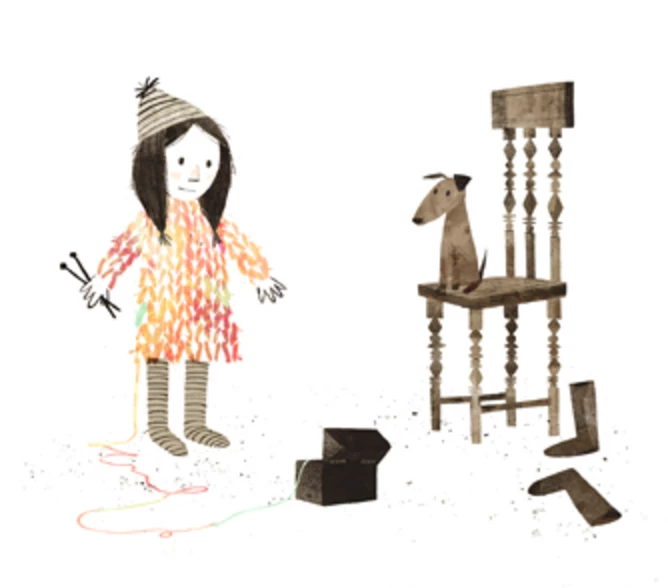
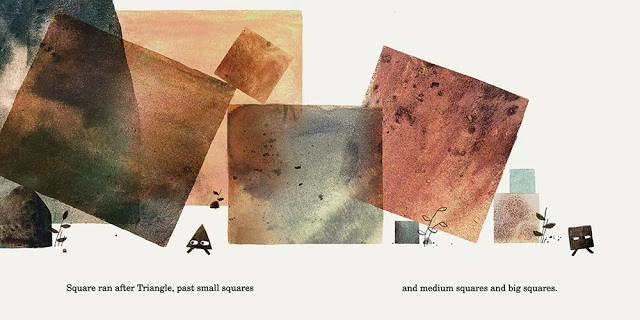
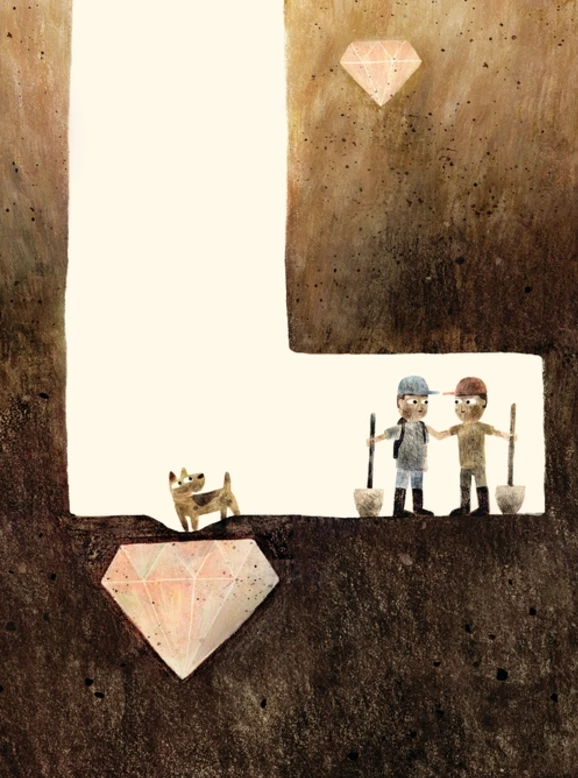
How do I color-blend like this image?

  • July 15, 2017
  • 2 replies
  • 2754 views

I love Jon Klassen's work. He scans in paint or charcoal textures then colors them; that's easy. What I don't understand is how he colors those textures to get all the blended color within a texture - how it has multiple, blended colors in one. It looks so smooth and natural. Anyone have any clue? Thanks!
This topic has been closed for replies.
Correct answer davescm

Hi

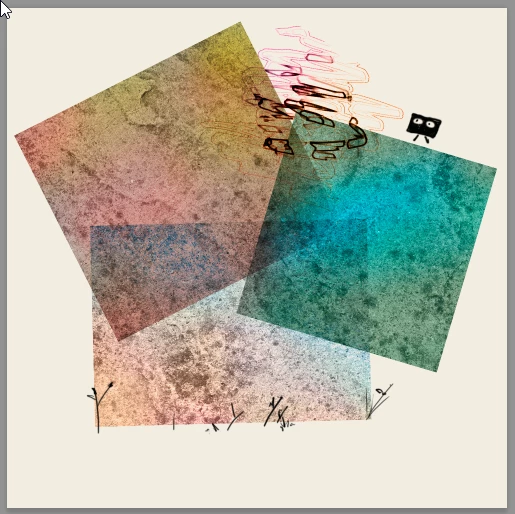
You could try something like below

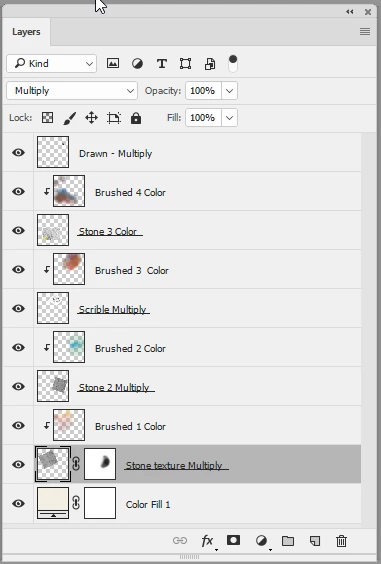
Set the scanned layers (in my case I just used sections of a black & white image of a paving stone texture that I had handy) to blending mode multiply.

Clip a layer to each (Alt-Click on the border) and set that new layer to blending mode color. Then brush on color with a soft brush.

I have shown the blending modes in the layer names

Dave

2 replies

davescm
Community Expert
davescmCommunity ExpertCorrect answer
Community Expert
July 15, 2017

Hi

You could try something like below

Set the scanned layers (in my case I just used sections of a black & white image of a paving stone texture that I had handy) to blending mode multiply.

Clip a layer to each (Alt-Click on the border) and set that new layer to blending mode color. Then brush on color with a soft brush.

I have shown the blending modes in the layer names

Dave

Participant
July 16, 2017

You're a saint, perfect, and thanks for showing examples, too. I'll start playing around tomorrow!

davescm
Community Expert
Community Expert
July 16, 2017

You're welcome.

Just one thing I noticed when I glanced at my reply above - the third layer down is actually in multiply blend mode, the same as all the other black and white layers.I don't know why I labelled it wrong - too much haste not enough speed ! .

Dave

Mylenium
Legend
July 15, 2017

You'd have to ask the artist for the specifics, but presumably he's using multiple duplicates and additional masking in overlapping areas to more finely control blending behavior plus completely different colors than the outcome may show. That's just the nature of the thing - blue and red do not necessarily mix to purple when using blending modes...

Mylenium