
LeloFOX
Participant
March 25, 2018
Answered

how do i color correct like this

  • March 25, 2018
  • 2 replies
  • 1192 views

i've been trying to copy the color correction a youtuber did in his videos but i just can't seem to get it right.

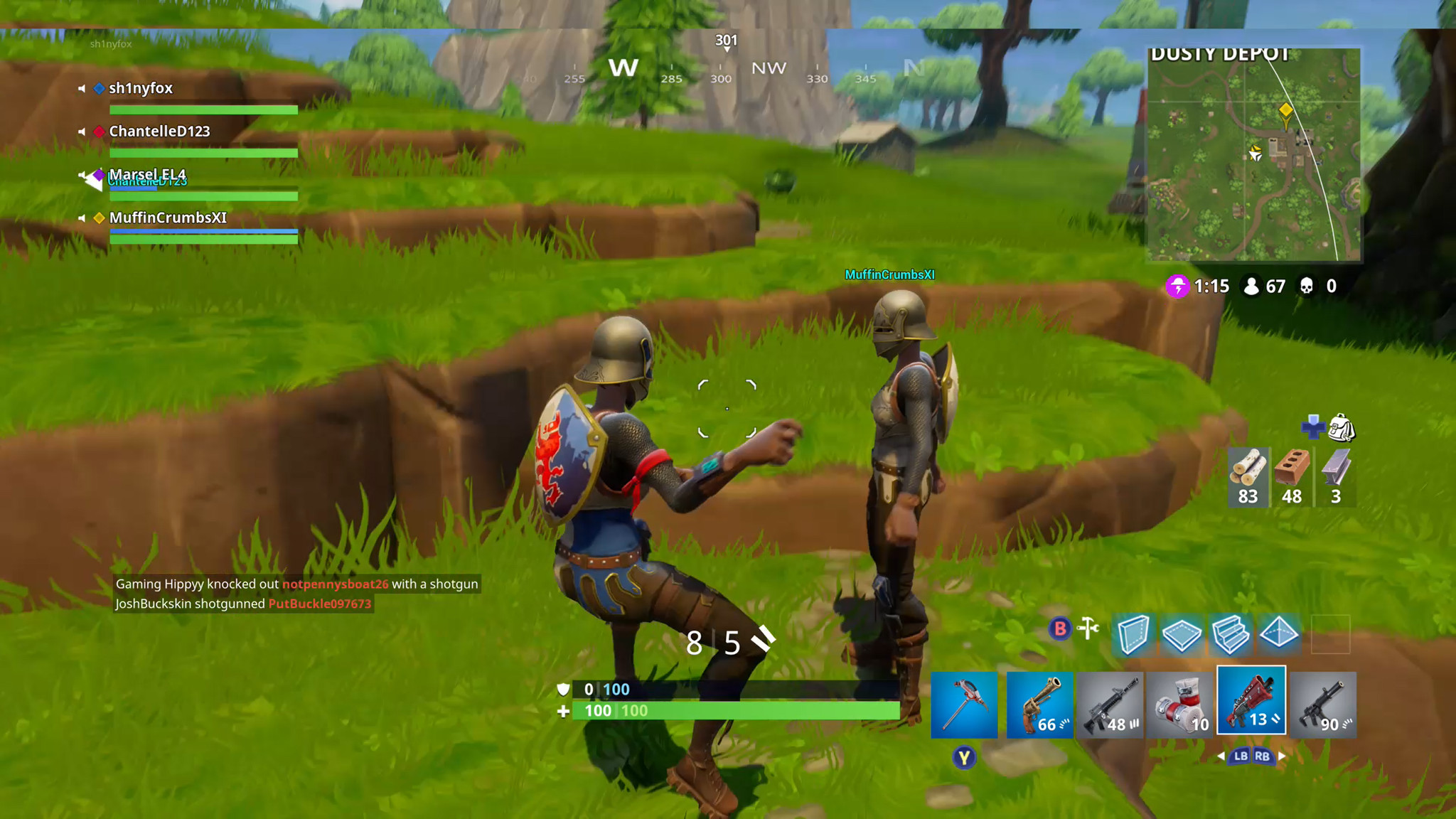
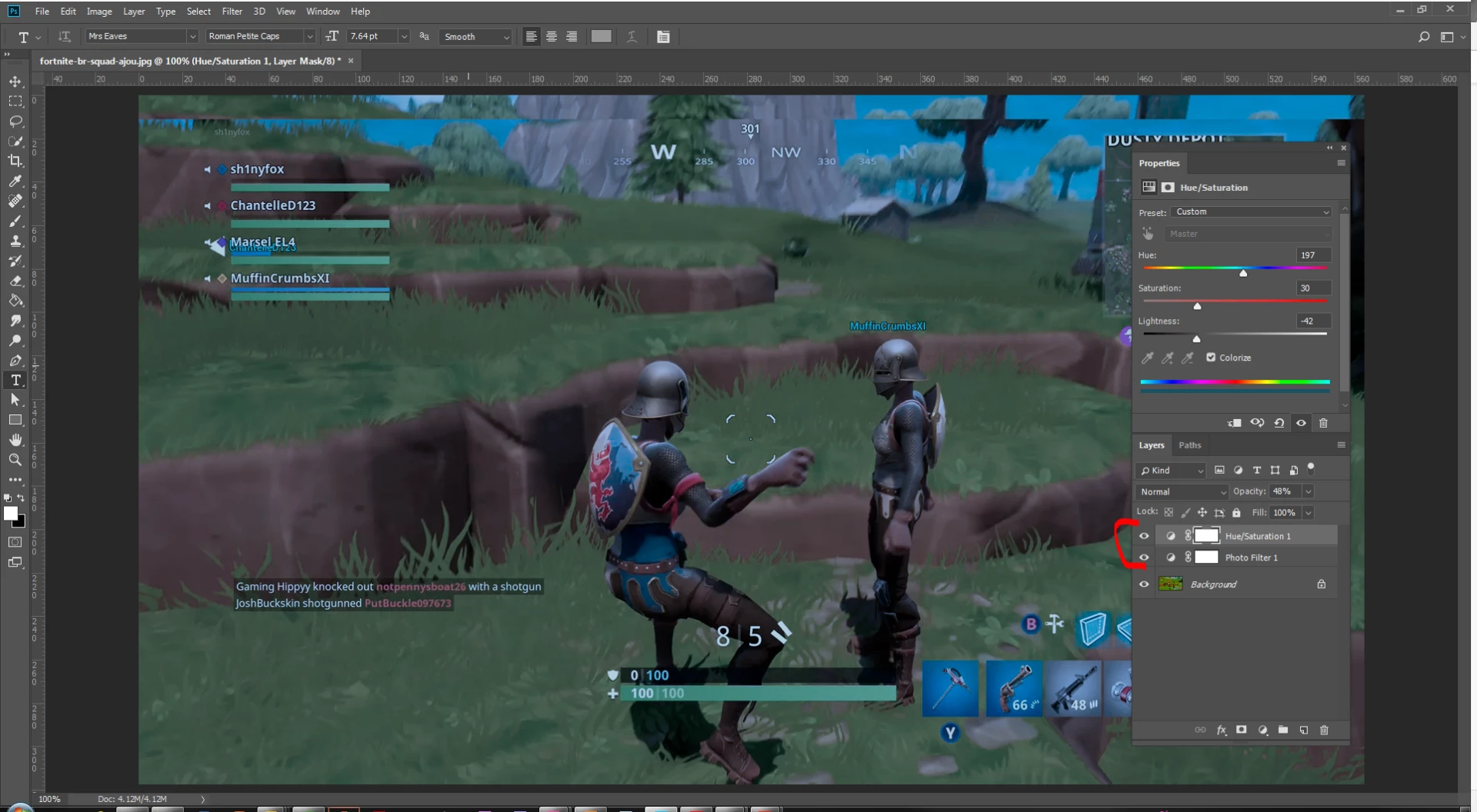
This is how it looks after he corrected it. The reds and greens seem shifted to a darker, more blue side than it should be, including the blue ironically.
fortnite-br-squad-ajou.jpg?itok=rVgvmDo1

this is the game normally. he also did some contrast and brightness work

I wanna know how to recreate this effect and maybe even some pointers on how i would copy an effect in the future.

Thanks in advance!
This topic has been closed for replies.
Correct answer Abambo

There is more than one solution into this. You need to experiment with the different colour correction tools. Without spending time into this, I've modified your data into this:

Additionally you could use curves, channel correction etc. There are a lot of possibilities.

But as the Youtuber does video, I suppose he applies his "corrections" to the video. Video has a great history of colour grading and there are a lot of colour grading tools out there. Now my question is more of a philosophical nature:

When doing a video of a game, why should I bother changing the colours?

2 replies

KShinabery212
Community Expert
Community Expert
April 3, 2018

This is a great question!  Gamers have been creating amazing content on YouTube using Adobe Premiere.... editing their videos, color correcting.  They also have utilized After Effects to create animations and Illustrator to create their logos!

If they were streaming live to YouTube... then it had to be some edit built into their capture.  As I have streamed using OBS, and that overlays my webcam on top of the video coming directly from what I am streaming on my monitor.  You might try to ask him by emailing him what he did.

If you are only trying to change still image or screen capture pic then Photoshop is the solution to play around with.  I would use the Camera Raw filter to really get in there and tweak the colors.

If you are streaming.... I am not sure you would want to really change the colors though.  For me it makes no sense as you want to stay as true to the game as possible for your viewing community.  Unless you really want to make something psychedelic, then that could be fun. 

If you are located in the US then I suggest attending Twitchcon at some point and connecting with other gamers who stream.  See how they set up their captures.  Me personally.... I use OBS, ScorpBot and Restream Chat.  But I know there are so many ways to do a stream.... that is just what was originally set up on my computer.

Let's connect on LinkedIn. https://www.linkedin.com/in/kshinabery/
Abambo
Community Expert
AbamboCommunity ExpertCorrect answer
Community Expert
March 26, 2018

There is more than one solution into this. You need to experiment with the different colour correction tools. Without spending time into this, I've modified your data into this:

Additionally you could use curves, channel correction etc. There are a lot of possibilities.

But as the Youtuber does video, I suppose he applies his "corrections" to the video. Video has a great history of colour grading and there are a lot of colour grading tools out there. Now my question is more of a philosophical nature:

When doing a video of a game, why should I bother changing the colours?

ABAMBO | Hard- and Software Engineer | Photographer
LeloFOX
LeloFOXAuthor
Participant
March 29, 2018

Thank you for your reply!

That specific video was a vlog where they did a challenge to play fortnite and every kill resulted in a random dare for the other person. Most of the video was their vlog and them doing the dares and they applied an overall color correction to the video.

I thought it was a really nice correction since the greens and reds just seem a little nicer to my eyes.

Thank you for your time!