Participant
May 12, 2022
Answered

How Do I Create This Please?

  • May 12, 2022
  • 2 replies
  • 844 views

Can anyone help me with how to create an image like this please? Im not sure how to add the red colour blocks. This is not my image but I'd like to create something similar.

This topic has been closed for replies.
Correct answer Ranjisha Sengupta

Hi there, 


Thanks for reaching out; we're here to help. 

Which version of Photoshop are you using? 

I have tried making something similar, Sharing the steps.

1) Take a blurry or a single-colored background.

2) Draw the type of shape you want to highlight (In the above case, it's a Red Polygon). I have also drawn something similar.
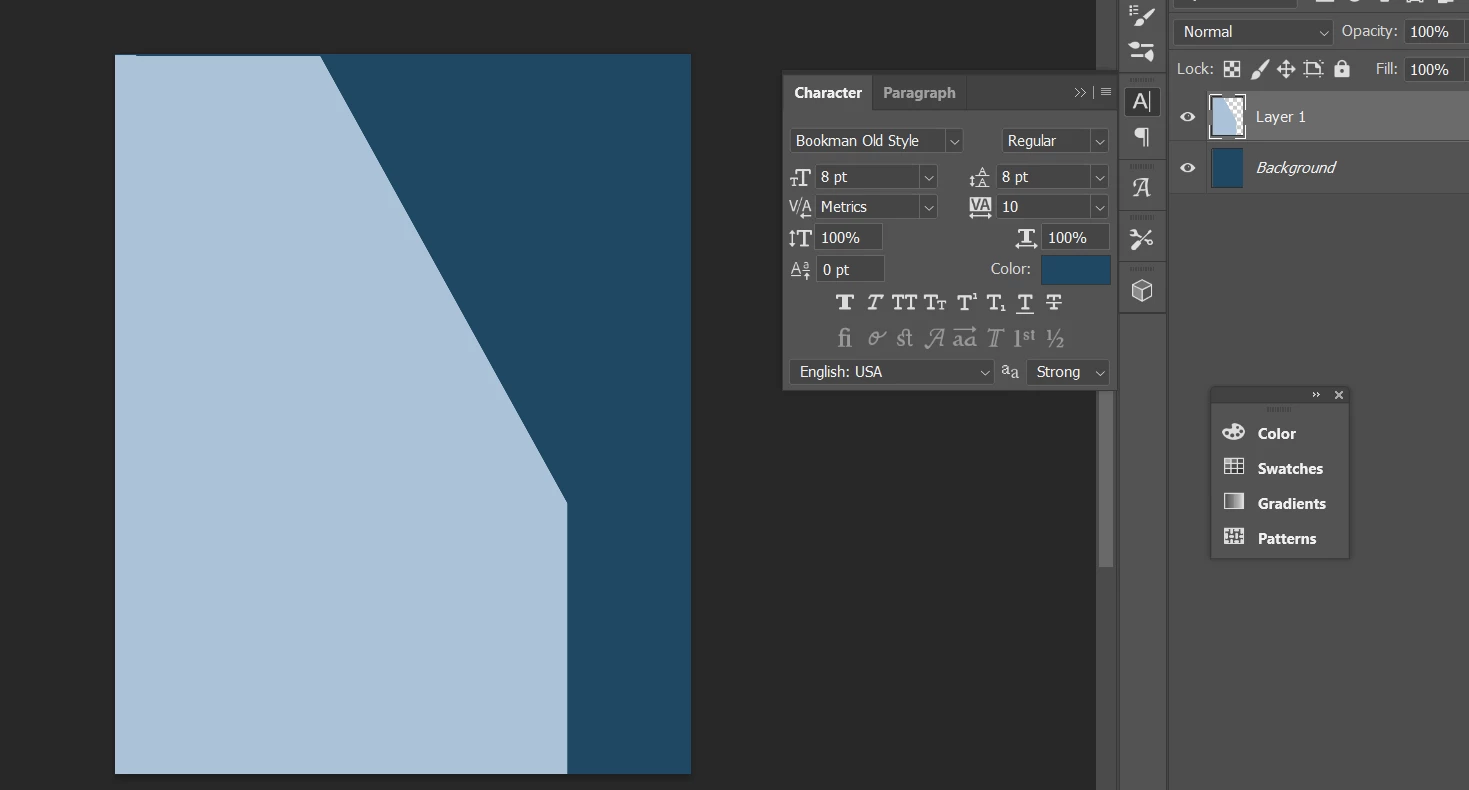
3) Add another layer on top of it, and repeat the step in the opposite direction. Once you get the shapes, reduce the opacity of both the layers. 
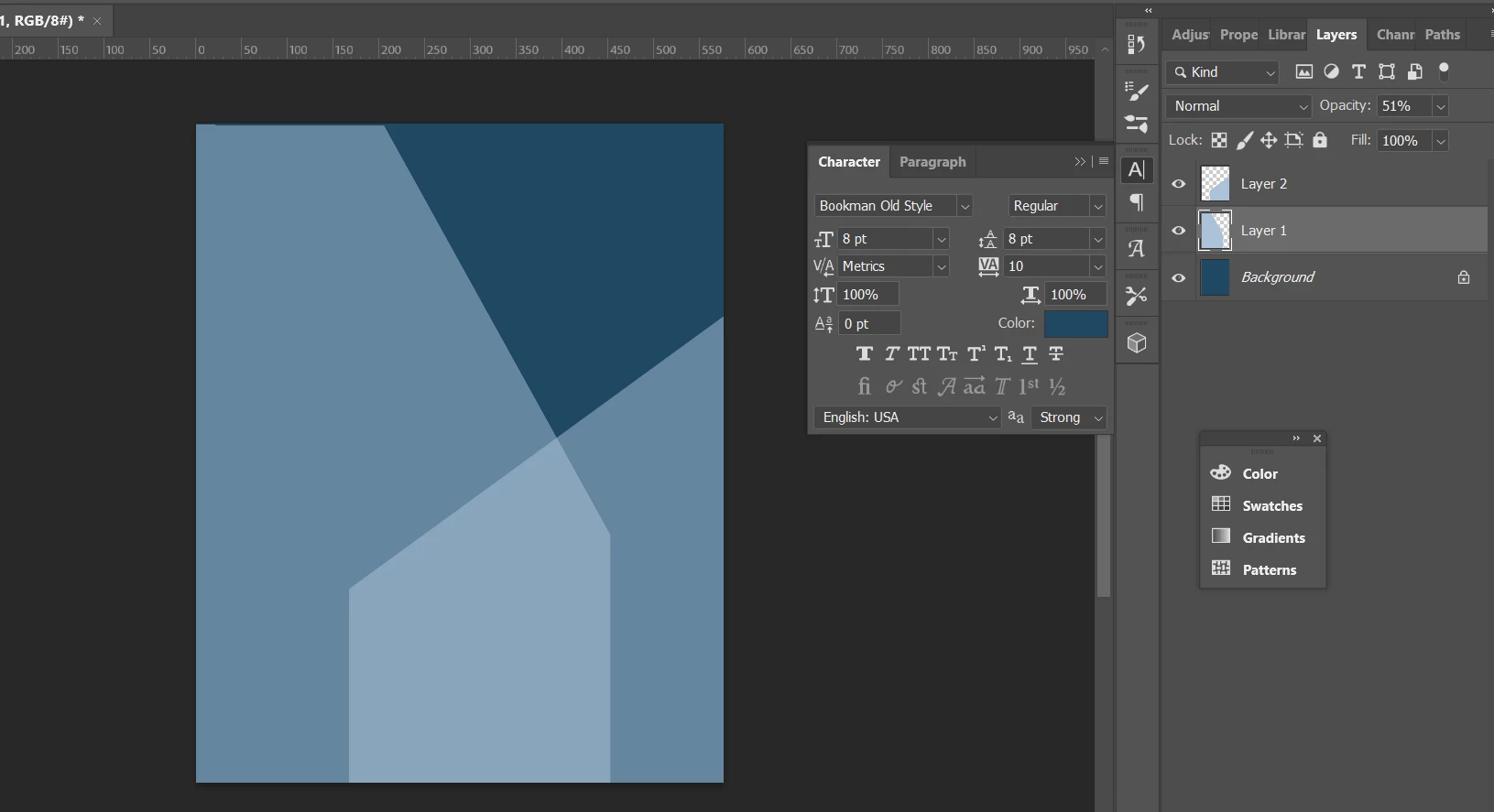
4) Add the desired object to the image between the layers you already created. (In the above case, it's the hen)
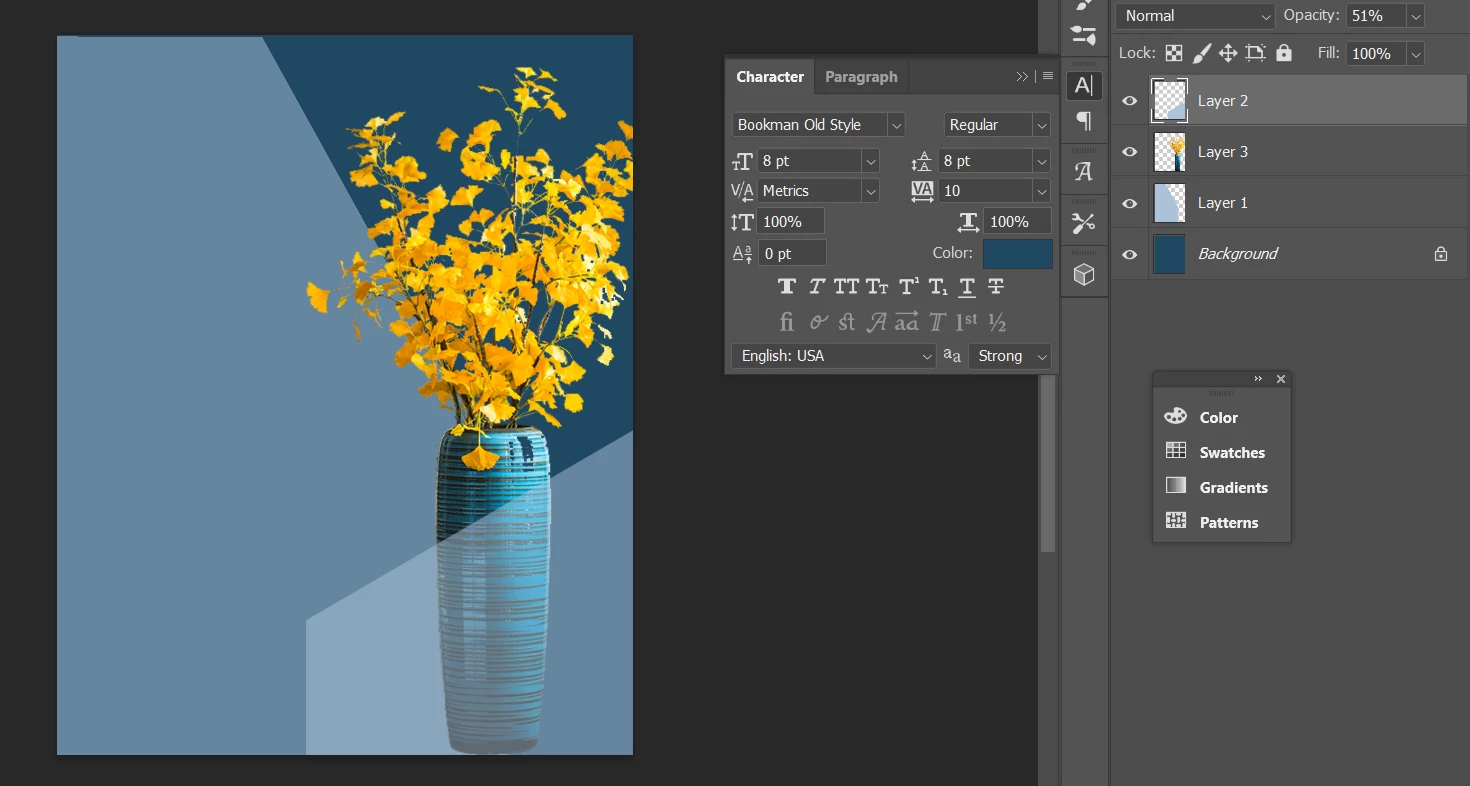
 This is what I was able to do, similar to what you wanted.


Hope this helps.


Thanks.

Ranjisha

2 replies

Ranjisha Sengupta
Ranjisha SenguptaCorrect answer
Legend
May 12, 2022

Hi there, 


Thanks for reaching out; we're here to help. 

Which version of Photoshop are you using? 

I have tried making something similar, Sharing the steps.

1) Take a blurry or a single-colored background.

2) Draw the type of shape you want to highlight (In the above case, it's a Red Polygon). I have also drawn something similar.

3) Add another layer on top of it, and repeat the step in the opposite direction. Once you get the shapes, reduce the opacity of both the layers. 

4) Add the desired object to the image between the layers you already created. (In the above case, it's the hen)

 This is what I was able to do, similar to what you wanted.


Hope this helps.


Thanks.

Ranjisha

M.L.M.Author
Participant
May 13, 2022

thank so much!

Leslie Moak Murray
Community Expert
Community Expert
May 12, 2022

-Make a rectangle with the Rectangle Tool in whatever color you want

-Set that layer to Multiply (Once you see it in Multiply, you might want to adjust the color etc)

-Rotate the rectangle as needed.

-When you want to crop it, you have to go Layer/Rasterize Shape.


-

M.L.M.Author
Participant
May 13, 2022

Brilliant! Thanks so much for your help

Leslie Moak Murray
Community Expert
Community Expert
May 13, 2022

You're welcome! It's always good to hear the answer helped, and thank you for taking the time to mark it correct.
