
Participant
January 23, 2017
Answered

How do I crop a photo or photos within an Artboard?

  • January 23, 2017
  • 1 reply
  • 1265 views

I am trying to create an artboard of a wardrobe and would like to crop some photos. When I click on the photo and click the Crop tool, I can't seem to crop the photo that I just selected. What am I doing wrong?
    This topic has been closed for replies.
    Correct answer Chuck Uebele

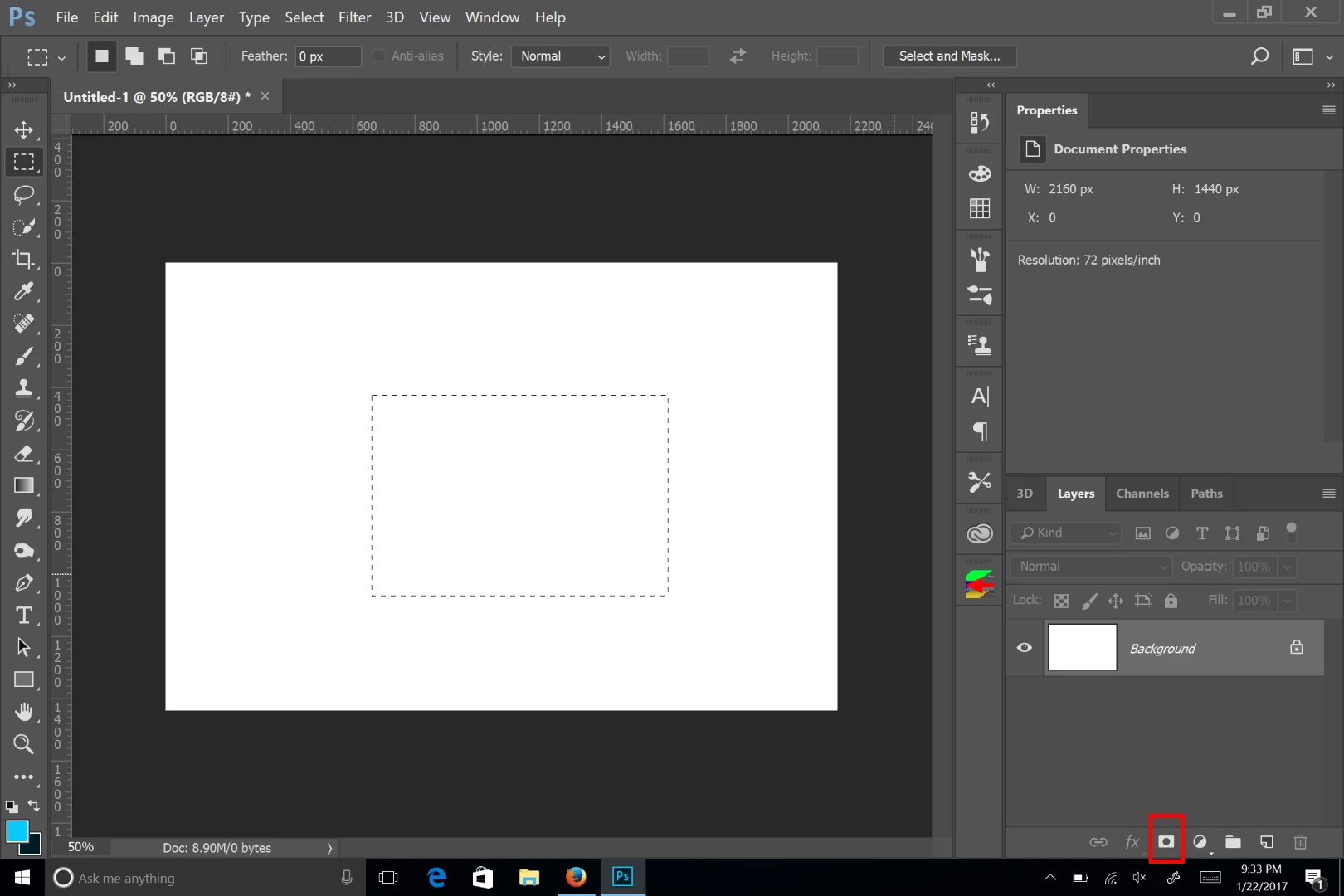
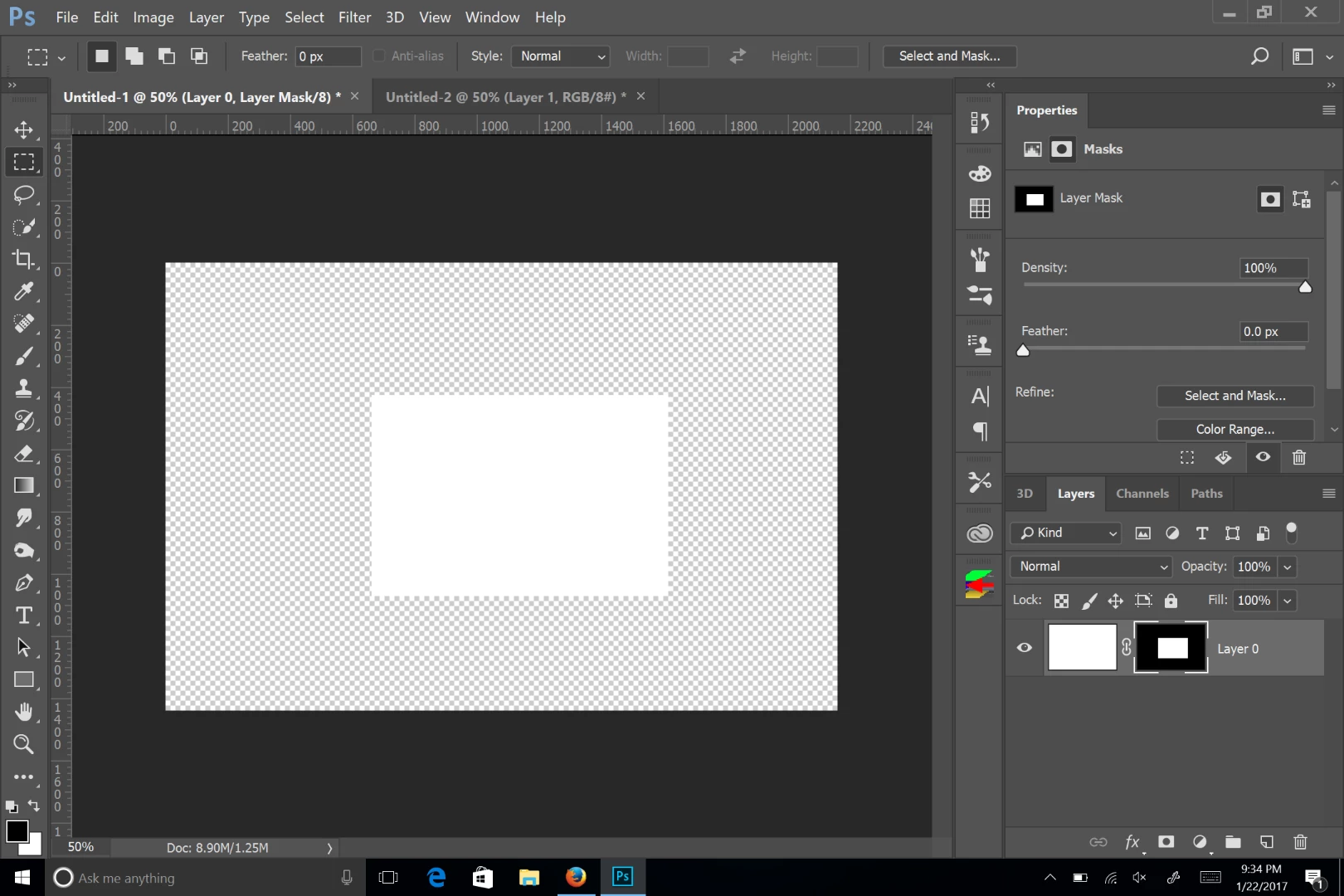
    Crop, crops the entire file. If you want to crop one image on a layer, then you need to use a mask, either a pixel or vector mask. You can draw a selection for the area you want to crop, then click on mask icon at the bottom of the layer panel.

    1 reply

    Chuck Uebele
    Community Expert
    Chuck UebeleCommunity ExpertCorrect answer
    Community Expert
    January 23, 2017

    Crop, crops the entire file. If you want to crop one image on a layer, then you need to use a mask, either a pixel or vector mask. You can draw a selection for the area you want to crop, then click on mask icon at the bottom of the layer panel.

    Participant
    January 23, 2017

    Thank you so much for your help!