
Participant
May 6, 2024
Question

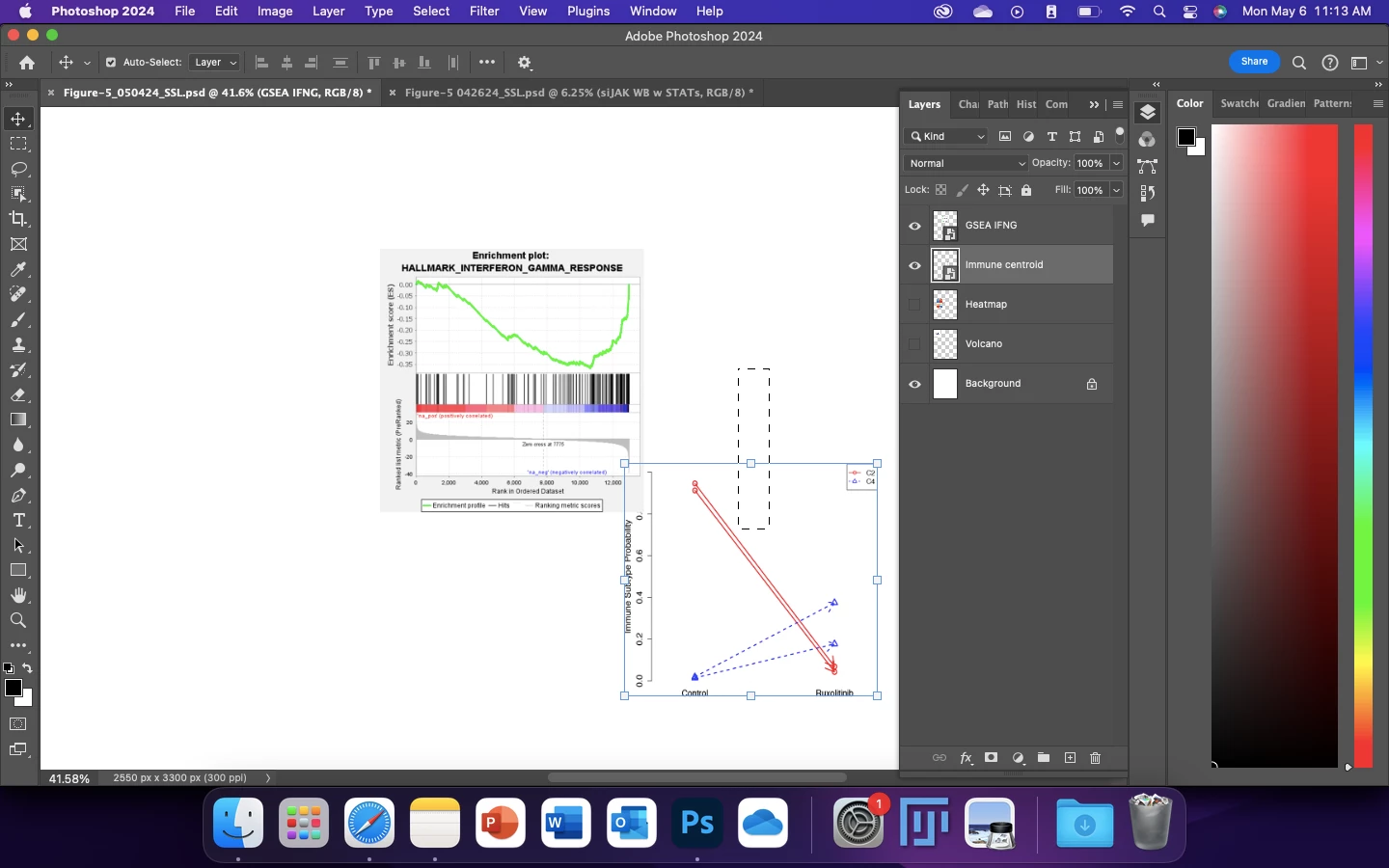
How do I disable black dotted box when using move tool in photoshop 2024?
  • May 6, 2024
  • 2 replies
  • 653 views

How do I disable black dotted box when using move tool in photoshop 2024 on macOS? I already tried the “Preferences > Tools > Show Transformation Values > Never” option- this only removed the width and length values, not the actual box. It's very annoying, it prevents me from moving the layers at times. 

This topic has been closed for replies.

2 replies

Myra Ferguson
Community Expert
Community Expert
May 6, 2024

I should add that this dashed rectangle is not an active selection which would be represented by "marching ants" which uses smaller dashes. An active selection can be removed by deselecting -- going to Select > Deselect or pressing Command (macOs) or Ctrl (Windows) + D.

Myra Ferguson
Community Expert
Community Expert
May 6, 2024

The vertical rectangle in your image that's made of black dashes is the visual representation of a marquee selection that you can make with the Move tool when you press on the mouse while drawing a rectangular selection When you make a marquee selection, any object within that rectangle would be selected. Alterantively, you can click on an object to select it or select it in the Layers panel.

Participant
May 6, 2024

Hi Myra, thanks you for your response. I am aware that this is a selection box, I was trying to figure out if it's possible to disable this while using the move tool. My goal is to have the move tool function as move only, not move and selection at the same time. 

Myra Ferguson
Community Expert
Community Expert
May 6, 2024

In the Options bar (Window > Options), you could deselect Auto-Select.